
to you · · 9 min read
Stalwart Review (2026): The All-in-One Self-Hosted Mail Server
Stalwart replaces the usual self-hosted mail stack with one fast, open-source program. Here is what it does, what it takes to run, and what the free and paid editions cost.
Jump to section
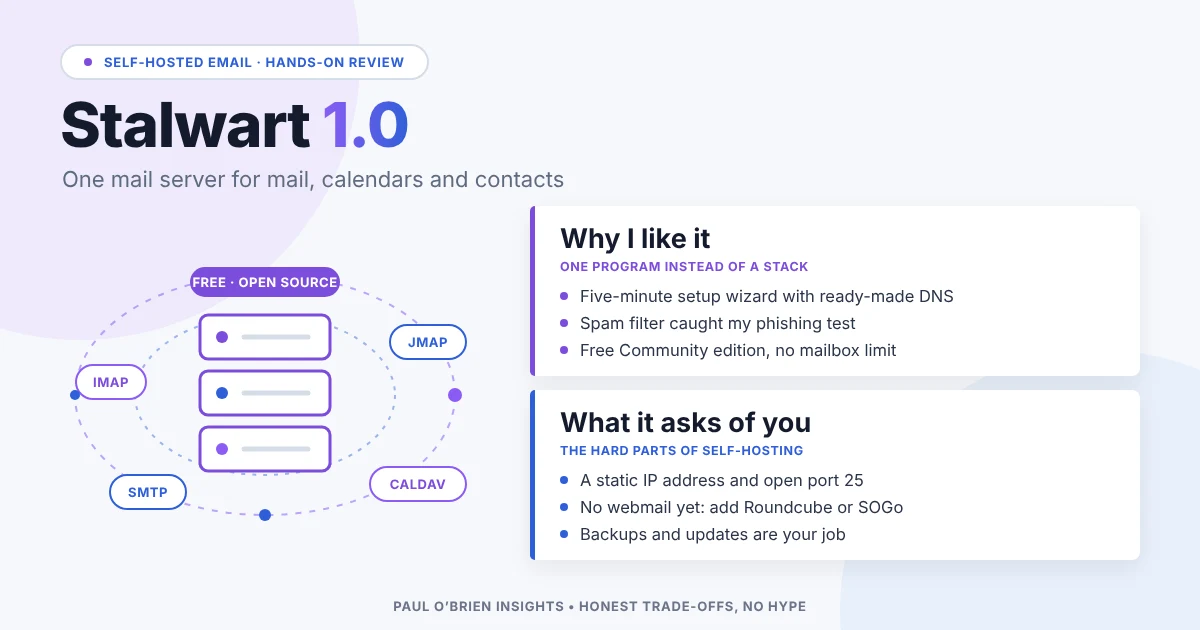
Stalwart is an open-source mail and collaboration server that does in one program what most self-hosted setups need four or five for: sending, receiving, IMAP, JMAP, calendars, contacts, file storage and spam filtering. It reached version 1.0 in October 2026. It is fast, modern and free to run. It is also still a mail server, with everything that means for the person who has to look after it.
This review covers what Stalwart does, what it takes to run, what the free and paid editions cost, and how it compares with other ways to host your own email. Prices, features and policies were checked against Stalwart’s own website and documentation on 29 October 2026.
Short answer: Stalwart is the most complete self-hosted mail server I have looked at, and the easiest to configure from one place. It suits someone who already runs servers and wants their mail, calendars and contacts under their own roof. It does not yet come with webmail, and it can’t fix the hard parts of self-hosting: a clean IP address, open port 25 and someone on call when things break.
How I tested: I installed Stalwart 1.0.1 on a test Linux server on 29 October 2026, worked through the setup wizard, created a mailbox, sent and received mail over SMTP and IMAP, and sent it an obvious phishing email to see what the spam filter did. The test server had no public address, so real-world delivery to Gmail or Outlook is covered from Stalwart’s documentation, not tested.
At a Glance: Who Stalwart Is (and Isn’t) For
| User Profile | Best Fit? | Core Value Drivers / Key Trade-offs |
|---|---|---|
| Sysadmin or developer who already runs Linux servers | Ideal | One program, one admin screen, modern protocols. You still own deliverability, backups and updates. |
| Small business wanting mail, calendars and contacts in-house | Strong fit | Free Community edition covers everything most small teams need. Someone must be able to maintain it. |
| Hosting company or email provider | Ideal | Multi-tenancy, branding and clustering on the Enterprise edition, from €2 per mailbox a year. |
| Privacy-focused individual with one domain | Workable | Your mail on your own hardware, with optional encryption at rest. A lot of work for one mailbox. |
| Anyone wanting webmail out of the box | Partial fit | No built-in webmail yet. You add Roundcube, SnappyMail, SOGo or similar yourself. |
| Non-technical user who just wants email that works | Alternative needed | A managed provider such as Fastmail or mailbox.org is far less work. |
What Stalwart Is
A traditional self-hosted mail server is a stack: Postfix to send and receive, Dovecot for IMAP, Rspamd or SpamAssassin for spam, something else for calendars and contacts, and a webmail on top. Each has its own configuration language and its own way of failing. Stalwart replaces that stack with a single program written in Rust, configured from one web admin screen or a command-line tool.
| Area | What Stalwart provides |
|---|---|
| Email protocols | SMTP, IMAP (including IMAP4rev2), POP3, JMAP and ManageSieve |
| Calendars and contacts | CalDAV, CardDAV and the newer JMAP for Calendars and Contacts |
| Files | WebDAV and JMAP file storage, with sharing controls |
| Spam and phishing | Built-in filter with blocklists, greylisting, sender reputation and a statistical classifier |
| Sender authentication | SPF, DKIM (with automatic key rotation), DMARC, ARC, DANE and MTA-STS |
| Storage | RocksDB, PostgreSQL, MySQL, SQLite, FoundationDB, S3-compatible and Azure |
| Sign-in | Built-in accounts, LDAP, SQL or OpenID Connect, with two-step sign-in and app passwords |
| Migration | Vandelay, a free tool that copies accounts from IMAP, Google Takeout, Exchange or Microsoft 365 |
| Platforms | Linux, macOS, FreeBSD, Windows and Docker |
JMAP deserves a mention. It is the modern replacement for IMAP, designed by the team behind Fastmail, and it makes mail apps faster and kinder to phone batteries. Very few servers support it properly. Stalwart is one of them.
Know the limits: there is no webmail for your users yet. The admin screen includes a self-service area for passwords and encryption keys, but reading mail in a browser needs a separate webmail such as Roundcube, SnappyMail or SOGo. Stalwart said in 2025 that its own webmail would follow version 1.0.
Setting It Up: What I Found
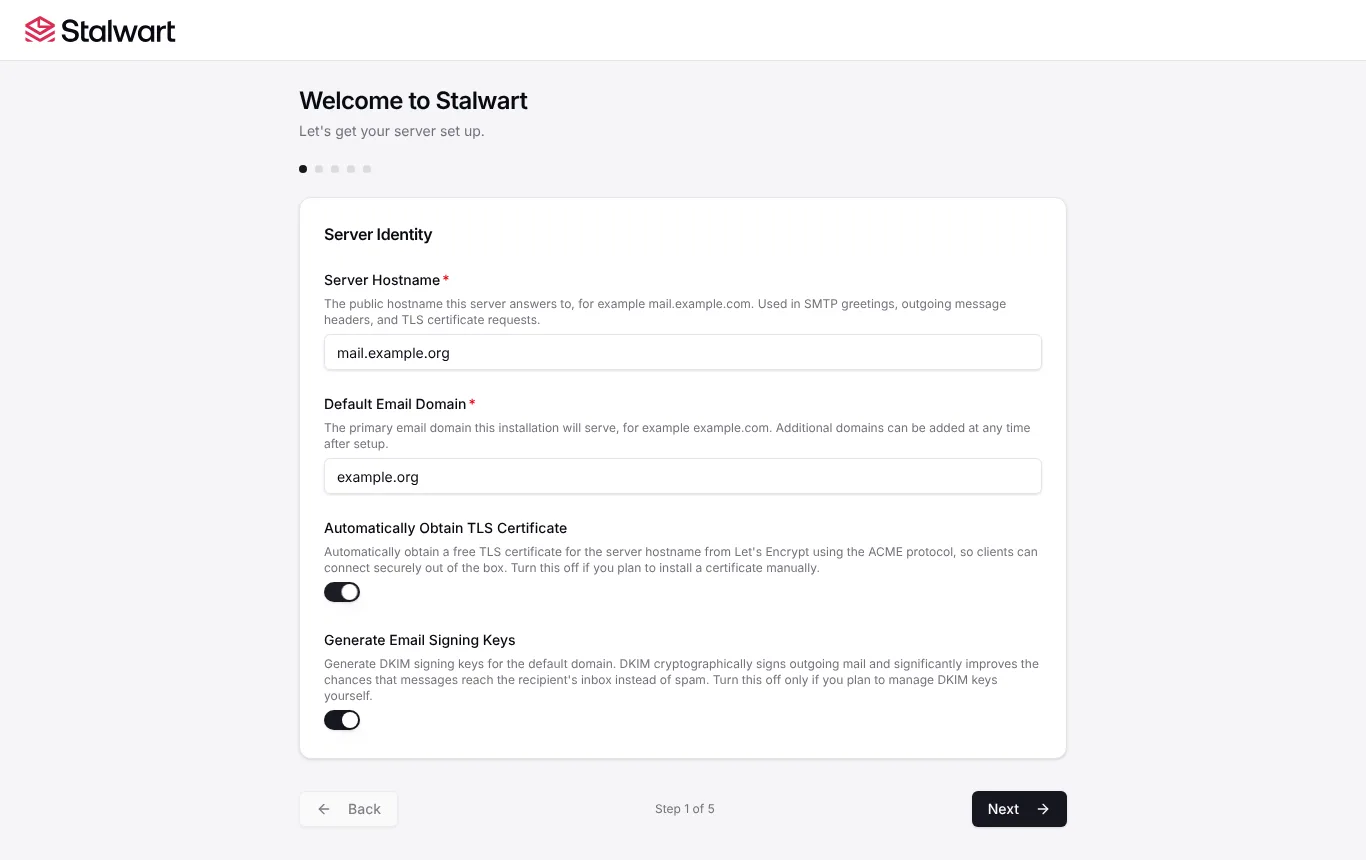
Stalwart is a single download. Started for the first time, it opens a five-step setup wizard in the browser: server name and domain, storage, where accounts live, logging, and DNS. Every field has a sensible default, so for a single server you only type the server name and your domain. It took me about five minutes from download to a working server.
| What I checked | What happened |
|---|---|
| Setup wizard | Five screens, clear explanations under every field, admin password shown once at the end |
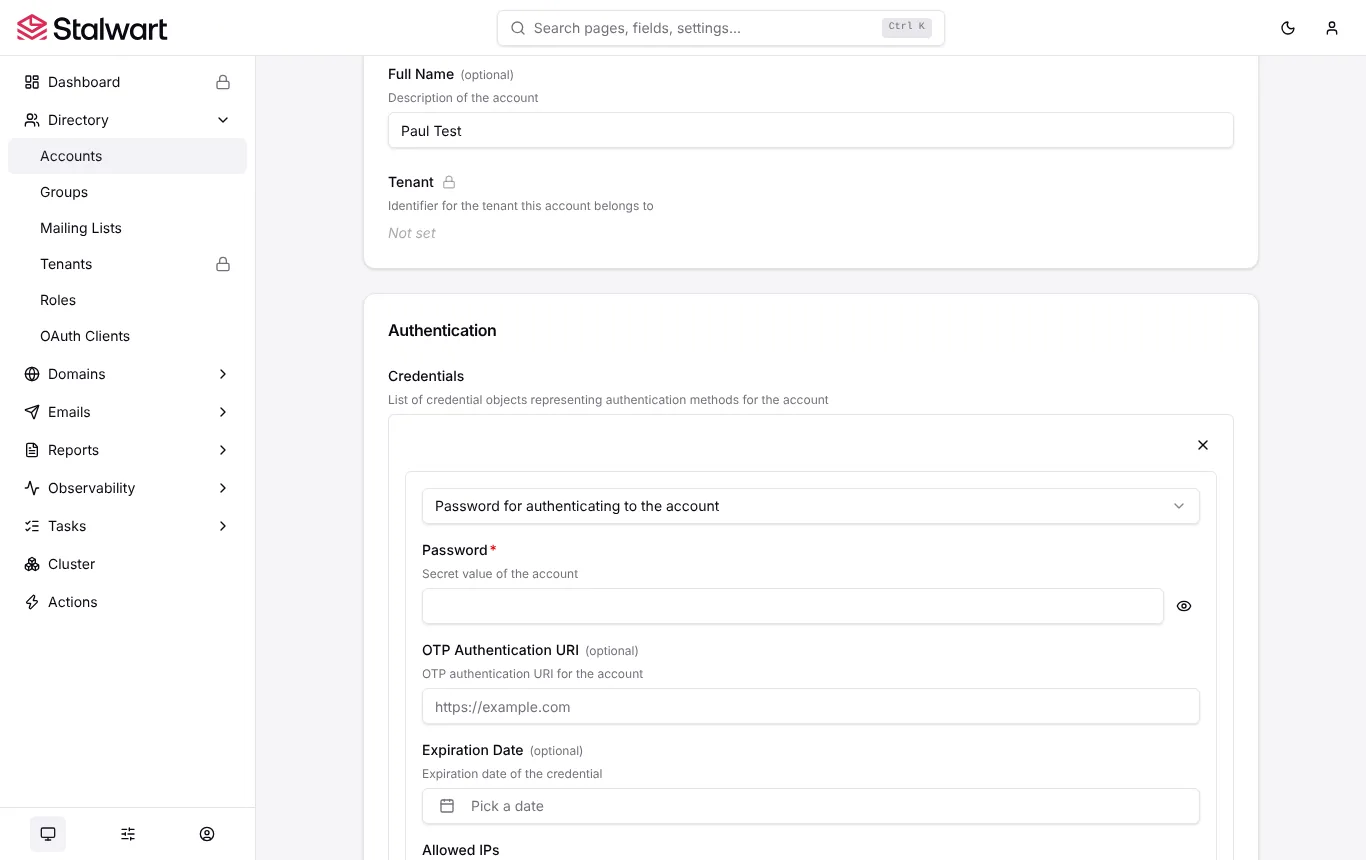
| Creating a mailbox | One form in the admin screens. Thorough, but busy: quotas, roles, permissions and encryption all sit on the same page |
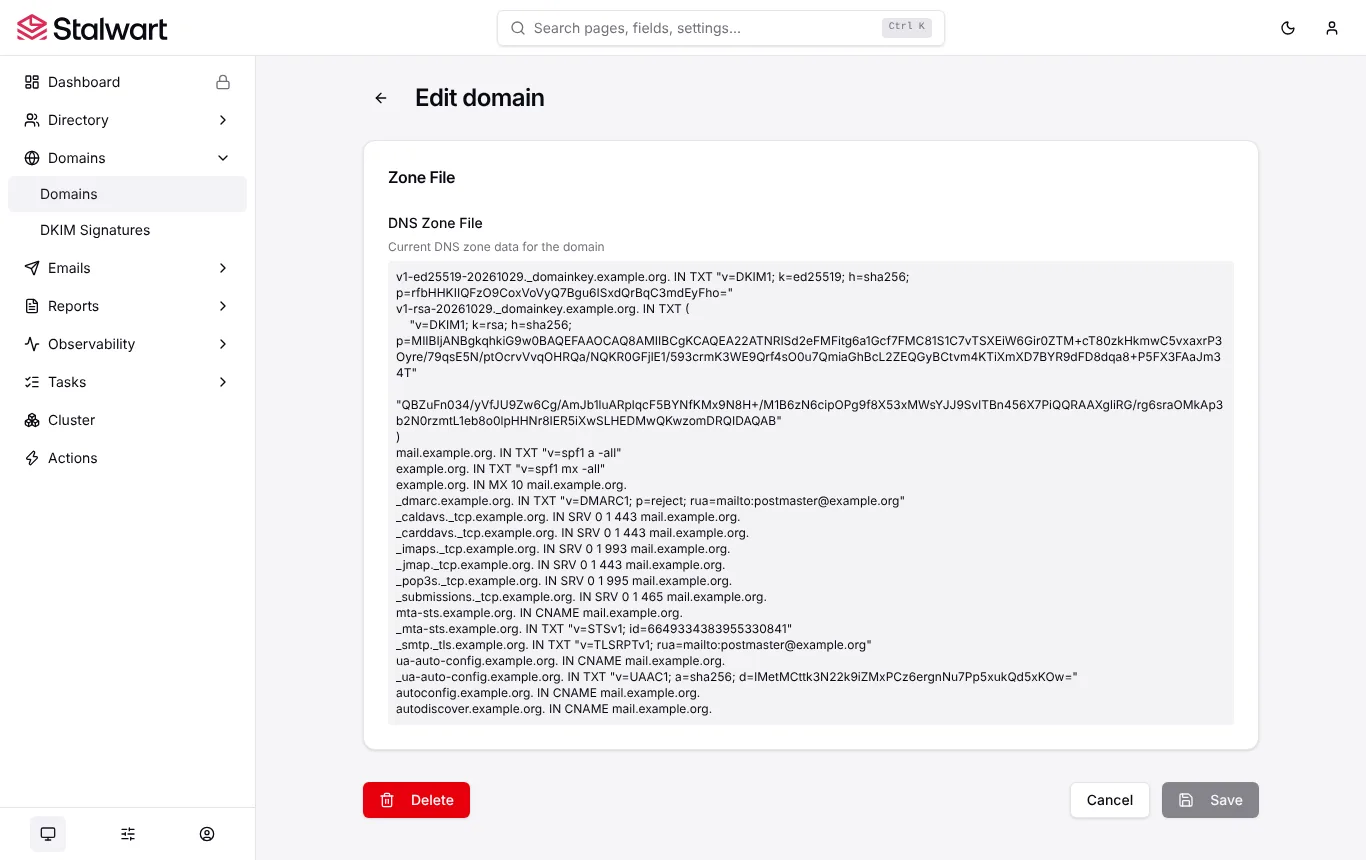
| DNS records | A ready-made list of every record the domain needs, including SPF, DKIM, DMARC set to reject, MTA-STS and TLS reporting. With Cloudflare and other supported DNS providers, Stalwart can publish them itself |
| Sending and receiving | Worked first time over SMTP and IMAP. Outgoing mail was signed with two DKIM keys (RSA and the newer Ed25519) without me touching anything |
| Spam filter | A fake PayPal phishing email went straight to Junk, with a breakdown of exactly why in the message headers |
| Memory | About 150 MB while idle with two mailboxes |
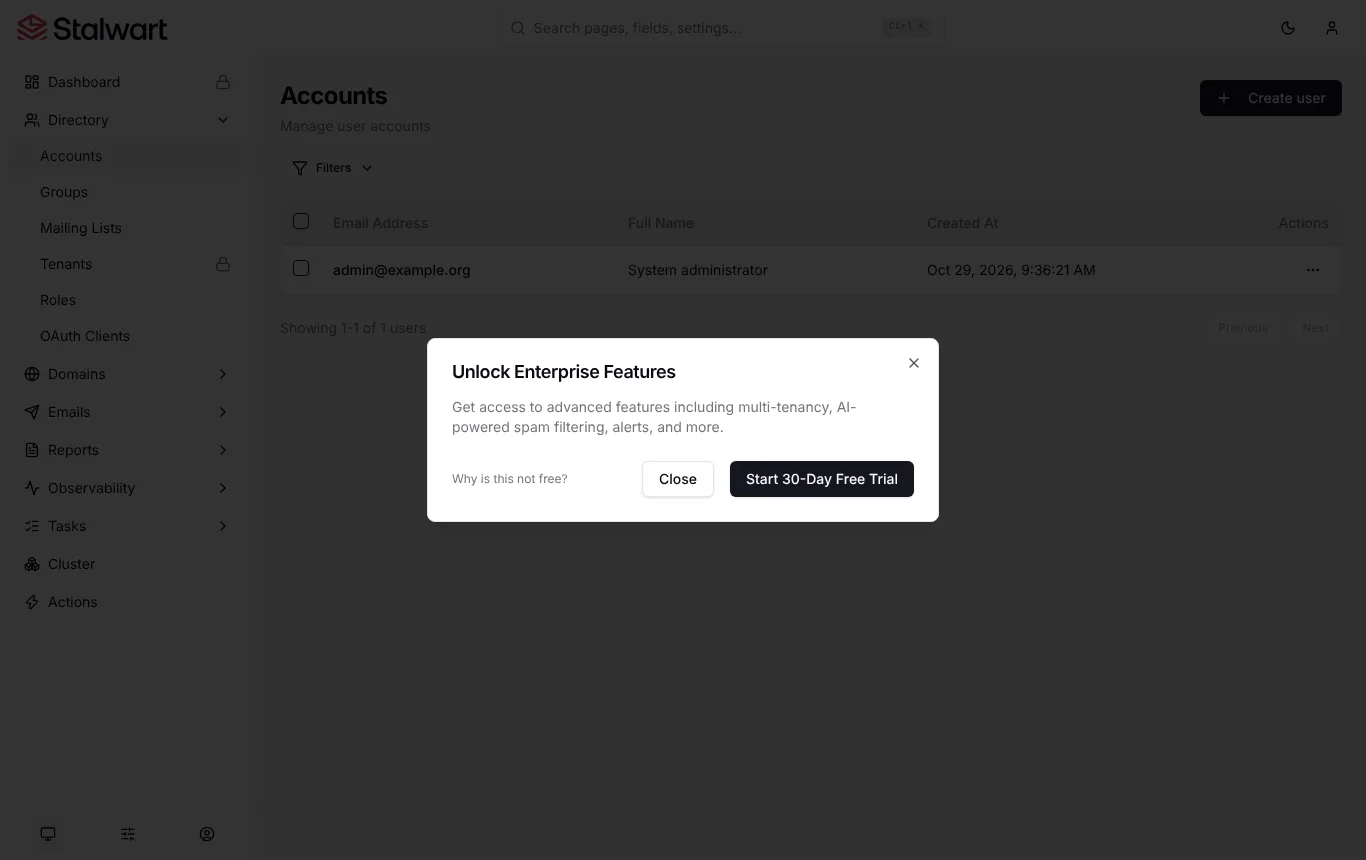
| Free edition limits | The Dashboard and Tenants pages show a padlock, and a prompt to start the Enterprise trial appears after signing in |
Folders follow Outlook’s naming (Sent Items, Deleted Items, Junk Mail), which suits people moving from Microsoft 365 and may look odd to everyone else in a mail app.
Security and Privacy
Running your own server means your mail sits on hardware you choose, in a country you choose, under your own encryption rules. Stalwart adds some useful protection on top.
| Feature | Details |
|---|---|
| Encryption at rest | Each user can upload an OpenPGP or S/MIME key, and new mail is stored encrypted with it |
| Memory safety | Written in Rust, which rules out a whole class of bugs common in older C mail servers |
| Independent audits | Radically Open Security audited it in 2023 (no vulnerabilities found) and again in 2025 (seven issues, two high severity, all but one minor issue fixed) |
| Automatic defences | Blocks IP addresses that attack or scan the server, plus rate limiting |
| Licence | AGPL-3.0, so anyone can read and check the code |
One caveat on encryption: encryption at rest protects stored mail if the disk or database is stolen. It is not end-to-end encryption: mail arrives in readable form before the server encrypts it, and drafts and sent copies written through JMAP are stored unencrypted from version 1.0.1.
The Company Behind It
| Fact | Details |
|---|---|
| Company | Stalwart Labs, incorporated in the United States and the United Kingdom (Stalwart Labs Ltd, London) |
| Founded | July 2019. Work on the server began in September 2021, first public release September 2022 |
| Version 1.0 | 26 October 2026, with a database format that should not need disruptive migrations again |
| Funding and partners | Grant from the NLnet NGI0 Entrust Fund (2023); partnership with Nextcloud (2024) |
| Team | Remote, across several time zones |
What It Takes to Run
This is where self-hosting is won or lost, and none of it is specific to Stalwart. Stalwart’s own requirements page is refreshingly blunt that the network matters more than the hardware.
- A static public IP address with a reverse DNS (PTR) record that matches your server name. Many providers will reject mail without one.
- Port 25 open in both directions. Many cloud and home providers block it by default. Without it you need to relay outgoing mail through another service.
- Control of your domain’s DNS for MX, SPF, DKIM and DMARC records. Stalwart can manage some of this for you.
- About 2 GB of memory for a small server at the default settings.
- Backups taken with your storage engine’s own tools. Copying the files of a running database is not a backup.
Get the IP address and DNS right and Stalwart is pleasant to run. Get them wrong and your mail ends up in spam, however good the server is.
Stalwart Plans and Pricing in 2026
Both editions run the same program. A licence key switches on the Enterprise features, and cancelling switches them off again without losing any mail.
| Plan | Price | Mailboxes | Support | Extras |
|---|---|---|---|---|
| Community | Free (AGPL-3.0) | No limit | Community support portal | Everything in this review except the Enterprise list below |
| Enterprise | €2 ($2.40) per mailbox a year for 25 to 499 mailboxes, falling to €1.70 for the next 500 and lower above that. Monthly billing also available | Minimum 25, so from €50 a year | Premium Support (48-hour first response) from 150 mailboxes | Multi-tenancy, branding, AI spam filtering, masked email addresses, restoring deleted mail and accounts, stored metrics and alerts, SCIM |
Prices as listed on Stalwart’s pricing page in October 2026. There is a 30-day Enterprise trial, and Enterprise orders can be cancelled for a full refund within 30 days. Stalwart also plans a managed, hosted service in 2027.
Add the cost of a server. A small VPS with a clean IP address typically costs £4 to £10 a month, which for one or two mailboxes is more than a managed provider charges.
Comparative Matrix: Stalwart vs. the Alternatives
| Feature | Stalwart | mailcow | Mail-in-a-Box | Mailflare |
|---|---|---|---|---|
| How it’s built | One program in Rust | Docker bundle of Postfix, Dovecot, Rspamd and more | Script that sets up a whole Ubuntu server | Runs on Cloudflare Workers, no server |
| Webmail | Not yet | Yes (SOGo) | Yes (Roundcube) | Yes |
| JMAP | Yes | No | No | No |
| Needs port 25 and a clean IP | Yes | Yes | Yes | No |
| Scales to many servers | Yes, built in | Limited | No | Cloudflare scales it |
| Paid edition | Enterprise from €2 per mailbox a year | Optional paid support | None | One-off licences |
| Full Review | You are here | Coming soon | Coming soon | Read the review |
Pros and Cons
| Strengths | Weaknesses |
|---|---|
| Mail, calendars, contacts and files in one program | No built-in webmail yet |
| Free Community edition with no mailbox limit | You own deliverability, backups and security updates |
| Five-minute setup wizard and ready-made DNS records | Dashboard locked and an Enterprise prompt in the free edition |
| Modern protocols, including JMAP | Needs a static IP, matching reverse DNS and open port 25 |
| Two independent security audits, written in Rust | Enterprise starts at 25 mailboxes, even for a team of five |
| Version 1.0 promises easier upgrades from now on | Free users rely on community support |
| Strong migration tool for Gmail, Microsoft 365 and IMAP | A lot of server for one personal mailbox |
Frequently Asked Questions
Is Stalwart really free?
Yes. The Community edition is open source under the AGPL-3.0 licence, with no limit on mailboxes or domains. You pay only for the server you run it on. The Enterprise edition adds features for larger and multi-tenant setups.
Does Stalwart include webmail?
Not yet. You connect a mail app such as Thunderbird, Apple Mail or Outlook, or install a separate webmail such as Roundcube, SnappyMail or SOGo. Stalwart has said its own webmail is planned after version 1.0.
Can I run Stalwart at home?
You can install it anywhere, but most home broadband blocks port 25 and doesn’t offer a static IP with reverse DNS. A small VPS from a provider that allows mail servers is usually the better choice.
Is Stalwart end-to-end encrypted?
No. It can encrypt stored mail with each user’s own OpenPGP or S/MIME key, which protects it if the disk is stolen, but mail arrives readable before it is encrypted.
Can I move from Gmail or Microsoft 365 to Stalwart?
Yes. Stalwart’s free Vandelay tool copies mail, calendars, contacts and files from IMAP, Google Takeout, Exchange or Microsoft 365, one account at a time.
What happens if I stop paying for Enterprise?
The server switches back to the Community edition. Enterprise features stop, but no mail is lost and service carries on.
Final Verdict
Stalwart is what self-hosted email should have looked like years ago: one program, one place to configure it, modern protocols and security that has been checked by someone independent. Version 1.0 makes it a sensible choice for anyone who already runs servers and wants their mail, calendars and contacts in their own hands.
It doesn’t change the fundamentals. You still need a clean IP address, open port 25 and the time to keep an eye on it, and you’ll need to add webmail yourself for now. If that sounds like a weekend project you’d enjoy, Stalwart is the one I’d start with. If it sounds like a chore, your email is too important to run on goodwill, and a managed provider will serve you better.
Sources: Stalwart, Stalwart pricing, About Stalwart Labs, system requirements, 2025 security audit, Stalwart on GitHub.
Note: This article contains no affiliate links. I have no commercial relationship with Stalwart Labs. Prices and features were checked on 29 October 2026 and may change.
3 attachments · more like this
Comments