Email Authentication
DMARC Explained: What Happens When Email Auth Fails
DMARC passes only when SPF or DKIM passes and aligns with your From domain. Here is what a DMARC fail means and how to fix it.
Email was built on trust, so the From line can be faked. This guide explains how SPF, DKIM and DMARC work together, adds MX, MTA-STS and BIMI, and points to the detailed guide for each.
 Paul O'Brien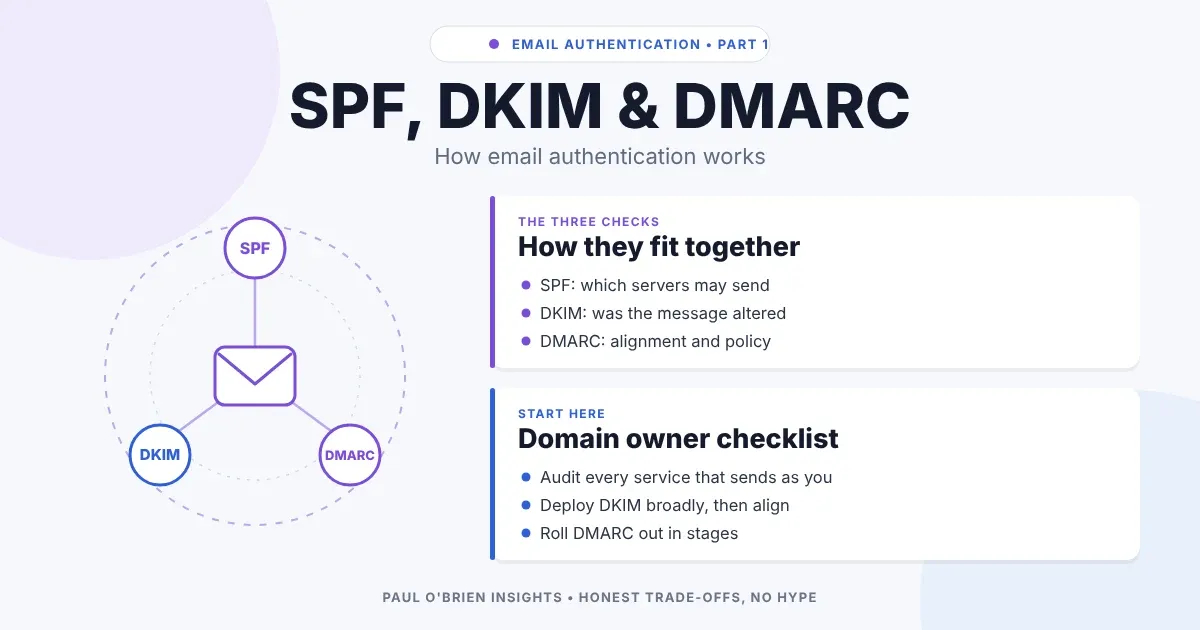
Email was built on trust, so the From line can be faked with no technical barrier. A handful of DNS records exist to close that gap: MX records say where mail is delivered, SPF, DKIM and DMARC say who may send and how to treat impostors, and newer records such as MTA-STS and BIMI protect the connection and display your logo. This guide shows what each one does, how they fit together and which of the detailed guides to read next.
The authentication protocols do not judge whether a message is wanted or safe. They answer a narrower question: is this sender authorised to act for this domain, and can that claim be verified? Standards and sender rules were checked against the RFCs, the BIMI Group and the providers’ own pages on 8 October 2026.
Short answer: set MX so mail arrives, SPF and DKIM so your mail is signed and listed, and DMARC so receivers know what to do with forgeries. Everything else is a useful extra. Start at p=none on DMARC, read the reports, then tighten.
| If you… | Best Fit? | Read this |
|---|---|---|
| Are setting up a custom domain for the first time | Start here | The rest of this page, then the three guides in order. |
Have a bounce or header mentioning spf=fail, ~all or too many lookups | Strong fit | SPF guide |
See dkim=fail, need selectors or key lengths | Strong fit | DKIM guide |
| Got a message about a “DMARC policy”, or want to stop spoofing of your domain | Strong fit | DMARC guide |
| Send bulk mail to Gmail, Yahoo or Outlook.com | Required | All three guides, plus the sender requirements below. |
| Use a free Gmail or Outlook address only | Not applicable | Your provider handles all of this for its own domain. |
| Protocol | What it verifies | How it works | Main limitation |
|---|---|---|---|
| SPF | Server permission | Checks whether the delivering IP address is listed in the sender domain’s DNS record. | Checks the hidden envelope sender, not the visible From. Breaks with forwarding. |
| DKIM | Message integrity | Verifies a cryptographic signature against a public key in DNS. | The signing domain does not have to match the visible From. |
| DMARC | Domain alignment and policy | Requires the domain that passed SPF or DKIM to match the From domain, and publishes what to do if not. | Only protects domains that set an enforcing policy. |
You publish the servers allowed to send for your domain, and receivers compare the connecting IP address with that list. It is good at stopping low-effort spoofing but it was not meant to work alone. Read the SPF guide.
A signature travels with the message, so it usually survives forwarding where SPF does not. It proves integrity, not identity, because a message can carry a valid signature from an unrelated domain while showing a bank’s name in From. Read the DKIM guide.
DMARC introduces alignment: the visible From domain must match the domain verified by SPF, DKIM or both. If it does not, the policy decides: none (monitor), quarantine (spam folder) or reject (refuse at the server). It turns the From line from a cosmetic label into a verified identifier. Read the DMARC guide.
Authentication records sit alongside the records that make mail work at all. These are the ones worth knowing.
| Record | Where it lives | What it does |
|---|---|---|
| MX | Your domain | Names the servers that accept mail for you, each with a preference number. Senders try the lowest number first. |
| A / AAAA | Your mail server’s hostname | Maps the MX hostname to an IP address. If a domain has no MX records, senders fall back to its A or AAAA record. |
| PTR (reverse DNS) | Set by whoever owns the sending IP | Maps a sending IP back to a hostname. Gmail asks bulk senders for a valid PTR record. |
| SPF | TXT on your domain | Lists the servers allowed to send as you. |
| DKIM | TXT or CNAME at selector._domainkey | Publishes the public key used to verify your signatures. |
| DMARC | TXT at _dmarc | Sets the policy and where reports go. |
| MTA-STS | TXT at _mta-sts plus a policy file | Tells senders to deliver to you only over validated TLS. |
| TLS-RPT | TXT at _smtp._tls | Asks senders to report TLS failures. |
| BIMI | TXT at default._bimi | Points to your logo for display in supporting inboxes. |
MX controls inbound mail and nothing else, so it is separate from authentication. Your mailbox provider gives you the values. A domain that sends no mail and receives none can publish a “null MX” (RFC 7505) to say so, which saves senders retrying. Reverse DNS matters when you run your own mail server, since many receivers distrust sending IPs without a sensible PTR record. If you use a hosted provider, they manage it.
Ordinary SMTP encryption (STARTTLS) can be stripped by an attacker on the path. MTA-STS (RFC 8461) lets you publish a policy that senders cache: a TXT record at _mta-sts signals it, and the policy itself is fetched over HTTPS from https://mta-sts.yourdomain/.well-known/mta-sts.txt. It lists your allowed MX hosts, a mode of testing, enforce or none, and a cache lifetime. In enforce mode, senders must not deliver to a server that fails certificate or STARTTLS checks.
TLS-RPT (RFC 8460) is the companion: a TXT record at _smtp._tls such as v=TLSRPTv1; rua=mailto:reports@yourdomain asks senders to send daily JSON reports on failed TLS sessions. Start with MTA-STS in testing mode and read the reports before enforcing.
MTA-STS protects mail arriving at your domain. It says nothing about whether the sender is genuine, so it complements SPF, DKIM and DMARC rather than replacing them.
BIMI displays your brand logo beside your messages in supporting mailbox providers. According to the BIMI Group, you need SPF, DKIM and DMARC all passing and aligned, DMARC at quarantine or reject with no partial percentage, a logo in SVG Tiny PS format and a TXT record at default._bimi. A Verified Mark Certificate or Common Mark Certificate is optional in the specification but strongly recommended, because providers have limited support for self-asserted logos. Each mailbox provider sets its own rules for when a logo appears. It is a branding feature for organisations, not a security control.
| Provider | Who it applies to | Key requirements |
|---|---|---|
| Gmail | Bulk senders (more than 5,000 messages a day to personal Gmail accounts), from February 2024 | SPF, DKIM and DMARC (p=none is acceptable), alignment, one-click unsubscribe, spam rate under 0.3%, valid PTR, TLS. |
| Yahoo | All senders need SPF or DKIM; bulk senders need all three | DMARC at least p=none, one-click unsubscribe. |
| Outlook.com, Hotmail, Live | 5,000 or more messages a day, from May 2025 | Non-compliant bulk mail is rejected, reported as an authentication error. |
The Outlook.com rule is the one I could confirm only through a secondary source, so check Microsoft’s own announcement before relying on the exact threshold.
A common misconception is that correct SPF, DKIM and DMARC setup guarantees inbox placement. It does not. Authentication proves a sender is technically authorised to speak. It does not prove the recipient wants to listen.
Spam filters also weigh behaviour:
A fully authenticated domain can still land in spam if its sending habits look abusive.
It solves impersonation and exact-domain spoofing by unauthorised third parties. It ignores intent. Mail can pass all three checks and still carry scams, malicious links or unwanted marketing. Attackers increasingly register their own domains and give them complete, valid authentication records rather than spoofing yours, which is why a pass is a floor and not a verdict.
p=none with a reporting address, and read the reports.quarantine and reject.v=spf1 -all and a p=reject DMARC record.For a domain that sends real mail, yes. SPF and DKIM provide the checks and DMARC makes receivers act on them and ties the result to the From address. Gmail and Yahoo expect all three from bulk senders.
SPF and DKIM, then DMARC at p=none. DMARC reports then show what you missed.
Not on their own. They remove one reason for rejection, but reputation, content and engagement still matter.
Yes. SPF checks the envelope sender, not the From header. DMARC enforcement is what blocks spoofed From addresses.
No. MTA-STS secures the connection when mail is delivered to you. DMARC controls how receivers treat mail claiming to be from you.
No. It is optional branding for organisations that already have DMARC enforcement in place.
No. The provider publishes these records for its own domains. The work applies when you use your own domain.
Authentication answers “who is this from?” but not “should I trust it?”. SPF says which servers may send, DKIM says the message was not changed, and DMARC decides what happens when the answers do not line up with the From address. Get those three right, add the transport and branding records if they suit you, and read the detailed guides when something fails.
Sources: RFC 8461 (MTA-STS); RFC 8460 (TLS-RPT); BIMI Group implementation guide; plus the sources listed in the SPF, DKIM and DMARC guides. No affiliate links in this article.
Get the next post by email. Free, no ads, and you can leave any time.
DMARC passes only when SPF or DKIM passes and aligns with your From domain. Here is what a DMARC fail means and how to fix it.
SPF lists which servers may send email for your domain, but it checks the delivery path, not the sender people see. This guide covers record syntax, ~all vs -all, the 10-lookup limit and why legitimate mail fails.
DKIM signs your email so receivers can check it wasn't altered, but it proves integrity, not identity. This guide covers signatures, selectors, key length, provider setup and why genuine mail fails.
Comments