Infrastructure
PHP2Shell: What Website Owners Need to Do Now
Two critical flaws in PHP, the language behind WordPress and most of the web, were fixed on 21 October. Here’s what they are, how to check your site, and what to ask your host.
Mailflare runs a custom-domain inbox inside your own Cloudflare account. Here is how it works, what sending really costs, and who should use it.
 Paul O'Brien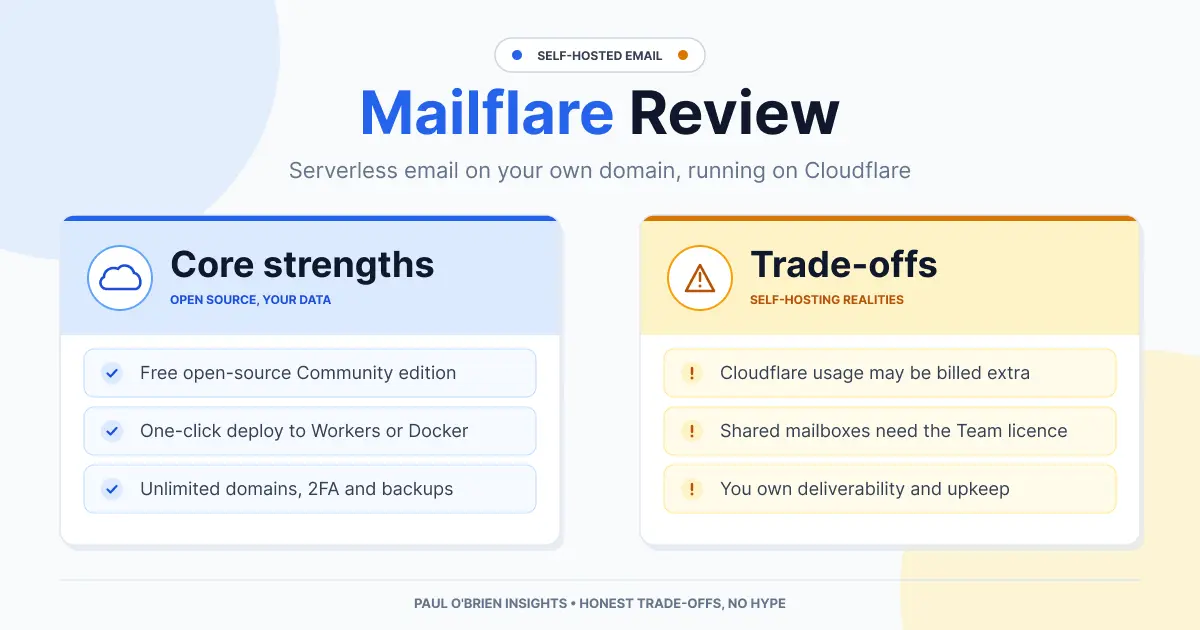
Mailflare is an open-source email inbox for your own domain that runs inside your own Cloudflare account, with no mail server to patch and no VPS to keep alive. It is polished and genuinely clever. It is also not quite free: receiving mail costs nothing, but sending to arbitrary recipients through Cloudflare needs a paid Workers plan, and you become your own email administrator.
I deployed the Community Edition and tested it hands-on. This review covers how it works, what setup really involves, what it costs, and where it sits next to the other Cloudflare-based inboxes I have tried. Prices and limits were rechecked against Mailflare’s site, its GitHub README and Cloudflare’s documentation on 8 October 2026.
Short answer: Mailflare is a good fit if you are comfortable with Cloudflare, want your mail in your own account, and enjoy tinkering. It is a poor fit if you need a hands-off mailbox with guaranteed deliverability and support. For that, a managed provider such as Fastmail is the safer choice.
| User Profile | Best Fit? | Core Value Drivers / Key Trade-offs |
|---|---|---|
| Developer or self-hoster who already uses Cloudflare for DNS | Ideal | Runs in your account with little to maintain. You handle tokens, setup and updates. |
| Hobbyist wanting a custom-domain inbox at very low cost | Strong fit | Inbound is free. Sending needs Workers Paid ($5 a month) or another provider. |
| Founder wanting shared support or sales mailboxes | Workable | Shared mailboxes need the Team licence. You carry the admin work and deliverability risk. |
| Privacy-first user wanting encryption the host cannot bypass | Alternative needed | Mail is stored in your Cloudflare account. It is not end-to-end encrypted. |
| Non-technical user who just wants email to work | Alternative needed | Setup involves forking a repo and scoping API tokens. A managed provider is simpler. |
| Question | Answer |
|---|---|
| What is it? | A self-hosted email inbox and webmail for custom domains, built on Cloudflare |
| Where does it run? | In your own Cloudflare account (Workers, D1, R2), or in Docker on your own server |
| Licence | GNU AGPL-3.0, according to the GitHub repository |
| Source | github.com/hieunc229/mailflare, roughly 4,000 stars and 557 forks on 8 October 2026 |
| Receiving mail | Cloudflare Email Routing by default |
| Sending mail | Cloudflare Email Sending, Resend or Amazon SES, chosen per domain |
| Who maintains it? | An individual developer plus community contributors |
The pitch is that a traditional self-hosted mail stack, with Postfix for transport, Dovecot for IMAP and Roundcube for webmail, becomes a handful of serverless pieces. You skip port 25 blocks, IP warm-up and reverse DNS, because Cloudflare handles delivery.
| Job | Traditional stack | Mailflare on Cloudflare |
|---|---|---|
| Receiving mail | Postfix listening on port 25 | Cloudflare Email Routing passes each message to the mailflare Worker |
| Storing mail | Maildir on disk, Dovecot | Metadata and thread indexes in D1, attachments and raw bodies in R2 |
| Sending mail | Your own SMTP server and IP | Cloudflare Email Sending, Resend or Amazon SES |
| Live updates | IMAP IDLE or polling | A Durable Object pushes updates over WebSockets |
| Webmail | Roundcube or similar | Mailflare’s own interface |
Cloudflare still manages your DNS, so you stay inside its ecosystem. If you want the Docker route, Mailflare also runs as a single container with SQLite and local file storage. That reduces lock-in, but it puts you back in charge of the server, backups and receiving mail.
/.well-known/jmap with app passwords created in the dashboard.Know the limits: connecting an AI client to your mailbox through MCP gives that client access to the mail you permit. Use the narrowest key you can, preferably read-only, and treat it like any other credential.
The README has a “Deploy to Cloudflare” button, but it took me several attempts. These are the points that tripped me up.
You work from your own fork of the upstream repository, so Cloudflare deploys from GitHub. That is also how you pull updates later: sync your fork and redeploy.
The /setup wizard needs a scoped CF_TOKEN with specific Account and Zone permissions. In my experience:
mailflareEmail Routing rules bind to the Worker by name, and the README warns that any other name breaks the app.
Mailflare can send through Cloudflare, Resend or Amazon SES. The README notes that new SES accounts start in a sandbox that delivers only to verified addresses until you request production access. Whichever you choose, set up SPF, DKIM and DMARC properly. My guide to how SPF, DKIM and DMARC work explains why.
The interface is clean and modern, with keyboard shortcuts (/ to search, c to compose), rich-text editing, thread grouping and an admin panel. It feels fast for day-to-day reading. Because the data sits in D1 behind Workers and Durable Objects, it can feel a touch slower than local IMAP. New mail sometimes needed a manual refresh or a few seconds before it appeared. I have not tested it under heavy daily use yet.
The Community Edition is free, and a Cloudflare account has free tiers. Whether your setup stays at zero depends on whether you send mail.
| Scenario | Typical monthly cost | What you get |
|---|---|---|
| Receive only on the Workers Free plan | $0 | Inbound mail through Email Routing. Sending only to verified destination addresses |
| Send through Cloudflare Email Sending | From $5 (Workers Paid) | Outbound mail to any recipient. Cloudflare lists Email Sending as a beta |
| Send through Resend or Amazon SES | Depends on the provider | Outbound mail without the Workers Paid plan, subject to that provider’s own rules, such as the SES sandbox |
| Docker on your own server | Server cost plus your SMTP service | Single container with SQLite and local files |
On Cloudflare’s pricing page, Workers Free allows 100,000 requests a day, and Workers Paid starts at $5 a month with 10 million requests included. Durable Objects are available on both plans in their SQLite-backed form. A personal mailbox is unlikely to approach those figures, but check Cloudflare’s current limits before relying on them.
| Edition | Price | What you get |
|---|---|---|
| Community | Free, open source | Full webmail, custom domain setup (DKIM, SPF, MX), rules, folders, snoozing, search, spam filtering, 2FA, scheduled backups and export, Workers or Docker deployment |
| Professional | $19 one-time (listed with $39 struck through) | Everything in Community, plus a custom brand name, logo and favicon. Covers one account |
| Team | $249 one-time (listed with $399 struck through) | Everything in Professional, plus unlimited team accounts and shared mailboxes with role permissions |
Prices are as listed on Mailflare’s site on 8 October 2026 and may change. The paid editions are one-time licences, not subscriptions. I tested only the Community Edition, and everything I needed worked at no cost: inbound routing, threads, D1 indexing and R2 attachments.
Owning your mail store is not the same as encrypting it. Mailflare keeps your messages in your own Cloudflare D1 and R2, and mail still passes through Cloudflare’s routing and sending systems on the way. I found no documentation of end-to-end or application-level encryption of stored mail. The features it does document are two-factor authentication, scoped API keys and audit logs.
That is a different promise from a zero-access provider. If your main concern is a provider that cannot read your mail, read my guide to zero-access encryption before choosing. Self-hosting also moves risk onto you: backups, token hygiene and uptime are your job. My piece on self-hosted vs managed mail goes through that trade-off, and my Cloudflare free security guide covers the account hardening worth doing first.
| Feature | Mailflare | Agentic Inbox | saasmail | Fastmail |
|---|---|---|---|---|
| Type | Self-hosted personal and team inbox | Self-hosted webmail with an AI drafting agent | Self-hosted support and customer inbox | Managed email service |
| Runs on | Your Cloudflare account or Docker | Your Cloudflare account | Your Cloudflare account | Fastmail’s infrastructure |
| Receiving | Email Routing | Email Routing | Email Routing | Managed by Fastmail |
| Sending | Cloudflare, Resend or SES | Cloudflare Email Sending | Cloudflare, Resend, Postmark or Bavimail | Managed by Fastmail |
| Cost | Free to $5 a month, plus optional licences | No price listed | About $5 a month | Subscription |
| Maintenance | You | You | You | Fastmail |
| Full Review | You are here | Agentic Inbox review | saasmail review | Fastmail review |
| Strengths | Weaknesses |
|---|---|
| Runs in your own Cloudflare account with no server to patch | Setup needs a repo fork, scoped tokens and an exact Worker name |
| Free Community Edition under AGPL-3.0, with source you can audit | Sending to anyone needs Workers Paid or a third-party provider |
| Polished interface with JMAP, calendar, rules and 2FA | No documented end-to-end or zero-access encryption |
| Choice of Cloudflare, Resend or SES for sending, plus a Docker option | You own backups, uptime and deliverability |
| One-time paid licences instead of a subscription | Newer project with a small maintainer base and no support contract |
The software is free. Receiving mail on Cloudflare’s free plan costs nothing too. To send to any recipient through Cloudflare you need the Workers Paid plan from $5 a month, or you can use Resend or Amazon SES instead.
Yes. The GitHub repository is licensed under AGPL-3.0. Mailflare’s own site describes it as open source but does not name the licence, so check the repository for the current terms.
For the Workers deployment, yes, and your domain’s DNS should be managed there. The Docker option runs on your own server instead and uses an SMTP service for sending.
Mailflare advertises JMAP access for compatible apps. It does not mention IMAP, and JMAP support varies between mail clients, so check that your client supports it before you rely on it.
It keeps your mail in your own Cloudflare account, which gives you control. I could not find documentation of end-to-end or at-rest encryption beyond two-factor authentication and scoped keys, so treat it as self-hosted rather than zero-access.
Only if you are happy running it yourself. You are responsible for backups, deliverability and uptime, and there is no support team. For most people a managed provider is the safer primary mailbox, and Mailflare suits a hobby or secondary inbox.
Professional adds custom branding for one account. Team adds unlimited team accounts and shared mailboxes with role permissions. Both are one-time payments, and the Community Edition covers everything else.
Mailflare is an impressive piece of serverless engineering. It removes the mail daemons, IP warm-up and PTR records that make traditional self-hosting painful, and the result is a quick, modern inbox in an account you already control. The costs are real, though: a fiddly setup, a paid plan or third-party service if you want to send freely, and no encryption promise beyond what Cloudflare and Mailflare document. I would use it for a hobby domain or a secondary inbox, and I would keep my main mail with a managed provider. I plan to update this review after several weeks in production.
Sources: Mailflare, Mailflare on GitHub, Cloudflare Email Service, Cloudflare Email Routing, Cloudflare Workers pricing.
Note: This article contains no affiliate links. I have no commercial relationship with Mailflare or Cloudflare. Prices and features were checked on 8 October 2026 and may change.
Get the next post by email. Free, no ads, and you can leave any time.
Two critical flaws in PHP, the language behind WordPress and most of the web, were fixed on 21 October. Here’s what they are, how to check your site, and what to ask your host.
KT8 Mail puts your email on your own Cloudflare account. Fastmail looks after everything for you. I help develop one and I earn commission from the other, so here's an honest look at what owning your email really gives you, what it costs you in responsibility, and who should pick which.
Links quietly break over time, so I’ve helped build Link Inspector, a tool that checks your whole website and shows you exactly where each broken link is.
Comments