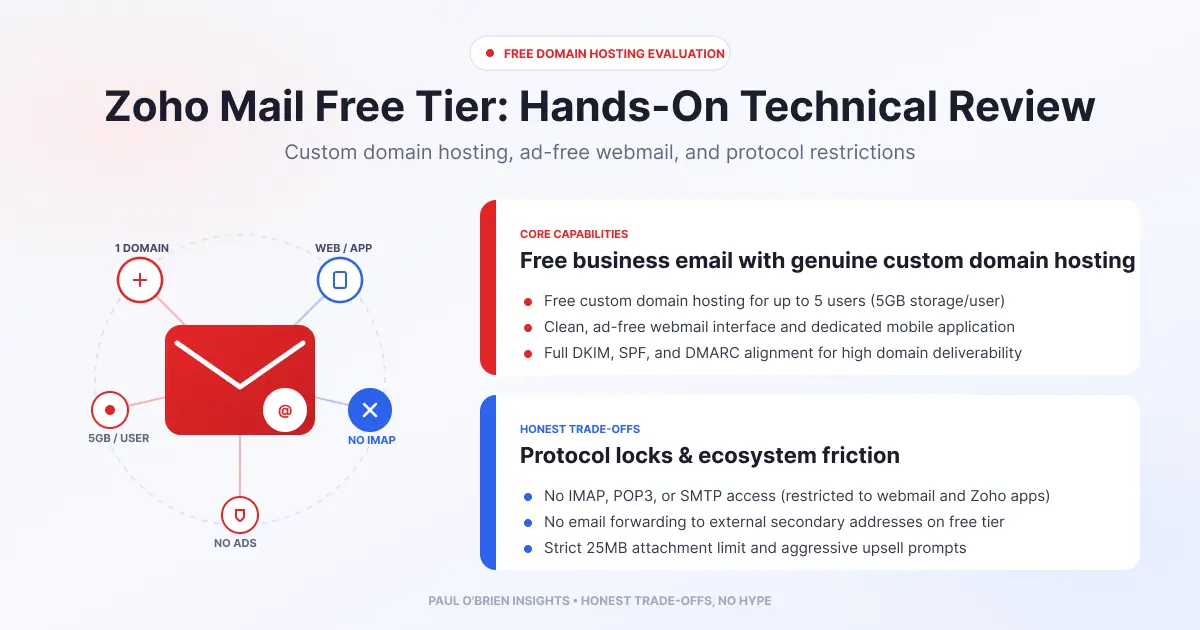
Zoho Mail’s free plan gives you an ad-free mailbox on your own domain, with up to five users and 5 GB each, but only through webmail and Zoho’s apps. IMAP, POP and ActiveSync are not included, and the plan is only offered in select regions. For people who want to escape ad-funded webmail without paying straight away, it is a strong and unusually extensible option, with real limits.
After looking at ad-heavy consumer webmail, such as in my Mail.co.uk review, testing Zoho Mail’s free offering gives a radically different perspective. Most free email providers monetise through display advertising or network-level tracking. Zoho sells paid software to businesses, so its free inbox is clean and productivity-focused. A zero-cost tier always comes with trade-offs, though, so here is how it breaks down across infrastructure, developer tools, privacy, the small print and encryption. Plan details were checked against Zoho’s own pages on 9 October 2026.
Short answer: choose Zoho Mail Free if you want a clean, ad-free mailbox on a custom domain at no cost and are happy using webmail and Zoho’s mobile apps. Skip it if you need IMAP or POP for a desktop mail client, want end-to-end encryption by default, or can’t get the free plan in your region.
At a Glance: Who Zoho Mail Free Is (and Isn’t) For
| User Profile | Best Fit? | Core Value Drivers / Key Trade-offs |
|---|
| Someone leaving ad-funded webmail who doesn’t want to pay yet | Ideal | No ads, a clean interface and a custom domain. Webmail and apps only. |
| Small team or family sharing a domain (up to 5 people) | Strong fit | One domain and 5 GB per user. The sixth user moves everyone to paid plans. |
| Tinkerer who likes automation | Strong fit | Webhooks, connectors and developer tooling. Check which tools your plan includes. |
| Anyone who uses Outlook, Apple Mail or Thunderbird | Alternative needed | IMAP, POP and ActiveSync are not included on the free plan. |
| Privacy-first user wanting zero-access encryption | Alternative needed | Encrypted at rest and in transit, but not end-to-end by default. See Tuta or Proton. |
The Free Plan: What You Get and What You Don’t
| Feature | Zoho Mail Free |
|---|
| Users | Up to 5. From the sixth user, all users move to a paid plan |
| Custom domain | One domain |
| Mail storage | 5 GB per user |
| Access | Webmail and mobile apps. Zoho lists IMAP, POP and ActiveSync as not included |
| Ads | None. Zoho says it will never serve you ads |
| Availability | Only available in select data centres and regions |
Know the limits: the protocol lockout is the catch. Without IMAP or POP you manage mail through Zoho’s webmail and apps, so you can’t connect a desktop client or migrate easily with standard tools. Also, Zoho says the free plan is available only in select regions, so confirm you can sign up for it in your country before you plan around it.
Where Your Data Lives
Zoho operates its own data centres rather than relying on public cloud. According to Zoho’s GDPR page, your hosting region depends on the Zoho domain used to create the account, with separate regions for the US, EU, China, India, Australia and Japan, and Zoho can migrate US-hosted service data to the EU on request. Zoho’s pages I read don’t name the EU data centre locations. I have seen Frankfurt and Dublin cited, but I couldn’t confirm them, and I couldn’t confirm that the free plan is offered in the EU region.
Extensibility and Developer Tooling
This is where Zoho Mail stands out from standard consumer webmail. From my testing, it has a deep set of workflow features built into the composer and settings:
- Slash commands. Trigger HTTP requests from the composer to talk to third-party applications or run shortcuts.
- Connectors and extensions. Build custom widgets or use connectors to reach third-party APIs with OAuth tokens. Zoho’s developer space lists extensions, a REST API, connectors and webhooks.
- Incoming webhooks. External events can create emails, notes, posts or tasks in your inbox.
- Client scripts. Custom JavaScript that runs in the browser for workflow automation.
- Custom functions. Serverless logic in Deluge, Node.js, Python or Java to process filters and reformat payloads.
- Productivity features. Password-protected attachment downloads, a scheduled “Quiet Mode”, offline access and eDiscovery retention.
Zoho’s developer page doesn’t say which of these are limited to paid plans, and I haven’t checked each one on the free tier. Test the specific feature you need before you commit.
Privacy, Tracking and Data Handling
Zoho says it “never serve[s] ads and never ha[s] relied on advertising as a revenue source”. Because consumer webmail is not its main revenue driver, the privacy model is straightforward.
| Question | What Zoho says |
|---|
| Ads? | Never served. Zoho describes Zoho Mail as private and ad-free |
| Revenue model | Paid software for businesses, not advertising |
| Compliance | Lists ISO 27001, SOC 2 Type II and GDPR, among others |
| Content scanning | Zoho’s security page doesn’t address it directly. It describes anti-spam and anti-virus protection |
| Deleted data | Deleted users’ data is scheduled for deletion within 30 days. Trash is purged after a 30-day retention period |
I couldn’t find a statement on Zoho’s pages about scanning email content or about third-party trackers. The absence of trackers in the interface is my own observation, not a Zoho commitment, so treat “zero ad scanning” as a reasonable inference from the no-ads business model, not a guarantee.
Fine Print and Terms
- Inactivity. According to Zoho’s inactive-account page, an account is treated as inactive after 180 consecutive days without access by any method. Free personal accounts are notified on day 180, with reminders afterwards, and the mailbox is then cleared. Zoho’s page gives two timelines, 300 days in a table and a 90-day grace period in the FAQ, so allow for the shorter one. Once a personal mailbox has been cleared, it can’t be restored. Signing in reactivates an inactive account.
- If a paid plan lapses. The account is either downgraded to the Free plan where available or locked. In a locked account, incoming and outgoing mail is blocked 15 days after the expiry date.
- Deletion. A free personal account closed by the user can be recovered for up to 30 days. Emails deleted from the interface stay in Trash and then on Zoho’s servers for 30 more days before being purged.
Encryption and Security
Zoho provides solid security hygiene, though it differs from dedicated zero-knowledge providers.
- In transit and at rest. Zoho’s security page says data is encrypted both at rest and in transit. I have seen TLS 1.2 and 1.3 and AES-256 cited for this, but the page doesn’t name them, so treat those details as unconfirmed.
- Keys. Zoho says emails are stored in an encrypted format whose key is managed securely, and that access is highly restricted, even for its own employees. It doesn’t say customers hold the keys, so assume Zoho does.
- End-to-end encryption. Not by default. S/MIME and OpenPGP are listed as options if you set them up. See what zero-access encryption really means for the difference.
Free vs Paid: What Changes
| Plan | Mail storage per user | Attachment limit | Notes |
|---|
| Mail Free | 5 GB | Not listed | Up to 5 users, one domain, no IMAP, POP or ActiveSync |
| Mail Lite | 5 GB | 30 MB | Annual billing only |
| Mail Premium | 50 GB, plus 50 GB retention | 40 MB | Annual billing only. Adds retention, eDiscovery and S/MIME |
| Workplace Standard | 30 GB, plus shared file storage | 30 MB | Per user per month, annual or monthly |
I haven’t listed prices because they vary by region and I couldn’t read them reliably from Zoho’s pricing page. Check it before you buy. Zoho offers a 15-day trial of its highest edition with no credit card, which is useful for testing the paid features.
How Zoho Mail Free Compares
| Feature | Zoho Mail Free | Ad-funded free webmail | Tuta Free |
|---|
| Ads | None | Typically ad-funded | None |
| Custom domain | Yes, one | Usually no | No on the free plan |
| Desktop mail clients | No (no IMAP or POP) | Often yes | No, Tuta’s own apps only |
| End-to-end encryption | Opt-in via S/MIME or PGP | No | Yes, by default |
| Full Review | You are here | Mail.co.uk review | Tuta review |
Pros and Cons
| Strengths | Weaknesses |
|---|
| Genuinely ad-free, with a clean interface | No IMAP, POP or ActiveSync on the free plan |
| Custom domain for up to five users at no cost | Free plan only in select regions |
| Extensible, with webhooks, connectors and developer tools | Only 5 GB per user, with limits on the free tier |
| Business revenue model, not advertising | Not end-to-end encrypted by default |
| Standard compliance certifications listed | Inactive free mailboxes can be cleared after about 9 to 10 months |
Frequently Asked Questions
Is Zoho Mail free?
There is a Forever Free plan for up to five users on one domain with 5 GB each, available only in select regions. Paid plans add storage, protocol access and extra features.
Does Zoho Mail free include IMAP or POP?
No. Zoho lists IMAP, POP and ActiveSync as not included on the Free plan. You use webmail and Zoho’s apps.
Does Zoho Mail show ads?
No. Zoho says it never serves ads and has never relied on advertising for revenue.
Can I use my own domain with Zoho Mail free?
Yes, one domain. See why using your own email domain makes sense for the pros and cons.
Is Zoho Mail end-to-end encrypted?
Not by default. Data is encrypted at rest and in transit, and S/MIME or OpenPGP can be set up for end-to-end protection.
What happens if I don’t use a free Zoho account?
After 180 days of inactivity it is treated as inactive and you are notified. The mailbox can then be cleared, after which it can’t be restored, so log in periodically.
Is Zoho Mail good for privacy?
It is a decent choice if your concern is advertising and tracking. If your concern is the provider reading your mail or a legal request, choose a zero-access provider. I explain the difference in what secure email actually means.
The Bottom Line
If you don’t mind accessing your inbox exclusively through webmail or Zoho’s mobile apps, Zoho Mail Free offers one of the most extensible and cleanest free email experiences I have tried, and it is an exceptional way to escape ad-bloated webmail without paying immediately. Check that the free plan is available where you live, test the developer features you care about and plan an upgrade if you need IMAP or end-to-end encryption.
Note: this article contains no affiliate links. Sources: Zoho Mail pricing; Zoho: inactive accounts; Zoho: deletion and retention; Zoho: security; Zoho: GDPR; Zoho: developer space. Checked 9 October 2026.
Enjoyed this?
Get the next post by email. Free, no ads, and you can leave any time.

Comments