
Should You Self-Host Email in 2026? The Honest Answer
Should you run your own email server? The pull is control and privacy. The cost is deliverability, patching and recovery. A continuity view of who it suits, what it really costs and the middle ground.

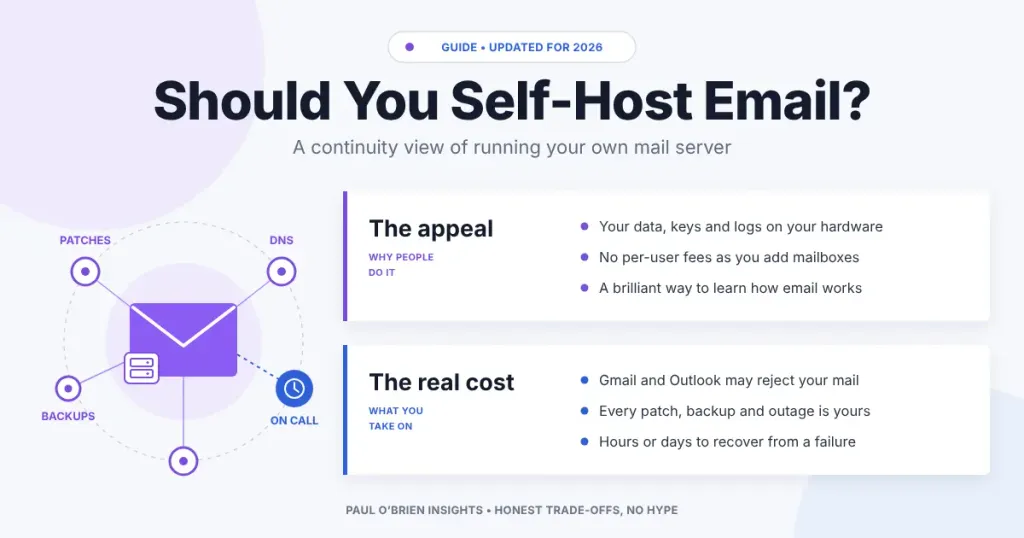
Every few months someone asks me whether they should run their own email server. Usually it’s a privacy-minded friend, a developer with a spare VPS, or a small business owner who has just seen their Google Workspace bill go up. My honest answer is almost always no. Here’s why, and the few cases where it’s a yes.
I understand the appeal. Self-hosting means your mail sits on a machine you control, under keys you hold, with logs nobody else reads. It’s the digital sovereignty argument, and I have a lot of sympathy for it. But I hold the CBCI, the Business Continuity Institute’s certificate, and that training makes me look at any system the same way: what breaks, how often, how long does it take to fix, and who is awake when it does? Judged like that, self-hosted email is a different decision from the one most guides describe.
This guide gives you the short answer first, then the parts that actually bite: deliverability, downtime and the real cost in time. If you still want to do it at the end, there’s a checklist to do it properly.
Reader offer: 10% off Fastmail. If you want your own domain without running the server, Fastmail is what I’d point most people to. Try it free for up to 30 days, then get 10% off your first year on any plan.
The Short Answer
If email is a tool you use rather than the thing you sell, don’t self-host it. Keep the part that gives you freedom, which is your own domain, and rent the part that causes the pain, which is the server. You can move a domain between providers in an afternoon. You can’t buy back a sender reputation or a lost week of mail.
Self-hosting makes sense when the learning is the point, when you have a legal or contractual reason to keep mail on hardware you control, or when you already run infrastructure for a living and have someone to cover you when you’re on holiday.
At a Glance: Who Self-Hosting Is (and Isn’t) For
| User Profile | Best Fit? | Core Value Drivers / Key Trade-offs |
|---|---|---|
| Hobbyist or homelabber learning how email works | Strong fit | Nothing teaches DNS, TLS and SMTP faster. Keep a managed address for anything important while you learn. |
| Sysadmin or developer who already runs servers | Workable | You have the skills. The question is whether you want another 3am pager for a service that rarely pays you back. |
| Privacy-focused individual | Partial fit | You control the box, but most of your mail still lands at Gmail and Outlook. A zero-access provider protects more for less effort. |
| Freelancer or sole trader | Alternative needed | One missed client email costs more than years of a managed plan. You are also the only person who can fix it. |
| Small business with staff | Alternative needed | Key-person risk: if the one person who understands the server leaves or falls ill, nobody can run it. |
| Regulated organisation with a data-location requirement | Workable | A real reason to self-host or use a private cloud, but it needs a team, a budget and a tested recovery plan. |
What Running Your Own Mail Server Actually Involves
Installing Postfix and Dovecot, or one of the all-in-one bundles such as Mailcow or Mail-in-a-Box, is the easy part. It takes an evening. The work is everything that comes after, and it never stops.
| Job | What it means in practice | How often |
|---|---|---|
| Patching | The operating system, mail server, webmail, spam filter and TLS libraries, all exposed to the internet | Weekly, and immediately for serious flaws |
| Spam and malware filtering | Tuning rules, updating signatures, checking quarantine for false positives | Ongoing |
| Authentication records | SPF, DKIM, DMARC, reverse DNS, MTA-STS and TLS certificates that renew on time | At set-up, then whenever anything changes |
| Reputation monitoring | Watching blocklists and DMARC reports for signs your mail is being rejected | Weekly at least |
| Backups and restore tests | Copying mailboxes off the server and proving you can bring them back | Daily backups, restore tests every few months |
| Being on call | Someone has to notice and fix it when the queue jams or the disk fills | Whenever it happens, including holidays |
None of these jobs is hard on its own. The risk is that they all depend on one person remembering to do them. In a small business that is often the most technical person in the room, who also has a day job. Continuity planners call this key-person dependency, and it is one of the first things I’d flag in any review.
A note on Exchange: if your self-hosted mail is Microsoft Exchange, support for Exchange Server 2016 and 2019 ended on 14 October 2025. The only supported on-premises version is now Exchange Server Subscription Edition, which moves you to an ongoing subscription. If you’re weighing that against Exchange Online, the maths has shifted towards the cloud.
Deliverability: The Part That Bites
Receiving mail on your own server is straightforward. Getting the big providers to accept the mail you send is where most self-hosters give up.
- You may not be allowed to send at all. Many cloud hosts block outbound mail ports by default. DigitalOcean blocks ports 25, 465 and 587 on Droplets, and AWS restricts port 25 on EC2 until you ask for the limit to be lifted. Home broadband connections are usually blocked too.
- A new IP address has no reputation. Gmail and Outlook treat mail from an unknown address with suspicion until it builds a history. If the address was used for spam before you got it, you start in a hole.
- Your neighbours count. Blocklists such as Spamhaus can list whole ranges of addresses when a host has a spam problem, so a stranger on the same network can get your mail rejected.
- The rules keep tightening. Google’s sender guidelines require every sender to use SPF or DKIM, valid forward and reverse DNS and TLS, and to keep reported spam below 0.3%. Bulk senders need SPF, DKIM and DMARC together. Microsoft brought in similar rules for high-volume senders to Outlook.com in 2025.
The failure you won’t see: the worst deliverability problem isn’t a bounce. It’s a receiving server accepting your message and quietly filing it as spam, or dropping it. You get no error. Your client simply never replies, and you may not find out for weeks.
What Happens When Your Server Goes Down
In continuity terms there are two numbers that matter. The first is how long it takes to get the service back. The second is how much data you lose when you do. For the big managed providers, both are close to zero for most incidents, because your mail is copied across several data centres and someone else is paid to fix it.
For a single self-hosted server, both numbers are whatever your backup and your skills make them. If you restore from last night’s snapshot, anything that arrived since is gone. If the hardware has failed and you need a new machine, rebuilt configuration and fresh DNS, you are looking at hours at best and days at worst.
There is a safety net. Sending servers don’t give up straight away; they queue mail and retry. Postfix, one of the most common mail servers, keeps trying for five days by default. But not every sender is that patient, and a short outage still delays mail that someone was waiting for. For a business, a day of silence from your inbox is a day of missed orders and replies. I’ve written more about this in why your email is a single point of failure.
What Self-Hosting Really Costs
On price alone, self-hosting looks cheap. The server is a few pounds a month. The real cost is your time, and that’s the line most comparisons leave out.
| Option | Monthly price | Your time | Who fixes it at 3am |
|---|---|---|---|
| Self-hosted on a VPS | Roughly £5 to £15 for a small server, plus backups | A few hours a month when things go well, much more when they don’t | You |
| Fastmail Standard | $5 per user (annual billing) | Minutes | Fastmail |
| Proton Mail Plus | $3.99 for one user (annual billing) | Minutes | Proton |
| Google Workspace Business Starter | £5.90 per user, ex VAT (flexible plan) | Minutes | |
| Inbound only, with a relay for sending | VPS cost plus a few pence per thousand emails sent | Less than full self-hosting, but you still run the server | You, for incoming mail |
Prices were checked on each provider’s pricing page in October 2026 and exclude tax. Fastmail and Proton list prices in US dollars. The VPS range is my estimate for a small server from a mainstream host. Value your own time at even a modest hourly rate and the managed options win for anyone with fewer than a few dozen mailboxes.
The Middle Ground: Own the Domain, Rent the Server
Most of what people want from self-hosting comes from owning the domain, not the hardware. With your own domain you can leave any provider without changing your address. That is the freedom worth having, and it costs about the price of a coffee a year.
If you want more control than a standard mailbox gives you, there are halfway houses:
- Forwarding services such as Forward Email let you control routing and aliases on your domain without running a mail server.
- Serverless mail on Cloudflare, which I tested in my Mailflare and saasmail reviews, gives you code you own on infrastructure you don’t have to patch.
- A sending relay such as Amazon SES takes the deliverability problem off your server if you insist on hosting incoming mail yourself.
Comparative Matrix: Self-Hosted vs. Managed Email
| Factor | Self-hosted | Google Workspace | Fastmail | Proton Mail |
|---|---|---|---|---|
| Day-to-day effort | High | Low | Low | Low |
| Deliverability risk | High | Low | Low | Low |
| Recovery after a failure | Hours to days, on you | Handled by Google | Handled by Fastmail | Handled by Proton |
| Key-person risk | High | Low | Low | Low |
| Control over your data | Complete | Contractual | Contractual | Zero-access encryption |
| Full Review | You are here | Workspace deep dive | Fastmail review | Proton Mail review |
| Try It | – | Get Workspace | 10% off Fastmail | Try Proton Mail |
If You Still Want to Self-Host: A Checklist
If you’ve read this far and still want to do it, good. Do it properly.
- Choose a host that allows outbound mail, and check the IP address against the main blocklists before you use it.
- Set reverse DNS so the IP points back to your mail server’s name.
- Publish SPF and DKIM, then DMARC starting at
p=noneso you can read the reports before you enforce. - Add MTA-STS and make sure your TLS certificates renew automatically.
- Turn on automatic security updates and subscribe to your mail software’s security announcements.
- Back up mailboxes to somewhere off the server, and test a full restore before you need one.
- Write down how it all works, so someone else could run it if you couldn’t.
- Keep a managed address as a fallback for password resets and anything you can’t afford to miss.
Pros and Cons of Self-Hosting Email
| Strengths | Weaknesses |
|---|---|
| Complete control over data, keys and logs | Every patch, backup and outage is yours to handle |
| No per-user fees as you add mailboxes | Sending reliably to Gmail and Outlook is hard and getting harder |
| An excellent way to learn how email really works | Recovery depends on your backups and your free time |
| No provider can scan, suspend or change your service | Key-person risk if only one person understands it |
Frequently Asked Questions
Is it worth self-hosting email in 2026?
For most people and small businesses, no. The server is cheap, but keeping mail delivered, patched and backed up takes ongoing time and skill. It’s worth it if you enjoy the work, need it for compliance, or already run infrastructure professionally.
Can I run an email server at home?
You can receive mail at home, but sending is usually blocked or rejected. Most broadband providers block outbound port 25, and home IP addresses are widely listed as unsuitable for sending mail. If you want to try, rent a VPS from a host that allows mail, or relay outgoing mail through a service such as Amazon SES.
Why does my self-hosted email go to spam?
The usual causes are missing or broken SPF, DKIM or DMARC, no reverse DNS, an IP address with a poor history, or a host whose network is on a blocklist. Check each in turn, and read your DMARC reports to see what receivers are actually doing with your mail.
Is self-hosted email more private?
It keeps your stored mail out of a provider’s hands, but most of the people you write to use Gmail or Outlook, so a copy of the conversation sits there anyway. If privacy is the goal, a zero-access provider such as Proton Mail gives you most of the benefit without the maintenance.
What’s the easiest way to self-host email?
All-in-one bundles such as Mailcow and Mail-in-a-Box install the whole stack for you. They make set-up easy, but they don’t remove the ongoing work of updates, deliverability and backups.
The Bottom Line
Self-hosting email is a fine hobby and a poor default. Unless running mail infrastructure is your job, the continuity risk outweighs the control you gain. Own your domain so you can always leave, put the mailbox with a provider that has a team on call, and spend the hours you save on something your business actually sells. For most readers that means Fastmail for simple, standards-based email, Proton Mail if privacy comes first, or Google Workspace if you need the whole office suite.
Reader offer: 10% off Fastmail. Keep your own domain and let someone else run the server. Try Fastmail free for up to 30 days, then get 10% off your first year.
Disclosure: This article contains affiliate links for Fastmail, Proton Mail and Google Workspace. If you sign up through them, I may earn a commission at no extra cost to you. I only recommend services I personally use and trust.

