
· 8 min read
I Moved My Email From Google Workspace to Fastmail in 26 Minutes
On 17 November I moved my own email from Google Workspace to Fastmail. From the welcome screen to 2,581 emails, 78 contacts and 668 calendar events sitting in Fastmail took 26 minutes, and that includes cleaning up years of DNS clutter and fixing the mistakes I made along the way. Here's exactly what I did, with real screenshots.
Jump to section

I’ve written plenty about Fastmail, and I’ve moaned about being locked in to Google Workspace for 12 months. On Tuesday 17 November I stopped writing about it and moved my own email. I took screenshots as I went, so this is exactly what happened, mistakes and all.
If you want the full how to, my step by step guide to moving from Google Workspace to Fastmail and my Fastmail custom domain setup guide cover every option. This post is just my move, on one Tuesday morning, from a Google Workspace account to Fastmail with my own domain, paulobrien.com.
Short answer: it took me 26 minutes from Fastmail’s welcome screen at 11:15 to having all my mail, contacts and calendars in Fastmail at 11:41. Adding the domain and getting every DNS check green took 21 minutes, and most of that was me tidying up old records and fixing my own mistakes. The import from Google itself took about two minutes and brought across 2,581 emails, 78 contacts and 668 calendar events without missing one.
Reader offer: 10% off Fastmail. Try Fastmail free for up to 30 days, then get 10% off your first year on any plan through my referral link.
Referral link: I may earn a commission, at no extra cost to you.
My move at a glance
Here’s the whole morning, from the times on my screenshots and in Fastmail’s own emails.
| Time | Step | What happened |
|---|---|---|
| 11:15 | Signed up | Welcome screen with a 30 day free trial |
| 11:20 | Paid for the year | Individual plan, £54 a year including VAT |
| 11:21 | Added my domain | Told Fastmail my domain is registered with Cloudflare |
| 11:28 | DNS records | Fastmail gave me Cloudflare specific steps with copy buttons |
| 11:28 to 11:36 | Tidy up and fixes | Cleared out old records and fixed three mistakes |
| 11:36 | All green | MX, DKIM and SPF all correctly set up |
| 11:39 | Import started | Mail, contacts and calendars from Google Workspace |
| 11:41 | Import finished | 2,581 emails, 78 contacts, 668 calendar events |
Signing up
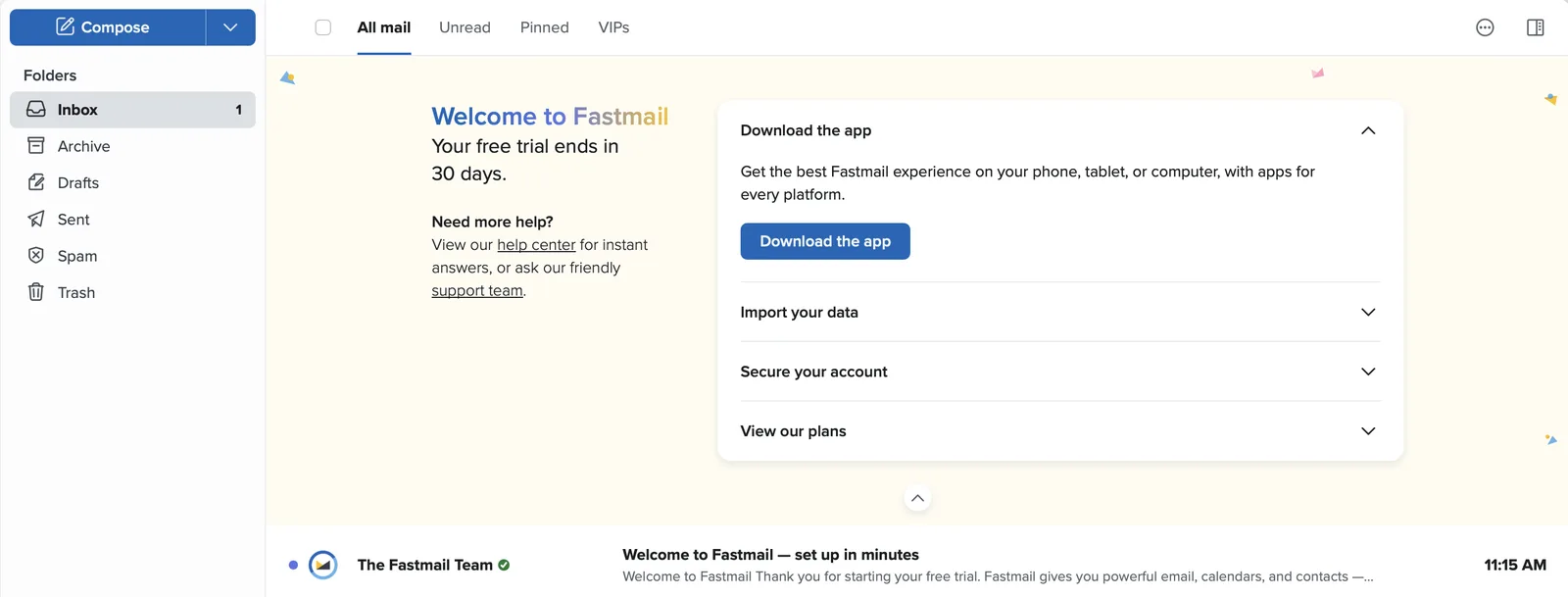
The first thing I noticed was the onboarding. It’s very nice. You land on a clean welcome screen that tells you how long your trial has left and gives you four things to do next: download the app, import your data, secure your account and view the plans. No upsell pop ups, no tour you can’t skip.
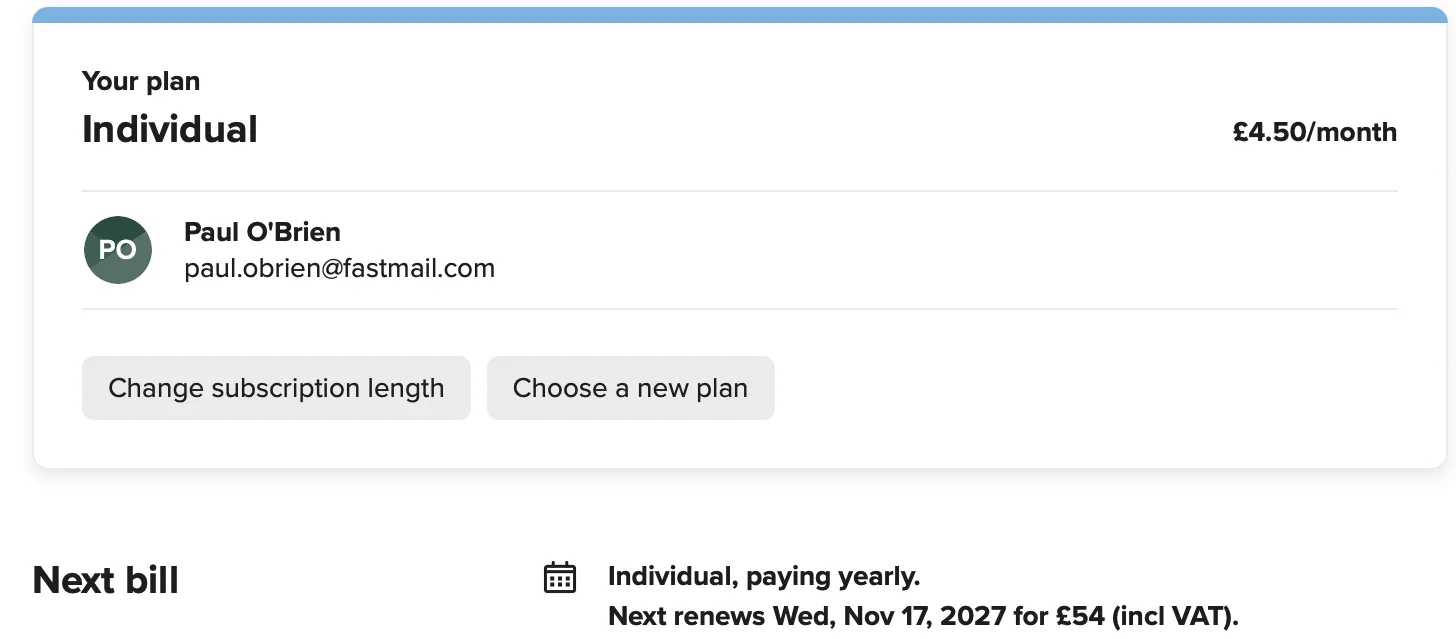
I didn’t bother waiting out the trial. I’ve used Fastmail enough to know I’m staying, so I paid for the Individual plan for a year straight away: £4.50 a month, £54 a year including VAT.
Adding my domain
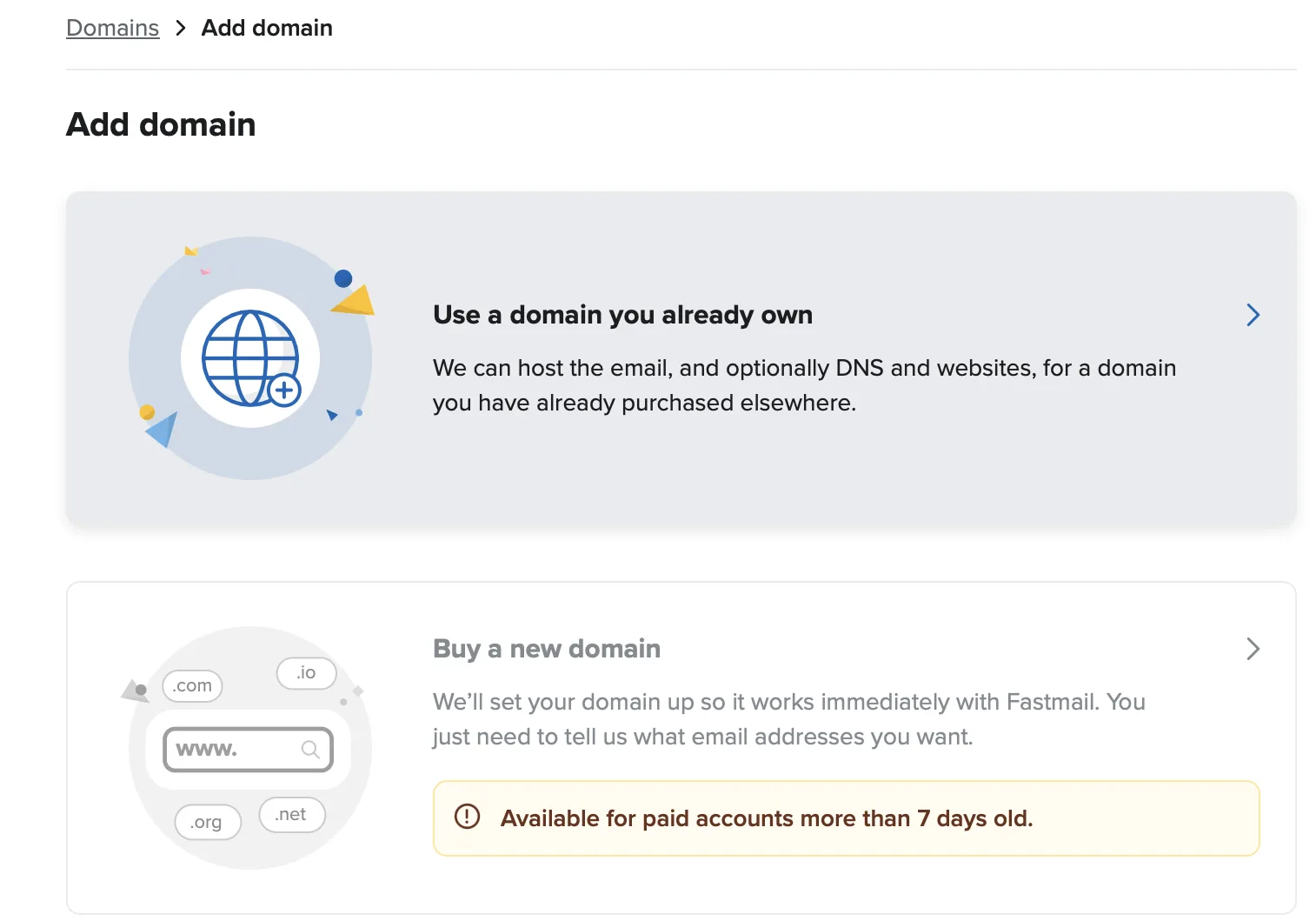
Under , , Fastmail asks whether you want to use a domain you already own or buy a new one. Buying a domain through Fastmail only unlocks once your paid account is seven days old, which I hadn’t known. I already own paulobrien.com, so that didn’t matter to me.
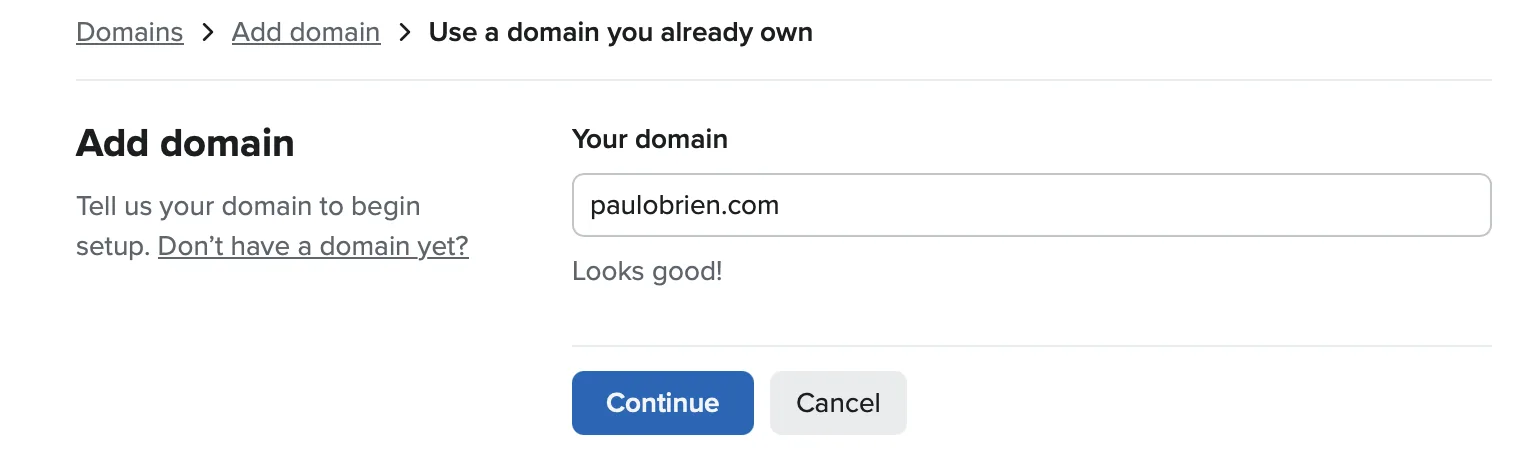
Then it’s a short set of questions. What’s the domain? Do you own it? Where is it registered? That last one is optional, but it’s worth answering, because Fastmail then gives you instructions for your own provider. Mine is Cloudflare.
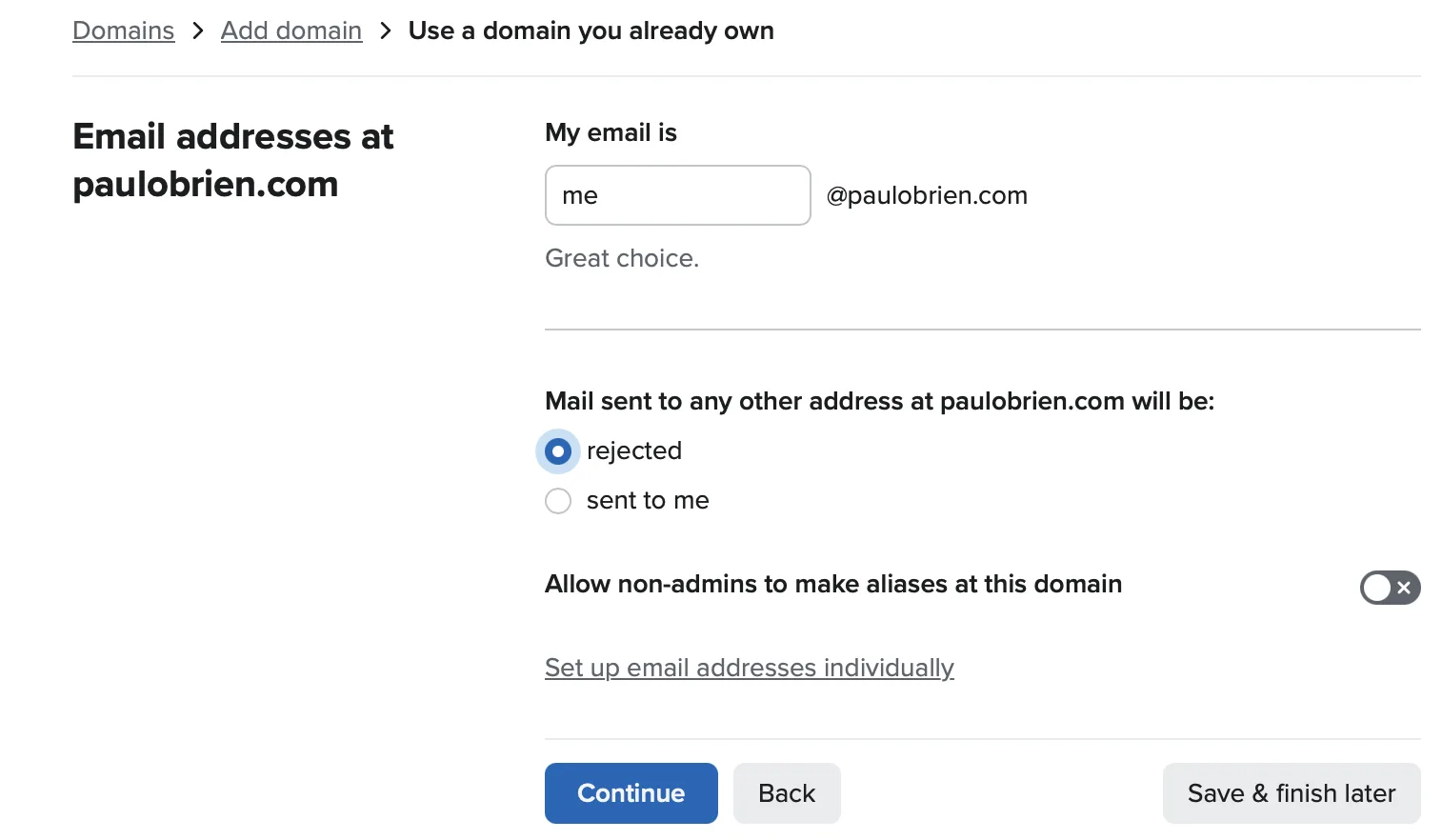
Next it asks for your main address and what should happen to mail sent to any other address at the domain. I put in me@paulobrien.com. The choice for everything else is rejected, which is the default, or sent to you. Rejected keeps spam down, and sent to you means nothing bounces if people use an old address.
The DNS records
This is the part people worry about, and Fastmail makes it as painless as it can be. Because I’d said Cloudflare, I got step by step instructions for Cloudflare, with a copy button next to every value. Fastmail is upfront that your email won’t work until you’ve made the changes, and that it can’t make them for you.
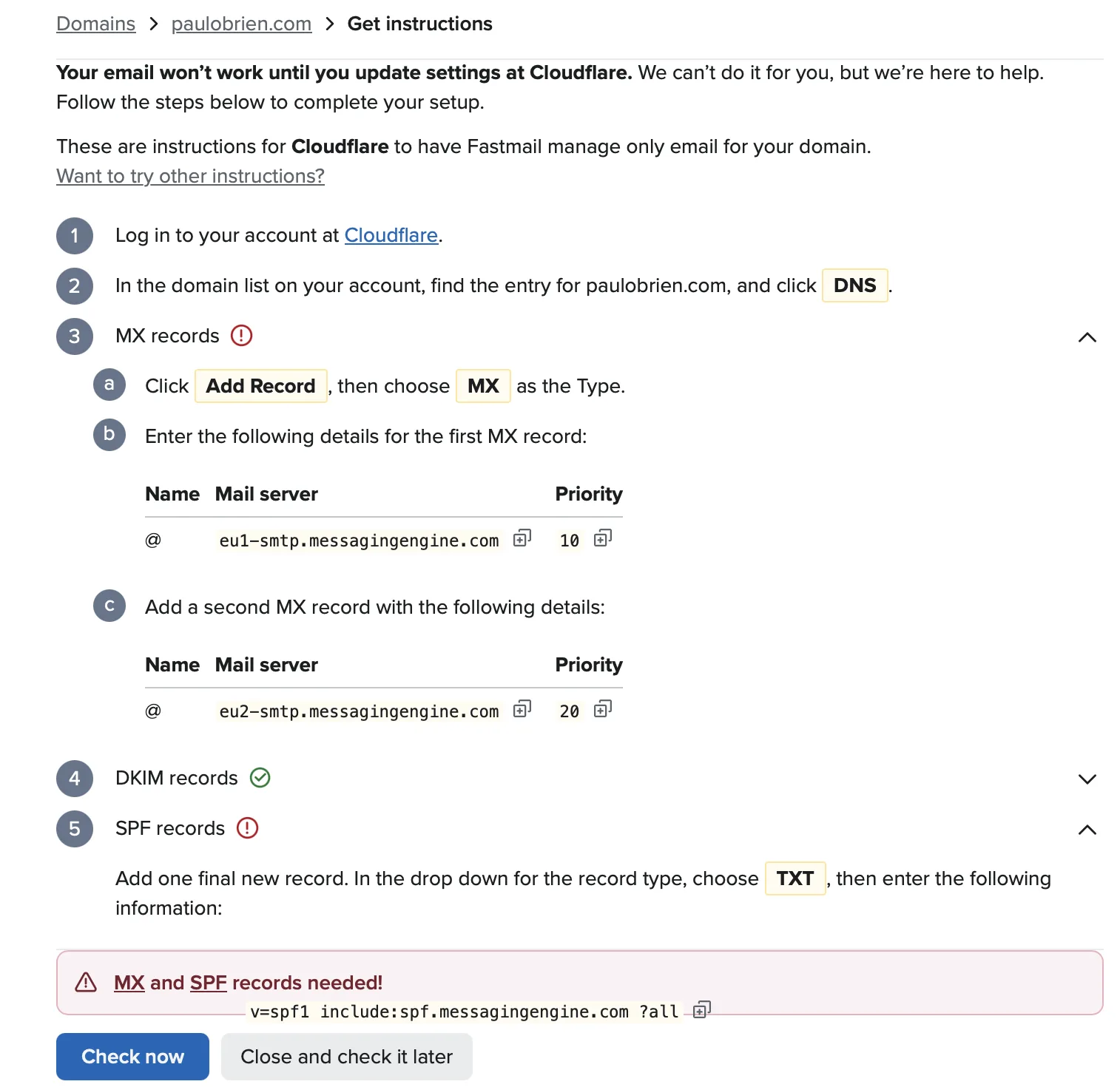
Interestingly, my account was given Fastmail’s EU mail servers. These are the records I added for my domain:
| Type | Name | Value | Priority |
|---|---|---|---|
| MX | @ | eu1-smtp.messagingengine.com | 10 |
| MX | @ | eu2-smtp.messagingengine.com | 20 |
| CNAME | fm1._domainkey | fm1.paulobrien.com.dkim.fmhosted.com | |
| CNAME | fm2._domainkey | fm2.paulobrien.com.dkim.fmhosted.com | |
| CNAME | fm3._domainkey | fm3.paulobrien.com.dkim.fmhosted.com | |
| TXT | @ | v=spf1 include:spf.messagingengine.com ?all |
Your DKIM records will have your own domain in them, and your account may be given different MX servers. Always copy them from Fastmail’s own screen.
Good to know: in Cloudflare, set the three DKIM CNAME records to DNS only (the grey cloud), not proxied.
The mistakes I made
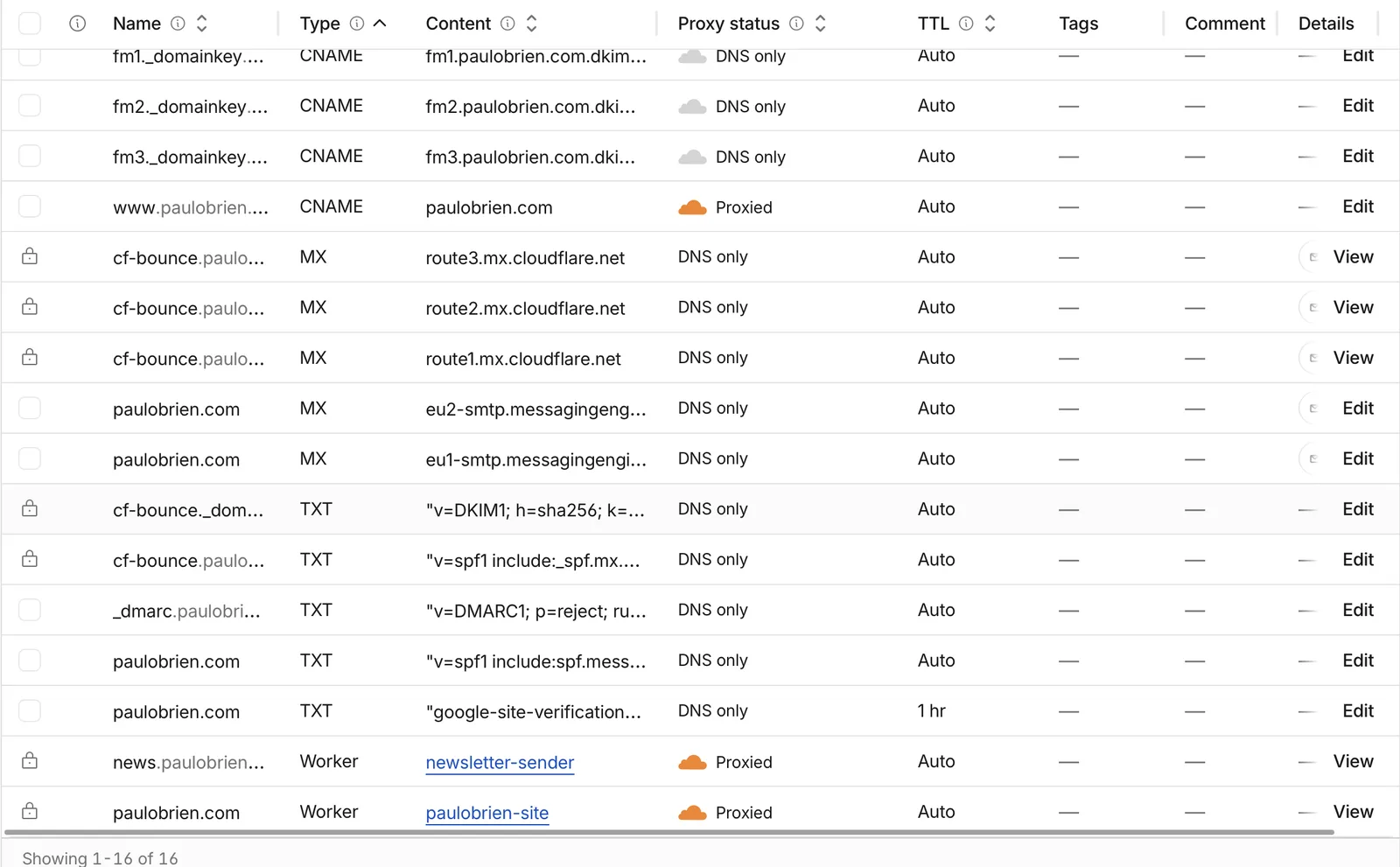
When I opened my DNS in Cloudflare, my first reaction was that there were way too many records. Years of trying out email services had left records behind for Amazon SES, Brevo, Postmark, Resend, Mailgun and Cloudflare’s own email sending, on top of Google. I wanted only what I actually needed, and in my rush I made a few mistakes. Here they are, so you don’t make them too.
| My mistake | What it did | The fix |
|---|---|---|
| Added Fastmail’s MX record but left Google’s in place | Both at priority 10, so incoming mail went to either Google or Fastmail more or less at random | Deleted the Google MX record |
| Typed the server name into the Name box for the second MX record | The record sat on a made up subdomain, so Fastmail’s backup server got nothing | Changed the Name to @ |
| Added Fastmail’s SPF record next to Google’s | Two SPF records at the root make both of them invalid | Deleted Google’s, leaving only Fastmail’s |
| Deleted the Amazon SES records with the other old ones | My newsletter sends through SES, so it would have started failing | Put the five SES records straight back |
Watch out: before you delete an old DNS record, check whether anything still uses it. My website and newsletter send email from my domain through other services, and their records have nothing to do with where my inbox lives. Cloudflare also locks the records its own email sending uses, and those need to stay.
Once that was sorted, my DNS was down to a short, tidy list.
Back in Fastmail I pressed , and at 11:36 everything was green: MX, DKIM and SPF all correctly set up. That was 21 minutes after the welcome screen, and it would have been a lot quicker without my clean up and my mistakes.
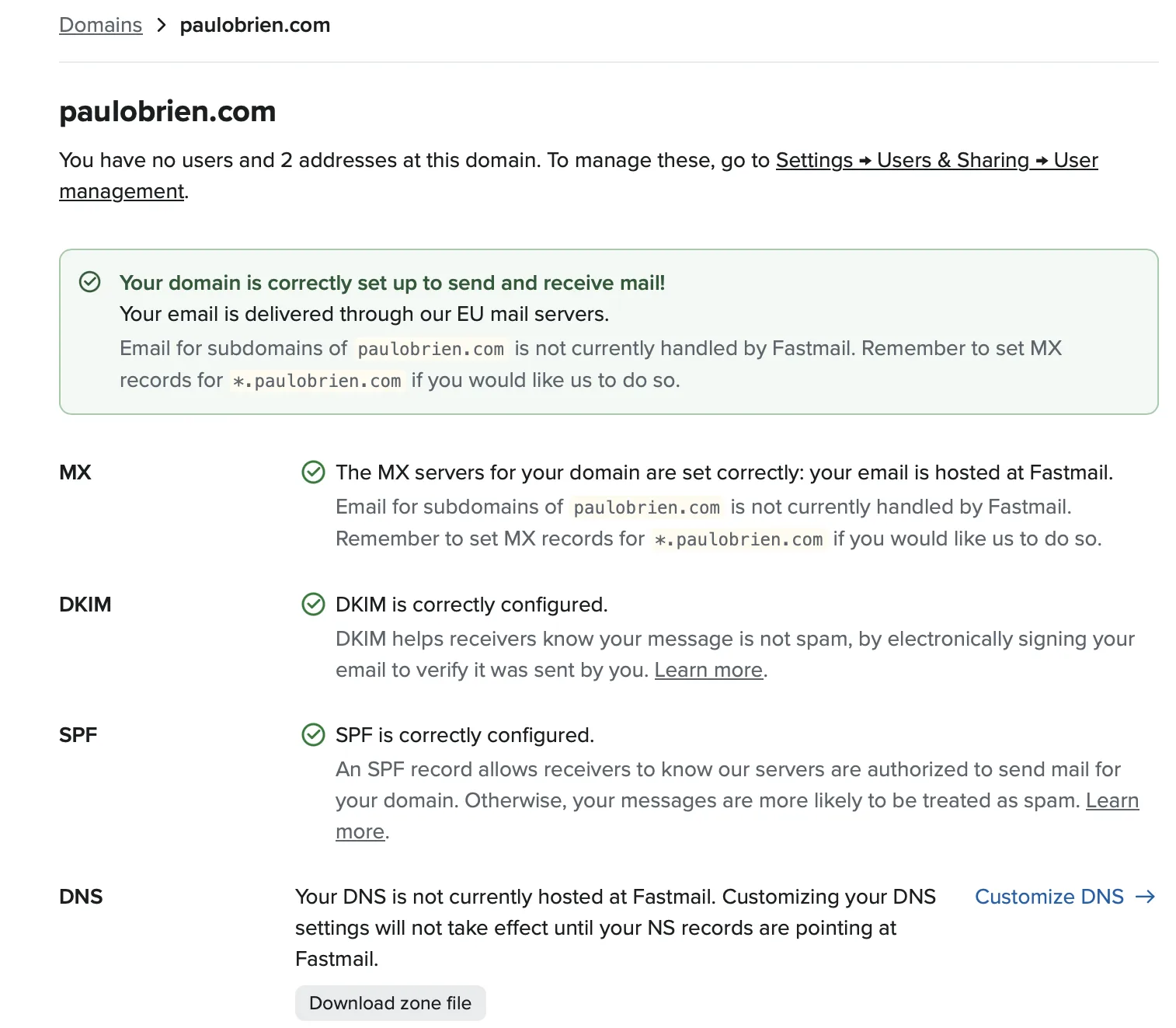
Side note: Fastmail mentions setting MX records for *.paulobrien.com if you want it to handle mail for subdomains too. I left that alone, because my sending services use subdomains for their bounce handling.
Importing from Google
Importing is under , . Google Workspace is top of the list, and you sign in to Google and let Fastmail in. I switched my MX records first and imported straight after, so anything that arrived at Google before the switch came across too.
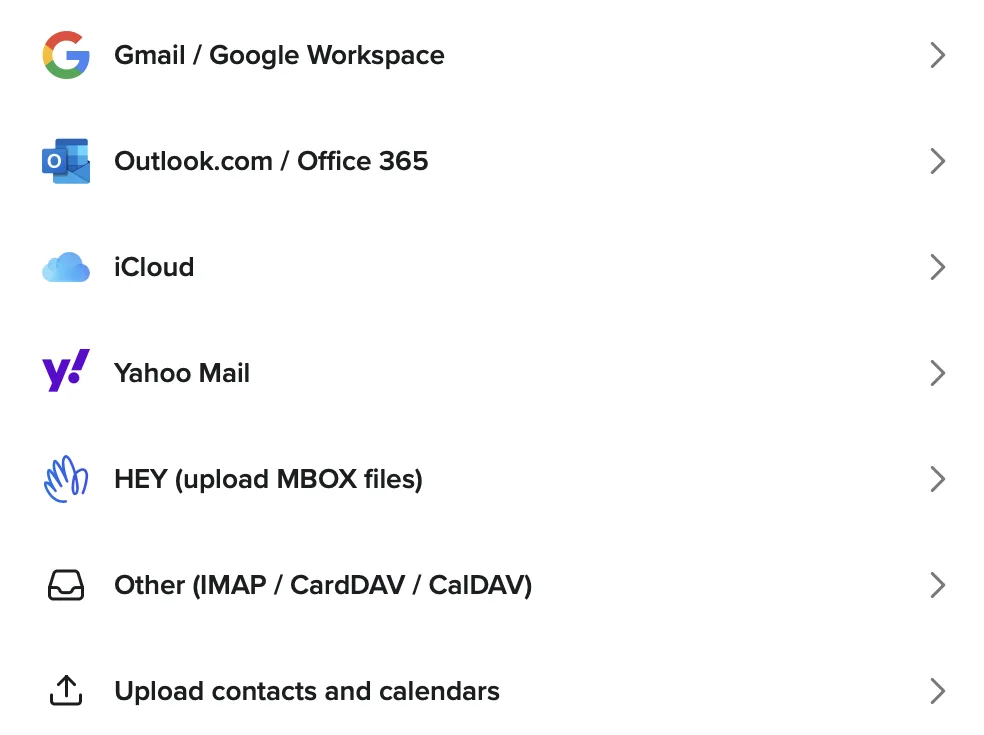
I started it at 11:39. Fastmail emailed me to say contacts and calendars were done at 11:40 and mail at 11:41. That’s about two minutes, with nothing missed.
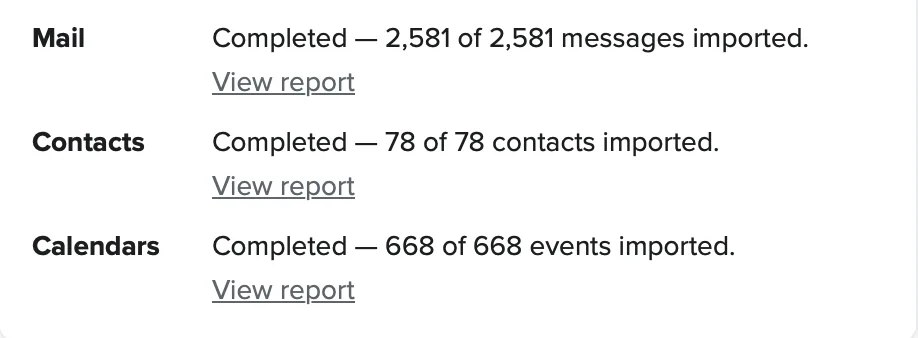
| What | Imported |
|---|---|
| Emails | 2,581 of 2,581 |
| Contacts | 78 of 78 |
| Calendar events | 668 of 668 |
| Time taken | About two minutes |
My Gmail labels came across as Fastmail folders, sub folders included, and storage went from 0% to 1% of the 50 GB on my plan.
My addresses
As well as me@paulobrien.com, my website sends emails from hello@paulobrien.com. I added it as an alias under , , so anything that comes back to it lands in my inbox rather than bouncing. Each address has its own copy button, and you can add an action to file, label, forward or delete mail sent to a particular address.
What I’m keeping Google for
My Google Workspace contract runs until July 2027 and, as I wrote on the day, Google won’t let me downgrade or leave early. I’ve set it to cancel when the contract ends, and until then I’ll keep using it for Docs and Drive. My email is the bit that matters, and that now lives at Fastmail.
Google Workspace is still a good fit if your business lives in Docs, Sheets and Meet. If that’s you, my Google Workspace promo code takes 10% off your first year.
Frequently asked questions
How long does it take to move from Google Workspace to Fastmail?
For me it was 26 minutes from signing up to having everything imported. The import itself took about two minutes for 2,581 emails. A bigger mailbox will take longer, but you can carry on with other things while it runs.
Do I need to move my DNS to Fastmail?
No. I kept my DNS at Cloudflare and let Fastmail handle only my email. Fastmail can host your DNS if you want it to, but you don’t have to.
Should I import before or after changing the MX records?
Either works. I changed my MX records first and imported straight after, so mail that reached Google before the switch was included in the import. If you import first, run another import afterwards to catch anything that arrived in between.
Can I keep using Google Docs and Drive?
Yes. Moving your email doesn’t touch Docs or Drive. I’m keeping them until my Workspace contract ends.
Can I delete all my old DNS records?
Only the ones nothing uses. Your inbox needs just Fastmail’s MX, DKIM and SPF records, but newsletters, contact forms and other services may send from your domain using their own records. Check before you delete, and keep your DMARC record.
The bottom line
Moving my email turned out to be the easy part. Fastmail’s onboarding is genuinely nice, the domain set up told me exactly what to do in Cloudflare, and the import from Google was over in two minutes. The only slow bit was my own DNS clutter and the mistakes I made clearing it. If you’re thinking about it, try Fastmail and give yourself half an hour.
Reader offer: 10% off Fastmail. Try Fastmail free for up to 30 days, then get 10% off your first year on any plan through my referral link.
Referral link: I may earn a commission, at no extra cost to you.
Disclosure: This article contains a Fastmail referral link. If you sign up through it, I may earn a commission at no extra cost to you, and you get 10% off your first year. Everything here is from my own move on 17 November 2026; menus and prices do change.

Paul O'Brien
I've spent over 25 years working hands-on with email, DNS and cloud infrastructure. I test email providers and privacy tools for real, then tell you what they're good at and where they fall short.
More about meEverything I've written about Fastmail
 How to Move From Google Workspace to Fastmail: A Step by Step Guide9 min read
 How to Move From Microsoft 365 to Fastmail: A Step by Step Guide12 min read
 Fastmail With Your Own Domain: The Complete Setup Guide (2026)17 min read
 The Microsoft Outage: Why Relying on Big Tech Has Consequences5 min read
 HEY vs Fastmail: Which Email Provider Is Right for You?9 min read
 Proton Mail vs Fastmail 2026: Privacy or Productivity?14 min read
 Why Masked Email Beats Disposable Email for Most People12 min read
 Microsoft Outlook and Exchange Review: Strengths, Limits5 min read
 Fastmail Security and Privacy in 2026: Where Your Data Lives14 min read
 How to Move From Proton Mail to Fastmail (and Why I Switched)7 min read
 Fastmail Review 2026: Pricing, Privacy and Features Rated11 min read
More like this



You're subscribed. New articles come by email, as I publish or every Thursday. Change how often
Comments