Mailfence is a Belgian email provider built around OpenPGP encryption, IMAP compatibility and a paid-first model. This review looks at how it performs in practice, what each plan really includes, and who it suits in 2026.
Mailfence is one of those email providers that rarely makes noise. It doesn’t dominate headlines, it doesn’t chase ecosystem expansion, and it doesn’t rely on dramatic marketing. Instead, it sells something straightforward: a paid email service built around privacy, transparency, and a business model that doesn’t depend on advertising.
That alone makes it interesting in 2026. More people are starting to question the default choices in email. Not because they’ve become extremists about privacy, but because the big platforms come with trade-offs: pricing changes, shifting policies, and support that can feel distant when something goes wrong. Mailfence appeals because it’s smaller, clearer about what it is, and not trying to turn email into a gateway to everything else.
I tested Mailfence on the free tier, so this is a functional first look rather than a full “migrate my life” review. Some of the most important real-world checks, like IMAP in a desktop client and proper mobile sync, only become testable once you’re on a paid plan. I didn’t upgrade purely for review purposes. When I test providers, I try to approach them the way a normal user would: start free, see what works, and only pay if it earns a longer-term place in my setup.
Short answer: Mailfence is a sensible, privacy-first alternative if you value open standards and a clear business model. Be careful with the plans: the cheapest paid tier (Base, €2.50 a month) has no IMAP or SMTP, so for desktop and mobile clients you need Entry (€3.50 a month), which is also where custom domains start. Encryption is opt-in, not automatic.
At a Glance: Who Mailfence Is (and Isn’t) For
| User Profile | Best Fit? | Core Value Drivers / Key Trade-offs |
|---|
| Privacy-minded users who want open standards | Ideal | OpenPGP signing and encryption in webmail, a published threat model, no advertising model. |
| Custom-domain users on a budget | Strong fit | Custom domains with SPF, DKIM and DMARC from the Entry plan at €3.50 a month. |
| Desktop and mobile client users | Strong fit | Standard IMAP and SMTP without a bridge app, but only from Entry upwards. |
| Small teams and business admins | Strong fit | User management on Entry and above, plus priority support and larger storage on the top tiers. |
| People who want automatic end-to-end encryption | Alternative needed | OpenPGP is opt-in and you manage keys yourself. Look at Proton Mail for encryption by default. |
| People who want a polished webmail | Partial fit | Functional rather than polished, and I had to refresh manually for new mail in Safari. |
What It’s Like to Use Mailfence Day to Day
Signup was quick. Within minutes I was in the inbox and sending test messages.
The webmail interface is minimal. Not unattractive, just basic and functional. It’s responsive and works cleanly across screen sizes, but it doesn’t feel polished in the way Fastmail does. That may suit some users. There’s something reassuring about an inbox that doesn’t try too hard.
My first real friction point was new mail delivery in the browser. Messages didn’t always appear automatically. I found myself having to click Mailfence’s refresh control to pull new mail into the inbox. I’ve seen similar behaviour in Proton Mail at times, but Fastmail updates the inbox instantly without me doing anything. I’m using Safari, so it may be browser-related. Still, having to hit refresh for new mail is irritating. Email is a tool you open dozens of times a day, and small annoyances compound quickly.
On the positive side, Mailfence offers practical touches that feel mature rather than flashy. Backups are easy to export. There’s a short domain option (mf.me) available, which is a nice alternative if you want something cleaner than a longer provider domain. The platform also includes a virtual drive: your documents appear in a special folder on your computer, protected by your username and password, allowing access without needing to stay inside a browser tab.
The Threat Model: A Rare Sign of Seriousness
One of the most encouraging aspects of Mailfence is that it publishes a threat model. Most email providers describe features. Far fewer describe risks. A threat model forces clarity. It answers uncomfortable questions: what is this service actually designed to defend against? Where are its limits? What risks remain outside its control?
Mailfence’s documentation makes it clear that it is trying to improve privacy within the existing email system rather than replace that system entirely. That distinction matters. It signals that the company understands email as infrastructure, not as marketing.
Encryption: OpenPGP and Practical Limits
Mailfence supports OpenPGP-style encryption and digital signatures, with an integrated keystore for generating and managing keys. This matters because it relies on open standards rather than proprietary encryption layers. You can sign messages for authenticity and integrity, or encrypt them end to end when both parties participate. That’s a meaningful capability, but it doesn’t magically solve the structural limits of email.
It’s also worth being clear about how this differs from Proton Mail’s model. Proton encrypts mail automatically between Proton users inside its own system. Mailfence doesn’t automatically apply end-to-end encryption to Mailfence-to-Mailfence messages by default. Instead, it supports OpenPGP: if both people have keys set up and choose to use encryption, messages can be end-to-end encrypted, but it’s something you opt into and manage, not something enforced invisibly by the platform.
Mailfence also offers a fallback for non-PGP recipients: password-encrypted messages. You set a shared password (agreed out of band) and the recipient receives a link to unlock the message in Mailfence. It’s a useful option when the other person doesn’t use PGP, but it isn’t the same as end-to-end encryption between two mail clients: you’re relying on a shared password, a web unlock flow, and a separate channel to share the password safely. This is closer to Proton Mail’s “secure link / password” option for external recipients than it is to Proton’s automatic encryption between Proton users.
Know the limits: encryption works best when both sender and recipient participate. When they don’t, email falls back on normal transport security, authentication standards and spam filtering. Mailfence doesn’t pretend otherwise, which makes it a practical privacy option, not an all-or-nothing system. For what “secure” should mean in practice, see what does secure email actually mean?
Jurisdiction, GDPR and the Belgian Base
Mailfence operates from Belgium and falls under GDPR expectations. Jurisdiction alone does not guarantee privacy, but it shapes the legal environment in which a company operates. European data protection frameworks impose clearer obligations and stronger user rights than some other jurisdictions, which can influence how data is handled, disclosed and challenged. It’s one layer in the overall trust picture, not a silver bullet.
Mailfence also emphasises that it runs entirely on green energy, a values-led approach similar to Posteo. Whether environmental commitments influence your choice depends on personal priorities, but it reinforces the company’s broader operational philosophy.
There’s also a broader backdrop here. More people in Europe, including governments and public bodies, are thinking harder about where their data sits and who ultimately controls the infrastructure. It isn’t always anti-American sentiment. It’s about digital sovereignty: reducing dependence on a handful of US platforms and keeping sensitive information within clearer legal boundaries.
It’s also worth separating jurisdiction from provider access. Mailfence can offer end-to-end encryption (OpenPGP), but it isn’t applied to everything by default. In normal day-to-day use, a lot of mail will still exist on the server in a readable form unless you actively encrypt messages. If Mailfence is compelled to disclose mailbox contents, anything not protected with end-to-end encryption is far more likely to be handed over in a readable state. That is one of the clearest differences versus Proton Mail, which encrypts messages automatically between Proton users inside its own system, and uses password-protected messages for external recipients.
What You Pay For (and Why It Matters)
Mailfence is fundamentally a paid service. There is a free tier for testing, but serious usage requires a subscription. This matters more than most encryption features. A paid-first model removes the need to monetise behaviour, something I explore more deeply in Free vs Paid Email: What You’re Really Paying With.
There are no advertising incentives, no attention metrics, and no reason to treat the inbox as a data extraction channel. That alignment doesn’t eliminate trust requirements, because you are still trusting the provider’s infrastructure, but it changes the underlying incentive structure in a meaningful way. Privacy isn’t just about encryption. It’s about how the service makes its money.
One extra detail that reinforces that incentives story: Mailfence says it donates 15% of Ultra plan revenue to digital rights organisations, including groups like the EFF and European Digital Rights. It’s not a reason to choose a provider on its own, but it does align with the “paid service, not surveillance product” positioning.
Mailfence Plans and Pricing in 2026
Prices below are the monthly figures Mailfence lists for its plans in October 2026, with discounts available for longer commitments. Subscriptions are not refunded, so start on the plan you actually need.
| Plan | Price | Storage | Aliases | Custom Domains | IMAP / SMTP | Support |
|---|
| Free | €0 | 500 MB | None | No | No | Knowledge base |
| Base | €2.50/month | 11 GB (5 GB mail, 6 GB documents) | 10 | No | No | Email support |
| Entry | €3.50/month | 40 GB | 50 | Yes | Yes | Premium support |
| Pro | €9.50/month | 78 GB | 100 | Yes | Yes | Priority support, email and telephone |
| Ultra | €29/month | Largest allowance | 200 | Yes | Yes | Priority support |
Know the limits: if you came here for IMAP, the Base plan won’t do it. IMAP, SMTP and ActiveSync access starts at Entry, and so do custom domains and user management. Free accounts are also suspended after 7 months of inactivity and deleted 5 months after that.
If you’re using email as identity infrastructure, especially with your own domain name, the jump to Entry is the point where Mailfence starts to make sense as a long-term setup. See why custom domains matter.
Support: What You Get Depends on the Plan
Support is one of those things you don’t think about until you need it. Mailfence is fairly clear about this in its pricing: on the free plan, support is knowledge-base only. That’s not unusual, but it’s worth stating plainly, because it sets expectations. If you’re using the free tier as a “real” inbox, you’re mostly self-supporting. The first paid step up brings email support, which is the point where the service starts to feel like something you can reasonably rely on long-term.
Mailfence also offers an AI assistant called Nicol.ai as a first point of contact. I tried it by asking how to email support. The response was a little slow, but it did give me a working support address. It’s useful in practice, even if it still feels like an extra hop.
At the top end, the Pro plan (€9.50 a month) includes priority support with email and telephone, alongside a large storage allowance of 78 GB. For anyone running domains, depending on deliverability, or treating email as business infrastructure, that “phone plus priority” tier may be the one that actually matters.
Compatibility and Real-World Practicality
One of Mailfence’s strongest practical advantages is compatibility, but it starts on the paid tiers. From Entry upwards, Mailfence supports IMAP and SMTP, works cleanly with standard email clients, and doesn’t require a proprietary bridge app for desktop or mobile use. That means you can use Apple Mail, Thunderbird, Outlook, or your preferred iPhone or Android mail client without being pushed into a single ecosystem. It also supports CalDAV, CardDAV and WebDAV for calendars, contacts and files.
For many people, that matters more than “maximum” encryption defaults. Email still has to fit into everyday life.
What I Pay Attention to When Judging Providers
When I’m assessing any email provider, I try to ignore the marketing and look for the failure points: delivery reliability, account recovery, spam filtering, and what support is like when something goes wrong. I haven’t used Mailfence long enough to stress-test all of those properly (and on the free tier you can’t test everything, like IMAP). But it’s still the lens I use, because trust in email is only really proven when there’s a problem, especially when support is involved.
Comparative Matrix: Mailfence vs. the Alternatives
| Feature | Mailfence Entry | Mailbox.org Standard | Proton Mail Plus | Fastmail Individual |
|---|
| Price | €3.50/month | €3/month (annual billing) | £3.19/month (annual billing) | $5/month (annual billing) |
| Storage | 40 GB | 20 GB mail plus 10 GB drive | 15 GB | 60 GB |
| Custom domains | Yes | Yes | 1 | Yes |
| Standard IMAP/SMTP | Yes (Entry and above) | Yes | Via Bridge | Yes |
| Encryption approach | OpenPGP, opt-in | PGP and S/MIME, opt-in | Zero-access by default | No built-in end-to-end encryption |
| Based in | Belgium | Germany | Switzerland | Australia (EU or US storage) |
| Free tier | Yes, 500 MB | 30-day restricted trial | Yes, 1 GB | 30-day trial |
| Full Review | You are here | Mailbox.org review | Proton Mail review | Fastmail review |
| Try It | Mailfence (not an affiliate link) | — | Try Proton Mail | 10% off your first year |
Pros and Cons
| Strengths | Weaknesses |
|---|
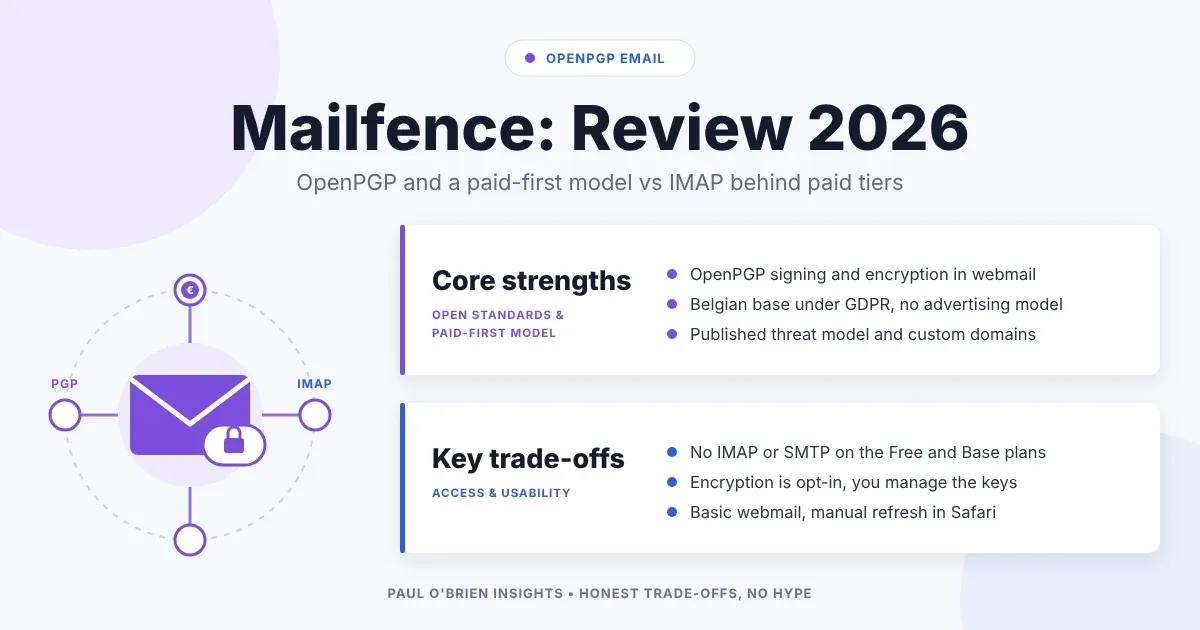
| OpenPGP signing and encryption built into webmail, on open standards | Encryption is opt-in and you manage your own keys |
| Published threat model and a paid-first, no-advertising model | No IMAP or SMTP on the Free and Base plans |
| Standard IMAP and SMTP with no bridge app from Entry upwards | Webmail is functional rather than polished |
| Custom domains with SPF, DKIM and DMARC from €3.50 a month | New mail didn’t always appear without a manual refresh in Safari |
| Belgian base under GDPR, with a free tier to try the interface | Subscriptions are not refunded |
Frequently Asked Questions
Is Mailfence free?
There is a free plan with 500 MB of storage, which is good for testing the interface and basic sending. It has no IMAP or SMTP access, no aliases and no custom domains, and support is knowledge-base only. Free accounts are suspended after 7 months of inactivity.
Does Mailfence support IMAP?
Yes, but not on every plan. IMAP, SMTP and ActiveSync access starts at the Entry plan (€3.50 a month). The cheaper Base plan (€2.50 a month) doesn’t include it.
Does Mailfence support custom domains?
Yes, from the Entry plan upwards. Free and Base accounts can’t use your own domain.
Is Mailfence end-to-end encrypted?
Only when you use it. Mailfence supports OpenPGP, so messages can be end-to-end encrypted when both people have keys set up and choose to encrypt. It isn’t applied automatically, and for recipients without PGP you can send a password-encrypted message instead.
Where is Mailfence based?
Belgium, which means GDPR and Belgian privacy law apply. Mailfence also says it runs entirely on green energy.
Mailfence vs Proton Mail: which is better?
Proton Mail encrypts automatically between Proton users and suits people who want that by default. Mailfence leans on open OpenPGP standards and works with normal email clients over IMAP from Entry upwards. See my Proton Mail review.
Can I get a refund?
No. Mailfence says subscriptions are not refunded, so use the free tier first and pick the plan you need before paying.
The Bottom Line
Mailfence keeps email familiar; it just tries to make it less exposed. It offers encryption through open standards, a published threat model, a paid-first incentive structure, and compatibility with normal email workflows. It operates under European data protection law and presents itself as independent from the advertising-driven logic that dominates large tech platforms.
So, would I use Mailfence?
Potentially, but I’m not leaving Fastmail anytime soon.
Mailfence gets the fundamentals right: IMAP support (from Entry upwards), straightforward use on iPhone and Android without a bridge application, and built-in encryption options. Those are meaningful advantages if you want better privacy without changing how you handle email.
For me, though, the interface matters, and Mailfence’s webmail is functional rather than polished. There’s also the small but persistent annoyance I saw in Safari, where new messages didn’t always appear until I used the refresh control in the UI. If that turns out to be a Safari quirk or gets resolved, it removes the main bit of friction I hit.
So I wouldn’t rule Mailfence out in future, but it hasn’t done enough to pull me away from Fastmail right now. For the right person, especially someone who values IMAP compatibility, privacy improvements and a sensible price, it could be a near-perfect fit. Mailfence feels like a calm alternative rather than a radical one. It doesn’t demand that you rebuild your digital life. It simply asks you to reconsider where your inbox lives, and who benefits from it being there.
What Next?
If Mailfence sounds like it might fit how you use email, the simplest starting point is to open a free account and run it alongside your current inbox for a few days. On the free tier, focus on what you can test properly: the webmail experience, basic sending and receiving, signing and encryption features inside the UI, and whether the overall workflow feels calm or fiddly. Small friction points show up quickly.
Just bear in mind that some of the things many people care about most, such as IMAP and mobile syncing, custom-domain setups and how it behaves inside your preferred client, depend on the paid tiers, and for most of them you need Entry. Check which plan you would realistically need before going too far, because that’s where the true comparison sits. The goal isn’t to find the “most secure” provider on paper. It’s to find the set of trade-offs you can live with long term.
Disclosure: This article contains affiliate links for Fastmail and Proton Mail. If you sign up through them, I may earn a commission at no extra cost to you. The Mailfence links are not affiliate links. I only recommend services I have used and would be comfortable recommending.
Note: checked and updated 17 October 2026. Sources: Mailfence, Mailfence: the Base plan, mailbox.org: plan adjustment 2026, Proton plans explained.

Comments