Email
iCloud Mail Needs a Redesign: A Webmail Concept
Apple’s hardware is world-class, but iCloud Mail on the web feels abandoned. Here is what iCloud Mail offers today, why it needs a rebuild, and a concept UI I mocked up.
Most people reuse passwords without realising the risk, so one breach can unlock dozens of accounts. Here is how a password manager, email aliases and printed backup codes close that gap.
 Paul O'Brien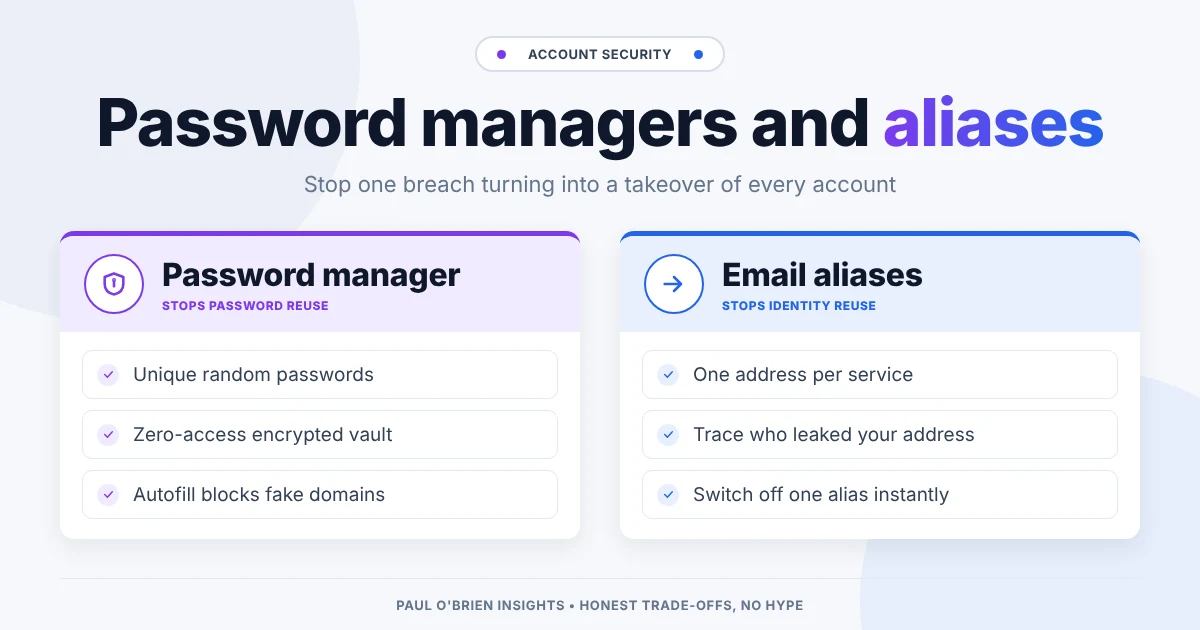
Every time a company announces a data breach, the standard advice appears: change your password. Most people update that one account and carry on using the same password everywhere else.
That habit is what turns a minor breach into a full takeover of your online life. A password manager breaks the chain by ending password reuse. Add a unique email alias for each account and you also stop the same address following you everywhere. This post explains what each tool does, how they work together, and how to avoid locking yourself out in the process.
Short answer: use a password manager so every account has its own random password, give your main email account the strongest password and two-factor authentication you have, and use aliases (ideally on your own domain) so a breach at one site cannot be linked to the rest. Then print your recovery codes, because nobody can reset a zero-access vault for you.
| Tool | What it stops | What it doesn’t stop |
|---|---|---|
| Password manager | Password reuse, weak passwords, many fake login pages (autofill won’t fire on the wrong domain) | A breach at the site itself, or someone who already has your inbox |
| Email aliases | Identity reuse: one leaked address being matched to all your other accounts, and spam you can’t trace | Password reuse, if you still use the same password |
| Two-factor authentication | Logins with a stolen password alone | Losing your second factor without a backup |
| Printed recovery codes | Permanent lock-out from your vault or primary email | Anything, if they are stored inside the account they protect |
A password manager generates, encrypts and stores a unique, random password for every site you use. It fills them in for you, which leaves you with one main responsibility: protecting a single master password.
When an online service is breached, lists of email and password pairs circulate quickly. Attackers then run automated scripts, known as credential stuffing, to try those leaked combinations on other, more valuable services.
Breached Site A ──► Leaked Credentials (User + Password)
                            │
                            ▼
          Automated Credential Stuffing Attack
                            │
        ┌───────────────────┼───────────────────┐
        ▼                   ▼                   ▼
 Email Account       Bank Account      Shopping Services
  (COMPROMISED)      (COMPROMISED)       (COMPROMISED)
Account takeovers rarely happen because someone targeted you personally. They happen because a password leaked from an obscure forum still works on your main email or your bank. You can check whether your address has turned up in a known breach with Have I Been Pwned.
Your email account is the reset button for almost everything else. If an attacker gets into your inbox, they can request password reset links for linked services, delete the security alerts and lock you out. A unique, strong password on that account, plus two-factor authentication, is your first line of defence. If you want the strongest option, a hardware key is hard to beat, and I cover setting one up in my YubiKey and Proton Pass guide.
A common worry is putting every credential in one app. The reason that is less risky than it sounds is that mainstream password managers use a zero-access (or zero-knowledge) design.
| Security aspect | Typical web account | Zero-access password manager |
|---|---|---|
| Where encryption happens | On the server, and the provider holds the keys | On your device, before anything is sent |
| Master password | Stored on the server as a hash | Not sent to or stored on the provider’s servers |
| Impact of a server breach | Leaked data or password hashes can be exposed | The stolen vault is an unreadable encrypted blob without your key |
If a password manager’s servers are breached, the attackers get encrypted data. Without your master password (and, with some managers such as 1Password, a separate secret key), decrypting a strong vault is not practical. That protection is only as good as your master password, so make it long and use it nowhere else. For more on the idea itself, see what zero-access encryption really means.
A password manager stops credential reuse. An email alias service stops identity reuse. Services such as Proton Pass, SimpleLogin (owned by Proton since 2022) and addy.io (formerly AnonAddy) let you create a separate forwarding address for each account. Fastmail’s Masked Email does the same and works with 1Password and Bitwarden.
Standard Signup:   user@gmail.com  +  Reused Password  ──► Single Breach = Full Access
Masked Signup:     alias@domain.com + Unique Password ──► Single Breach = Isolated Incident
If you are deciding between aliases and throwaway inboxes, I compare the two in masked email vs disposable email.
Aliases on a shared domain that belongs to the alias service improve privacy, but they keep your identity tied to that vendor. If you leave, or the service closes, those addresses go with it.
Putting your aliases on a domain you own makes your identity portable:
| Service | Unique alias | Purpose |
|---|---|---|
| Amazon | amazon@yourdomain.com | Orders and delivery tracking |
| Netflix | netflix@yourdomain.com | Streaming subscription |
| Banking | finance@yourdomain.com | Sensitive financial alerts |
If you later change email host or alias tool, the domain moves with you and none of those logins needs updating.
Because zero-access systems stop the provider from seeing your data, they cannot reset your password if you forget it. Lose your credentials and you lose the vault.
Start with the account that matters most: your main email. Give it a new, unique password from a password manager and turn on two-factor authentication. Then work through your important accounts (bank, shopping, anything with a saved card) and replace reused passwords as you go. Use aliases for new sign-ups, on your own domain if you have one. Finally, print the recovery codes and put them somewhere safe.
Reducing your blast radius isn’t about being invulnerable. It’s about making sure a failure at one website never takes down your whole online identity.
With a reputable zero-access manager and a strong, unique master password, it is far safer than reusing passwords. A breach of the provider’s servers yields encrypted data, not your logins.
They solve a different problem. Unique passwords stop a leak spreading to other accounts. Aliases stop your one address being used to link those accounts together and make spam traceable.
With a zero-access manager, the provider cannot recover it for you. That is why the printed emergency kit and recovery codes matter.
If you can, yes. Aliases on your own domain keep working if you change alias service or email provider.
Note: checked and updated 17 October 2026. Sources: SimpleLogin, addy.io: AnonAddy has rebranded as addy.io, Fastmail: Masked Email.
Get the next post by email. Free, no ads, and you can leave any time.
Apple’s hardware is world-class, but iCloud Mail on the web feels abandoned. Here is what iCloud Mail offers today, why it needs a rebuild, and a concept UI I mocked up.
A technical look at paid Outlook and Exchange Online: which security features need which plan, how it compares to Google Workspace and Fastmail, and who should pick each.
AI is creeping into every email client. Here is how to switch off Gemini, Copilot and Apple Intelligence in Gmail, Outlook and Apple Mail, what you lose, and why I think email works fine without it.
Comments