
Starlink Standby Mode UK: Is £9 a Month Worth It?
Starlink Standby Mode keeps your dish live at 0.5Mbps for £9 a month, double last year’s price. Here’s what that actually gets you, how it compares with a 4G backup, and why power is the catch nobody mentions.
Jump to section
- At a Glance: Who Starlink Standby Mode Is (and Isn't) For
- What Starlink Standby Mode Actually Is
- What Half a Megabit Actually Gets You
- The Real Cost of a Starlink Backup in 2026
- Starlink Standby vs a 4G or 5G Backup
- The Power Cut Problem
- How I'd Set It Up
- Pros and Cons
- Frequently Asked Questions
- The Bottom Line
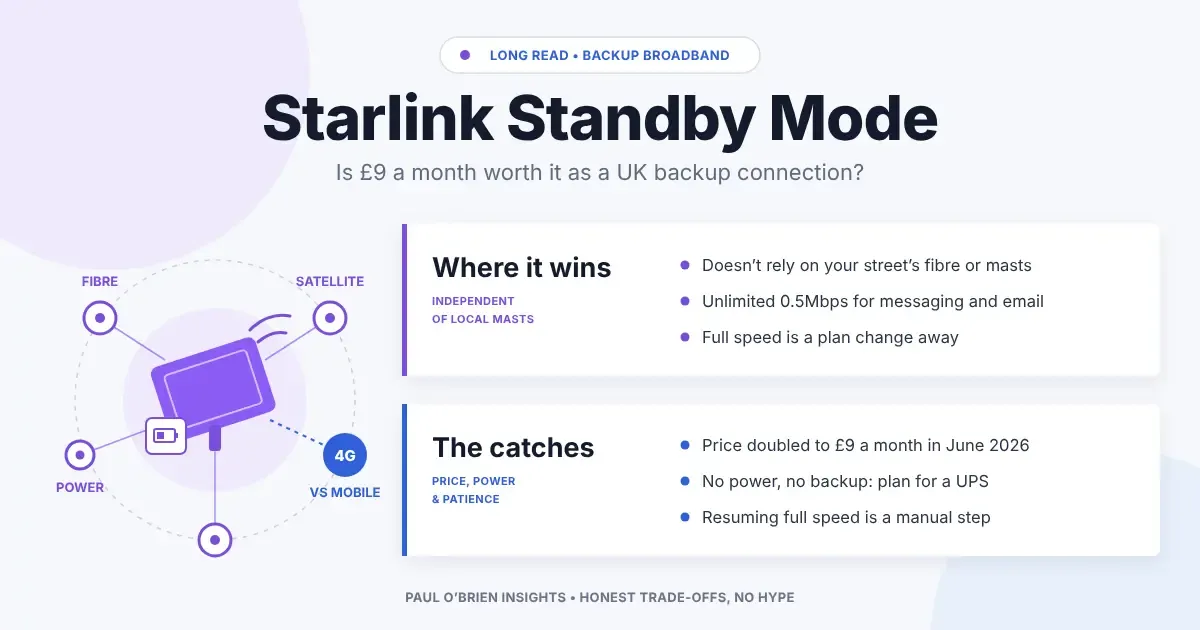
Starlink Standby Mode now costs £9 a month in the UK, double what it did a year ago. For that you get a satellite connection that sits idling at half a megabit, ready to be switched up to full speed when your broadband dies. Is that a sensible backup, or an expensive way to feel prepared?
I look at this through a business continuity lens. Most of what I write about here, from single points of failure in your email to an out-of-band command hub for when the main platform is down, comes back to one question: when the thing you depend on fails, what do you still have?
For a lot of UK homes and small offices, the honest answer is “a phone on 4G”. Standby Mode is Starlink’s pitch for something better. I think it’s a good idea for some people and a poor one for others, and the difference comes down to power, patience and which plan you’re on.
At a Glance: Who Starlink Standby Mode Is (and Isn’t) For
This is my view of where it fits, before I get into the detail.
| User Profile | Best Fit? | Core Value Drivers / Key Trade-offs |
|---|---|---|
| Existing Starlink owners who use it only part of the year | Ideal | Keeps the dish live for messaging and emergencies for £9 instead of a full plan, and you can resume when you need it. |
| Rural homes with poor mobile signal | Strong fit | When the line goes down and 4G is weak anyway, half a megabit over satellite beats nothing. |
| Home workers in towns and cities | Partial fit | A decent 4G or 5G backup is cheaper to set up and gives you full speed straight away. |
| Small offices wanting automatic failover | Workable | Works with a failover router, but it won’t take a video call until you manually resume a full plan. |
| Businesses on a Starlink Business plan | Alternative needed | Standby Mode is offered on Residential, Roam and Priority plans, not standard Business accounts. |
What Starlink Standby Mode Actually Is
Standby Mode replaced Starlink’s old free Pause option in the UK in August 2025. Pause cut you off completely. Standby keeps you connected, just very slowly, and lets you switch back to a full plan when you need it.
| Detail | What You Get |
|---|---|
| UK price | £9 a month (it was £4.50 until the price rise from 18 June 2026) |
| Speed | Up to about 0.5Mbps (500Kbps), download and upload |
| Data | Unlimited at that speed, subject to fair use |
| Eligible plans | Residential, Roam and Priority |
| Kit | You need a Starlink kit already set up on your account |
| Use | Stationary use only |
| Time limit | Designed for breaks; after 12 consecutive months on standby you have to choose a full plan |
| Switching back | From the Subscriptions page in your Starlink account: Manage, Resume Service, pick a plan |
Sources: ISPreview on the August 2025 switch and the May 2026 price rise, plus Starlink’s own Standby Mode terms.
What Half a Megabit Actually Gets You
0.5Mbps sounds tiny, and it is. But it’s roughly what a lot of us lived on in the dial-up and early broadband years, and plenty of what matters in an outage was designed to work over slow links. Here’s how I’d expect it to cope.
| Task | On Standby (0.5Mbps) | My Take |
|---|---|---|
| WhatsApp, Signal, iMessage text | Works | This is what Standby is really for. Keep staff and family in touch. |
| Email (text, small attachments) | Works, slowly | Fine for reading and replying. A 10MB attachment will test your patience. |
| Two-factor codes, bank apps, logins | Works | Easy to forget how much depends on this until you lose it. |
| Voice calls (Wi-Fi calling, WhatsApp, Teams audio) | Often workable | Voice needs far less than video. Expect it to be usable but not guaranteed. |
| Video calls | Not really | Turn the camera off or resume a full plan. |
| Cloud file sync, big downloads | No | Pause sync on your devices, or it’ll eat the whole link. |
| Streaming | Low quality at best | Not why you’re paying for it. |
Know the limits: Starlink doesn’t guarantee Standby speeds. The table above is my judgement of what 0.5Mbps can carry, not a Starlink promise. Test it with your own apps before the day you need it.
The Real Cost of a Starlink Backup in 2026
The £9 is only part of it. You also need the kit, and Starlink has changed how it charges for that. Since June 2026, new UK residential customers have paid a £10 monthly kit fee on top of the plan, so the Residential 100Mbps plan advertised at £40 effectively costs £50.
Standby makes most sense if you already own a dish, perhaps from a period of full use. If you’re starting from scratch purely for a backup, check exactly what Starlink is offering on kit at the time you order, and whether Standby is available on a rented kit, before assuming the sums work. Starlink’s UK pricing has moved twice in a year and I wouldn’t bet on it standing still.
One caveat on pricing: the prices in this article are as reported in May and June 2026. Check Starlink’s UK site before you buy, because offers and kit terms change often.
Starlink Standby vs a 4G or 5G Backup
This is the comparison most people actually need to make. Nobody’s choosing between Starlink and the old geostationary satellite services any more. The real choice is whether to put a dish on the roof or a SIM in a router.
| Feature | Starlink Standby Mode | 4G/5G Backup Router |
|---|---|---|
| Monthly cost | £9 (plus kit costs) | The cost of a data SIM; low-usage SIMs are widely available |
| Speed during an outage | 0.5Mbps until you resume a full plan | Full mobile speed straight away, signal permitting |
| Independent of local fibre and masts | Yes. Satellite to a ground station, not via your street | No. The mast needs its own power and backhaul |
| Survives a local power cut | Only if you power the dish and router | Only as long as the mast stays up, plus your own power |
| Install | Clear view of the sky needed; often a roof or pole mount | Plug in; position near a window for signal |
| Weather sensitivity | Heavy rain and snow can degrade it | Little |
| Best for | Rural sites, poor mobile coverage, wider outages | Urban and suburban sites, short line faults |
My view: for most people in towns, a 4G or 5G router is the better first backup. It’s cheaper to set up and gives you full speed the moment the line fails. Starlink earns its place when mobile coverage is poor, or when you’re planning for the kind of outage that takes the local mobile network down with it.
The Power Cut Problem
This is the part most Starlink backup articles skip. A backup connection is only as good as the power behind it, and that applies to both the dish and the mobile mast down the road.
Mobile masts are less resilient than people assume. Figures reported by ISPreview from Ofcom’s work on mast resilience suggest only about 20% of UK mast sites have at least an hour of backup power, and only about 5% have six hours or more. Ofcom looked at requiring a one-hour minimum and has not made it mandatory. Meanwhile Ofgem data suggests around 90% of power cuts last between three minutes and three hours. So in a longer cut, your 4G backup may well disappear when the mast’s batteries run flat.
Starlink doesn’t depend on local masts, which is its real advantage. But it does depend on your power. Here’s a rough guide to what it takes to keep it running:
| Kit | Typical Power Draw | Rough Runtime on a 500Wh Power Station |
|---|---|---|
| Starlink Mini | Around 25–40W, powered over USB-C | Roughly 10 hours or more |
| Starlink Standard | Around 75–100W | Roughly 4 to 5 hours |
Those runtimes are back-of-an-envelope sums, not tests. Your router, switch and laptop chargers will draw power too, and a power station never delivers its full rated capacity. Size it with a margin.
How I’d Set It Up
If I were adding Starlink Standby as a backup for a home office or a small team, this is roughly what I’d do:
- Put a dual-WAN failover router in front of everything. Fibre on the primary port, Starlink on the secondary. When the line drops, traffic moves to Starlink automatically, even at Standby speed.
- Put the dish, router and switch on a UPS or power station. Without this, a power cut takes out your backup along with your primary.
- Decide in advance when to resume a full plan. A ten-minute blip doesn’t need it. A day-long fibre fault does. Write the rule down so whoever is in the office can make the call.
- Make sure more than one person can log in to the Starlink account. Resuming is done from your Starlink account. If only one person has the login and they’re on holiday, you’re stuck at half a megabit.
- Test it twice a year. Unplug the fibre, check that messaging and email work on Standby, then resume a full plan and time how long it takes. Find out on a quiet afternoon, not in a crisis.
Know the limits: resuming a full plan is a manual step through your Starlink account, and I’ve not seen Starlink commit to how quickly full speed returns. Treat the first test as finding out, not confirming.
Pros and Cons
| Strengths | Weaknesses |
|---|---|
| Independent of local fibre, cabinets and mobile masts | £9 a month for 0.5Mbps, and the price has already doubled once |
| Unlimited data at low speed, enough for messaging and email | Not available on standard Starlink Business plans |
| Full speed is a plan change away, not a new installation | Switching back to full speed is manual, through your account |
| Keeps an existing dish live instead of cancelling | Needs a clear view of the sky and its own power supply |
| Works where mobile coverage is poor | Kit costs and terms in the UK keep changing |
Frequently Asked Questions
How much is Starlink Standby Mode in the UK?
£9 a month, following Starlink’s price rise from 18 June 2026. It was £4.50 a month when it launched in August 2025.
How fast is Starlink Standby Mode?
Up to about 0.5Mbps for both download and upload, with unlimited data. Starlink doesn’t guarantee the speed.
Can I use Starlink Standby Mode on a business plan?
Standby Mode is offered on Residential, Roam and Priority plans. Standard Business accounts aren’t eligible, so check with Starlink if you’re planning a business backup around it.
How do I switch from Standby back to full speed?
Sign in to your Starlink account, go to Subscriptions, choose Manage, then Resume Service, and pick a plan. Test this before you rely on it so you know how long it takes.
Is Starlink better than 4G as backup broadband?
Not for everyone. A 4G or 5G router is cheaper and gives full speed immediately, so it’s usually the better first backup in towns. Starlink is better where mobile coverage is poor or you need a connection that doesn’t depend on local masts.
Will Starlink work in a power cut?
Only if you power it. The dish and router need mains power, a UPS or a portable power station. The Mini draws much less than the Standard dish, which makes it easier to keep running on batteries.
The Bottom Line
I like the idea of Starlink Standby Mode more than I like the price. At £4.50 it was an easy recommendation for anyone who already owned a dish. At £9 it’s a closer call, and for most people in towns a 4G or 5G router is the smarter first backup.
Where Standby really earns its keep is in the places 4G can’t reach, and in the outages that take the local masts down too. If that’s you, pair it with a failover router and a decent power station, make sure more than one person can resume the plan, and test it before you need it. A backup you’ve never tested isn’t a backup. It’s a hope.
Disclosure: This article contains no affiliate links. I’m not paid by Starlink or any mobile network, and the views here are my own.
3 attachments · more like this
Comments