
Out-of-Band Email: A Zero-Access Crisis Hub With Proton
When ransomware or an identity outage takes down your email and chat, how do you run the response? This guide covers out-of-band communications, real incident lessons and where Proton for Business fits.
Jump to section
- At a Glance: Who Needs an Out-of-Band Hub (and Who Doesn't)
- Why Your Main Stack Becomes a Single Point of Failure
- The Personal Webmail Trap
- Architectural Comparison: Velocity vs Resilience
- Lessons From Real Incidents
- Building an Out-of-Band Command Hub With Proton for Business
- Why Proton Cannot Replace Your Primary Suite (and Why That's the Point)
- The Economics of Out-of-Band Resilience
- Operational Blueprint: Elastic Crisis Onboarding
- Pros and Cons
- Frequently Asked Questions
- Conclusion
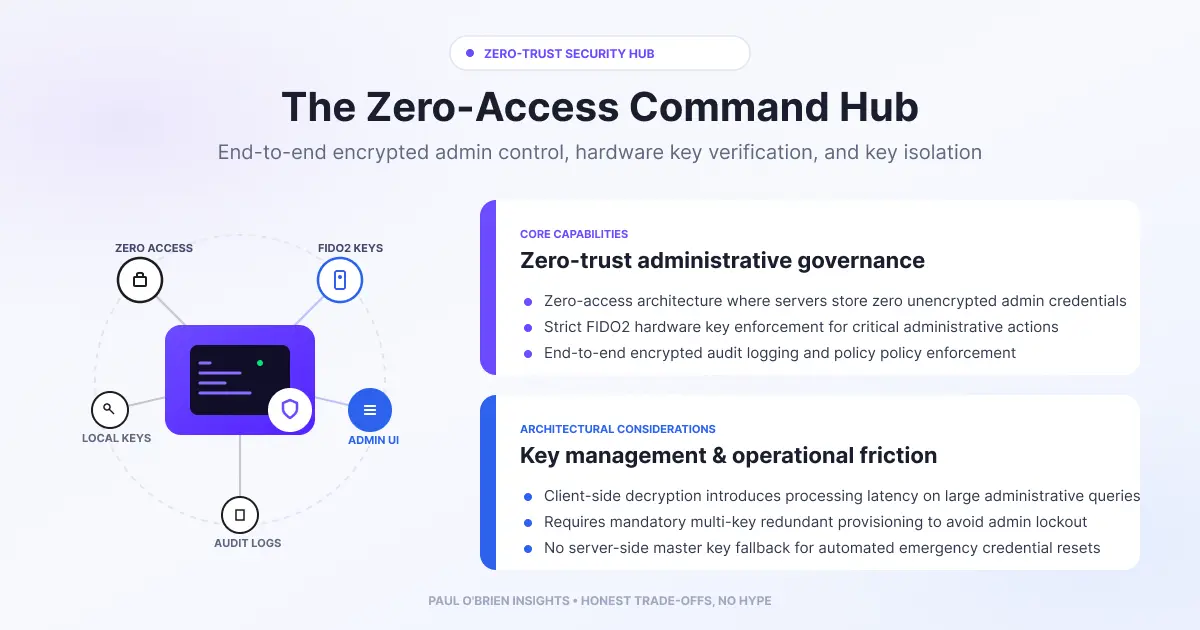
When ransomware hits or your identity provider goes down, the email and chat you would use to run the response may be the first things you lose. An out-of-band (OOB) communications hub is a separate, pre-built channel for crisis leaders. This guide explains why you need one, what real incidents show, and how a zero-access service such as Proton for Business can fill the role.
When a major cyber incident hits, whether a ransomware outbreak, an active credential compromise or a global identity provider (IdP) outage, the first casualty is operational visibility. Most enterprise business continuity plans (BCPs) rely on a fatal assumption: that the infrastructure compromised during a crisis will remain available to manage it. When your primary Microsoft 365 or Google Workspace tenant goes dark, or when Okta or Entra ID stop authenticating users, standard communication channels vanish.
Short answer: an out-of-band hub is a small, separate communications stack on its own domain and identity, kept ready for the people who run an incident. Proton for Business is one candidate because it is independent of Microsoft and Google identity and offers encrypted mail, Drive, Docs and Sheets. It is a crisis tool for a few people, not a replacement for your main suite.
At a Glance: Who Needs an Out-of-Band Hub (and Who Doesn’t)
| User Profile | Best Fit? | Core Value Drivers / Key Trade-offs |
|---|---|---|
| Business run entirely on one SSO-linked suite | Ideal | One compromised admin account can lock everyone out. A separate hub removes that single point of failure. |
| Regulated organisation with incident-reporting duties | Strong fit | Keeps response discussions off possibly compromised systems. Check your own legal and regulatory duties. |
| Small team with no formal incident plan | Partial fit | Start with a written plan, contact lists and a second channel before buying anything. |
| Company wanting a full Microsoft or Google replacement | Alternative needed | This is not what an OOB stack is for. See the limits below. |
Why Your Main Stack Becomes a Single Point of Failure
Modern enterprise IT prioritises centralised efficiency. Single Sign-On (SSO) links identity to every cloud application, while unified productivity suites concentrate email, document storage and real-time chat under a single vendor. During business-as-usual operations, this model is hard to beat. During a critical disruption, it creates a massive single point of failure.
The primary threat isn’t necessarily Microsoft or Google suffering an infrastructure breach. The real risk is what happens when your identity controls, administrator credentials or internal networks are compromised. When an attacker gains control of your domain, or you have to isolate internal systems, primary channels become untrusted or inaccessible.
- Adversary eavesdropping. If an attacker has control of your tenant, anything discussed in its email and chat tools may be visible to them. Planning containment there can tip them off.
- Identity lockouts. If administrator rights are revoked or an IdP has a major outage, leadership can lose access to internal tools at the same time.
- Regulatory and legal exposure. Running breach response and board communications over channels that may be compromised creates evidence and privilege questions. Take legal advice on your own position.
The Personal Webmail Trap
When primary systems fail, crisis teams often resort to shadow IT, using personal @gmail.com or @outlook.com addresses. Beyond breaking corporate governance and data protection policies, this informal workaround introduces its own problems:
- Policy and governance gaps. It bypasses confidentiality rules, may breach data protection obligations such as GDPR, and breaks audit trails before crisis communications even begin.
- Spoofing and impersonation. Personal accounts sit outside your domain’s SPF, DKIM and DMARC. Staff have no easy way to verify sender identity, and lookalike consumer addresses are simple to register. My guide to SPF, DKIM and DMARC explains why that matters.
- No administrative control. If a decision-maker is locked out of a personal account during an incident, corporate IT cannot reset credentials, enforce multi-factor authentication or restore access.
- Discovery exposure. Official crisis management inside personal inboxes can pull private, non-work data into later legal or regulatory review.
To solve this, organisations separate daily collaboration tools from crisis infrastructure.
Architectural Comparison: Velocity vs Resilience
| Operational layer | Primary engine (Microsoft 365 or Google Workspace) | Secondary OOB stack (for example Proton for Business) |
|---|---|---|
| Primary objective | Collaboration and day-to-day speed | Isolation and the ability to coordinate under attack |
| Authentication root | Central enterprise SSO (Entra ID, Okta) | Separate identity with no link to your SSO |
| Domain | Primary corporate domain (company.com) | Separate domain (for example oob-company.com) |
| Integrations | Deep SaaS and SIEM integration | Deliberately minimal and not connected to your internal directory |
| Crisis usability | At risk during IdP failures or tenant compromise | Designed to stay usable when the primary tenant is not. Test this regularly |
Lessons From Real Incidents
Norsk Hydro (2019)
In March 2019 the aluminium company Norsk Hydro was hit by LockerGoga ransomware, which encrypted desktops, laptops and servers across the company. According to Microsoft’s account, staff worked with pen and paper in the first days, executives photographed handwritten warning signs and texted them to plant managers, and local print shops produced signs for entrances. Hydro also held daily press conferences and webcasts and posted updates on Facebook and a new website.
Takeaway: when the corporate network is shut down to stop a spread, people fall back on whatever works. A prepared independent channel is better than improvising on paper and personal phones.
MGM Resorts (2023)
MGM shut down IT systems after a September 2023 attack that disrupted operations. The attackers claimed they had social-engineered the help desk and held administrator privileges in MGM’s Okta and Azure environments. As BleepingComputer reported, MGM did not confirm these details at the time and they could not be independently verified.
Takeaway: if identity is the thing under attack, any tool that depends on that identity is in doubt. That is the case for a channel that doesn’t.
Colonial Pipeline (2021)
In May 2021 ransomware hit Colonial Pipeline’s IT network, including billing and accounting systems. The company halted pipeline operations to stop the spread and to reduce risk to its operational network, and restarted on 12 May, according to TechTarget’s summary. The operational technology that moves oil was not directly compromised. Mandiant testified that the intrusion likely began with a reused password on a VPN account.
Takeaway: an IT compromise can force a business-wide shutdown decision. Leaders need somewhere safe to take that decision.
Building an Out-of-Band Command Hub With Proton for Business
While Proton for Business is often reviewed as an alternative to primary office suites, its architecture also makes it a candidate for a dedicated crisis hub. This is the layout I have in mind:
BUSINESS AS USUAL
  Primary engine: Microsoft 365 or Google Workspace
  Identity: Entra ID or Okta
  Daily operations, shared inboxes, SaaS integrations
        |
        v
CRITICAL INCIDENT (ransomware, IdP outage, admin lockout)
        |
        v
OUT-OF-BAND HUB
  Secondary stack: Proton for Business
  Separate identity and a separate domain (oob-company.com)
  Mail, Drive, Docs and Sheets
  Scheduled backups of key documents using the Proton Drive CLI
1. Separate identity and jurisdiction
Proton runs its own account system, independent of your Microsoft or Google identity, and is based in Switzerland. If your Active Directory is wiped or locked, the secondary accounts are unaffected because they never depended on it. Swiss jurisdiction brings its own legal trade-offs, so read my Proton privacy and security guide before you rely on it.
2. Zero-access encryption
Proton’s zero-access design means it cannot read stored mail and files. The exact protections vary, so be careful what you claim. For example, Proton describes email subject lines and addresses as encrypted but not end-to-end encrypted, and mail from outside Proton arrives before it is encrypted. My explainer on what zero-access encryption really means covers the detail.
3. Documents and storage for the response
Per Proton’s business plans page (checked 9 October 2026), Workspace Standard includes 1 TB per user and Workspace Premium 3 TB, both with Drive, plus Docs and Sheets. You can keep contact chains, forensic retainer details and BCP playbooks there, and update an incident tracker in a shared encrypted spreadsheet.
4. Scheduled backups with the Drive CLI
Proton’s Drive CLI runs on macOS, Windows and Linux and can be scripted to automate backups. Proton’s page doesn’t describe a built-in scheduler, so you would use cron or Task Scheduler. It also doesn’t clearly confirm business account support, so test it on your plan first.
5. Strong sign-in
Proton supports FIDO2 and U2F security keys for 2FA, with up to four keys per account. Proton’s page doesn’t say whether administrators can require them for every member, so check that before you design your policy. For setup, see my guide to YubiKeys with Proton Pass.
Why Proton Cannot Replace Your Primary Suite (and Why That’s the Point)
- Shared inboxes. Proton’s plans page lists email groups, but I haven’t verified native delegated shared mailboxes such as support@ or info@, so don’t assume them.
- Integrations. CRM webhooks, automated ingestion and SIEM log parsing are harder with an encrypted service. That friction is acceptable in a crisis stack.
- Search. Searching encrypted mail can be slower than server-side search across a large archive. Check how it behaves with your volumes.
These trade-offs are acceptable because resilience requires isolation. You don’t judge an emergency generator by how well it runs everyday lighting. You judge it by whether it starts when the grid fails.
The Economics of Out-of-Band Resilience
A common misconception is that a secondary stack means duplicating your entire SaaS budget. It doesn’t have to. A small standby tier for the people who run an incident costs a fraction of primary IT spend, and the real comparison is the cost of a total blackout. For EU financial entities, regulations such as DORA add ICT resilience obligations, so check what applies to you. I haven’t listed prices here because Proton’s plan prices vary by currency and billing term. Check the current page.
Operational Blueprint: Elastic Crisis Onboarding
- Maintain a lean standby core. For example, 10 to 20 licences for key decision-makers (security lead, legal counsel, incident commander, executives) on a verified secondary domain. Pick a number that fits your organisation.
- Pre-configure security. Use hardware security keys and strong, unique credentials on every secondary account. Make sure recovery details are stored somewhere that doesn’t depend on the primary tenant.
- Authenticate the domain in advance. Set up SPF, DKIM and DMARC for the secondary domain before you need it, so crisis mail is trusted.
- Practise adding people. Rehearse adding outside parties, such as forensic specialists and PR agencies, so you know how long it really takes.
- Test it. Run an exercise where the primary tenant is declared unavailable and the team has to use the hub.
Beyond email: the UK NCSC’s guidance on developing your incident response plan asks for at least two contact methods for key people and a conference line that is always available for urgent incident calls. An OOB mailbox is one part of that, not the whole plan.
Pros and Cons
| Strengths | Weaknesses |
|---|---|
| Identity independent of Microsoft and Google | Another domain, accounts and process to maintain |
| Encrypted mail, Drive, Docs and Sheets in one place | Not a replacement for shared inboxes and integrations |
| Scriptable backups through the Drive CLI | CLI business support and key-enforcement details need checking |
| Cheap compared with a day of lost operations | Only useful if it is tested and people know how to use it |
Proton for Business. Looking at an independent secondary stack for crisis leaders? Compare the current Workspace plans on Proton’s site.
Referral link: I may earn a commission, at no extra cost to you.
Frequently Asked Questions
What is an out-of-band communications hub?
It is a separate channel, on a separate domain and identity, that crisis leaders can use if your normal email and chat are compromised or unavailable.
Why not just use Gmail or Outlook.com in an emergency?
Personal accounts sit outside your domain controls, can’t be reset by IT, are easy to impersonate with lookalike addresses and can mix private data into incident records.
Can Proton replace Microsoft 365 or Google Workspace?
For a few crisis leaders, it can be a standby hub. As a full replacement it is a different trade-off, and shared inbox and integration needs need checking first. My guide to who zero-access email is for explains the fit.
How many licences does a standby hub need?
That depends on your incident team. The idea is a small core of key decision-makers, with a practised process to add outside responders.
Does an OOB hub replace an incident response plan?
No. It is one part. You also need contact lists, roles, a conference line, backups and regular exercises.
Is this relevant to redundancy more generally?
Yes. It is the same logic as removing single points of failure. See the redundancy illusion.
Conclusion
Operational resilience means removing single points of failure before a crisis occurs. By building an out-of-band stack with an independent identity and zero-access encryption, leaders can keep their ability to coordinate, decide and recover even if their primary infrastructure is compromised. To see how an isolated secondary suite fits your continuity plan, explore Proton for Business, and test whatever you choose before you need it.
Disclosure: This article contains affiliate links. If you sign up for Proton for Business through them, I may earn a commission at no extra cost to you. Sources: Proton for Business plans; Proton Drive CLI; Proton security key 2FA; NCSC incident response plan guidance. Checked 9 October 2026.
3 attachments · more like this
Comments