
Cloudflare Email Routing Review 2026: Free, Now With Sending
Cloudflare Email Routing gives your domain free, properly authenticated forwarding, and in 2026 Cloudflare finally added sending. Here’s what’s free, what now costs money, and when a real mailbox is the better call.
Jump to section
- At a Glance: Who Cloudflare Email Routing Is (and Isn't) For
- What Cloudflare Email Routing Does
- Why Cloudflare Forwarding Beats Your Registrar's
- What's New in 2026: Cloudflare Can Send Email Now
- Free DMARC Management
- Cloudflare Email Routing vs the Alternatives
- How to Set Up Cloudflare Email Routing
- Pros and Cons
- Frequently Asked Questions
- The Bottom Line
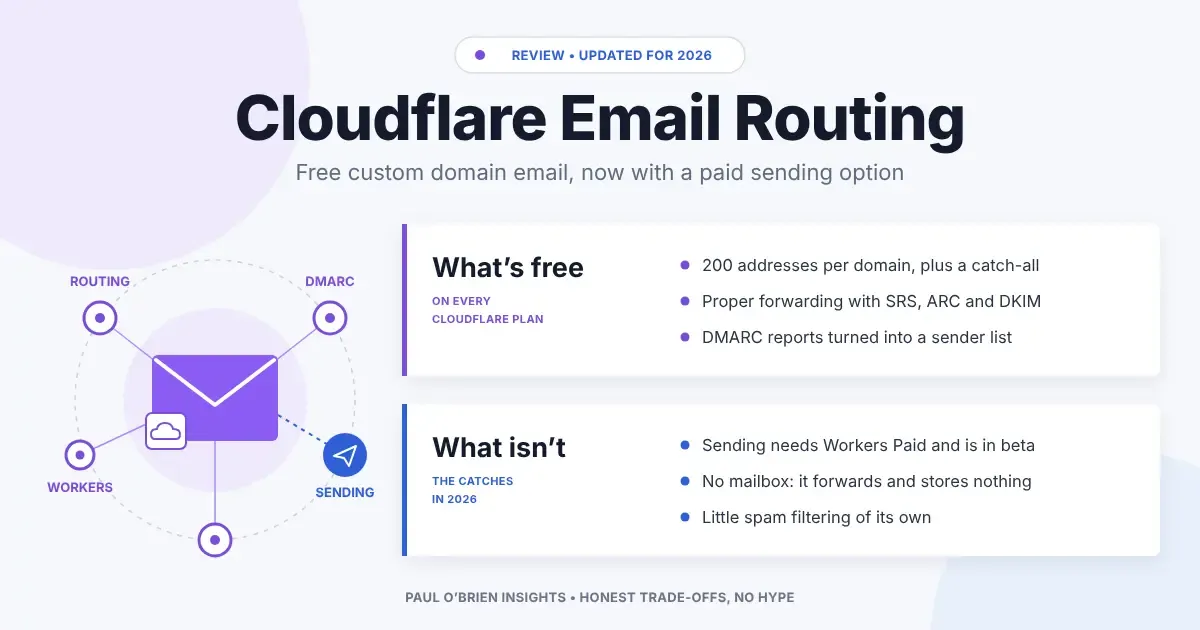
Cloudflare Email Routing has quietly become one of the most useful free tools for anyone with their own domain. Point your MX records at Cloudflare, create a few addresses, and mail lands in the inbox you already use. In 2026 it also gained something it never had: a way to send.
When I first wrote about Cloudflare’s free email features, the honest summary was “brilliant for receiving, useless for sending”. That changed in April 2026, when Cloudflare launched Email Sending and folded both halves into a new Cloudflare Email Service. The catch is that sending isn’t free. So this is a fresh look at what you actually get for nothing, what costs money now, and when I think you’re better off with a proper email provider.
I’ve spent a lot of time with the Cloudflare email stack, from Mailflare to saasmail and Agentic Inbox, all of which are built on top of it. Email Routing is the foundation under all of them.
At a Glance: Who Cloudflare Email Routing Is (and Isn’t) For
| User Profile | Best Fit? | Core Value Drivers / Key Trade-offs |
|---|---|---|
| Domain owners who want a few addresses forwarded to Gmail or Outlook | Ideal | Free, quick to set up, and handles SPF and DKIM properly when forwarding. |
| People who use a different address for every site | Strong fit | Catch-all rules and plus addressing make per-site addresses effortless. |
| Developers building email into an app | Strong fit | Route mail to a Worker to parse it, and send transactional mail on the Workers Paid plan. |
| Small businesses needing a professional mailbox | Partial fit | It forwards, it doesn’t store. Replying from your own address takes extra setup. |
| Anyone who wants a complete, supported email service | Alternative needed | No mailbox, no webmail, no support desk. Use a provider like Fastmail. |
What Cloudflare Email Routing Does
Email Routing is a forwarding service. It receives mail for your domain and passes it on to a verified destination address, or to a Cloudflare Worker if you want to process it with code. It doesn’t keep a copy and it doesn’t give you an inbox. It’s a very clever postbox redirect.
| Feature | What You Get |
|---|---|
| Price | Free on all plans; you need your domain’s DNS on Cloudflare |
| Custom addresses | Up to 200 routing rules per domain |
| Destination inboxes | Up to 200 verified destination addresses per account |
| Catch-all | Yes: send anything not matched by a rule to one destination |
| Plus addressing | Yes, since July 2025: you+shop@yourdomain is delivered to you@yourdomain |
| Maximum message size | 25 MiB inbound; larger messages are rejected |
| Programmable | Route any address to an Email Worker to parse, reply or store |
| Mailbox and webmail | None: it forwards only |
Source: Cloudflare Email Routing limits and the Email Routing changelog.
Know the limits: each rule points to one destination. If you want hello@ to reach two people, you need a small Worker that forwards the message twice. And because nothing is stored, if your destination provider rejects a message, there’s no copy at Cloudflare to fall back on.
Why Cloudflare Forwarding Beats Your Registrar’s
Plenty of domain registrars throw in free forwarding. The trouble is that naive forwarding breaks email authentication. When a server forwards a message from, say, your bank, it’s now sending mail “from” your bank’s domain from an IP the bank never authorised. SPF fails, and the destination may bin it.
Cloudflare does this properly. According to its postmaster documentation, it:
- rewrites the envelope sender using SRS so SPF can pass at the destination, without touching the visible From address;
- supports ARC, which records the original authentication results so the destination can trust a forwarded message;
- adds DKIM signatures to forwarded mail, including one for your domain.
Since July 2025 Cloudflare has also been stricter about what it accepts. Incoming mail must pass SPF or DKIM to be forwarded, mail that fails the sender’s DMARC policy is rejected, and senders on real-time blocklists can be blocked. I think that’s the right call. Unauthenticated mail is exactly what phishers rely on.
One caveat on spam: beyond those authentication and blocklist checks, Cloudflare doesn’t describe Email Routing as a spam filter. Most junk that passes authentication will be forwarded, and your destination inbox does the filtering. If you use a catch-all, expect a bit more of it.
What’s New in 2026: Cloudflare Can Send Email Now
The biggest gap in Email Routing was always outbound mail. You could receive at hello@yourdomain but replying from it meant finding an SMTP service somewhere else. In my earlier version of this guide I pointed people at Amazon SES for that.
On 16 April 2026 Cloudflare launched Email Sending in public beta, and combined it with Email Routing under the name Cloudflare Email Service. It was still labelled beta in Cloudflare’s documentation when I checked in October 2026, with no general availability date announced. You can send through a Workers binding, a REST API or, since June 2026, authenticated SMTP.
| Detail | Cloudflare Email Sending |
|---|---|
| Status | Public beta since 16 April 2026, still beta in October 2026 (SMTP submission, added in June 2026, is also in beta) |
| Plan required | Workers Paid |
| Included | 3,000 outbound emails per account per month |
| Extra emails | $0.35 per additional 1,000 |
| Free exception | Sending to your own verified destination addresses is free on every plan |
| Methods | Workers binding, REST API (Node, Python, Go SDKs), SMTP at smtp.mx.cloudflare.net port 465 |
| Limits | 50 recipients per email, 5 MiB per message, and a daily quota that starts low for new accounts |
| Intended use | Transactional mail: password resets, receipts, notifications |
Source: Cloudflare’s Email Service pricing and changelog, checked October 2026.
For developers, this is excellent news. Receiving and sending now live in one place, with one set of DNS records. For individuals, it’s more nuanced. In principle you can now add Cloudflare’s SMTP server to Gmail’s “Send mail as” setting and reply from your own domain. But you’re paying for the Workers Paid plan, using a beta service designed for transactional mail, and running your personal email on developer infrastructure. Test it carefully before relying on it.
Free DMARC Management
The other free email tool worth turning on is DMARC Management. It’s available on all plans as long as your DNS is on Cloudflare. It collects the DMARC aggregate reports that mailbox providers send back and turns them into a list of every service sending mail as your domain, showing whether each one passes SPF, DKIM and DMARC.
That matters because the hardest part of DMARC isn’t publishing the record. It’s finding the forgotten newsletter tool or CRM that sends as you, before you move to p=reject and break it. Here’s how I’d use it:
- Publish DMARC at
p=nonewith Cloudflare collecting the reports. - Watch the sources list for a few weeks. Fix SPF and DKIM for every legitimate sender.
- Move to
p=quarantine, then top=rejectonce nothing legitimate is failing.
Cloudflare Email Routing vs the Alternatives
| Feature | Cloudflare Email Routing | Forward Email | Fastmail | Registrar forwarding |
|---|---|---|---|---|
| Price to receive | Free | Free and paid plans | Paid | Usually free |
| Stores your mail | No | Optional IMAP storage | Yes | No |
| Send from your domain | Workers Paid (beta) | Yes, via SMTP | Yes | Rarely |
| SRS and ARC on forwarding | Yes | Yes | N/A | Often not |
| Programmable | Yes, with Workers | Webhooks, regex rules and an API | No | No |
| Requires Cloudflare DNS | Yes | No | No | No |
| Full Review | You are here | Forward Email review | Fastmail review | – |
How to Set Up Cloudflare Email Routing
- Move your domain’s DNS to Cloudflare if it isn’t there already. The free plan is fine.
- Open Email Routing for your domain in the dashboard and enable it. Cloudflare will add its MX and SPF records for you.
- Remove any old MX records pointing at a previous provider, or mail will be split between the two.
- Add and verify a destination address, such as your existing Gmail.
- Create your custom addresses, and optionally a catch-all.
- Turn on DMARC Management while you’re there.
- Send yourself a test from an outside account and check the headers show SPF, DKIM and DMARC passing.
Want a real mailbox instead? If you’d rather your domain had a proper inbox with sending, search and support, Fastmail is the service I rate highest. Try it free for up to 30 days, then get 10% off your first year through my link.
Referral link: I may earn a commission, at no extra cost to you.
Pros and Cons
| Strengths | Weaknesses |
|---|---|
| Free forwarding with up to 200 addresses per domain | No mailbox: it forwards and stores nothing |
| Handles SRS, ARC and DKIM properly | Requires your DNS to be on Cloudflare |
| Catch-all and plus addressing for per-site addresses | Sending needs Workers Paid and is still in beta |
| Free DMARC Management on the same dashboard | Little spam filtering of its own beyond authentication checks |
| Programmable with Workers | No human support on the free plan |
Frequently Asked Questions
Is Cloudflare Email Routing free?
Yes. Email Routing is available on Cloudflare’s free plan. You need your domain’s DNS hosted on Cloudflare.
Can I send email with Cloudflare Email Routing?
Not with Email Routing alone. Since April 2026 Cloudflare has offered Email Sending on the Workers Paid plan. It was still in public beta in October 2026. It includes 3,000 emails a month and costs $0.35 per additional 1,000.
How many addresses can I create?
Up to 200 routing rules per domain, forwarding to up to 200 verified destination addresses per account. A catch-all can cover everything else.
Does Cloudflare Email Routing store my email?
No. It forwards messages to your destination inbox or a Worker and doesn’t keep a mailbox.
Does Cloudflare Email Routing filter spam?
It rejects mail that fails authentication or the sender’s DMARC policy and can block senders on real-time blocklists, but most spam filtering happens at your destination inbox.
Is Cloudflare DMARC Management free?
Yes. DMARC Management is available on all Cloudflare plans for domains using Cloudflare DNS.
The Bottom Line
For receiving mail at your own domain, Cloudflare Email Routing is the best free option I know. It’s fast to set up, does forwarding properly, and comes with DMARC reporting that would cost money elsewhere. If all you want is you@yourdomain landing in Gmail, use it.
The new Email Sending service is a big step for developers, and I’m glad it exists. But it’s a paid, beta, transactional service, not a free way to run your personal email. If you want to send and receive from your own domain with a proper inbox and someone to call when it breaks, pay for a real provider. Fastmail is still where I’d start, and Cloudflare can keep doing your DNS.
Reader offer: 10% off Fastmail. Try Fastmail free for up to 30 days, then get 10% off your first year on any plan through my referral link.
Referral link: I may earn a commission, at no extra cost to you.
Disclosure: This article contains affiliate links, including for Fastmail. If you sign up through them, I may earn a commission at no extra cost to you. I only recommend services I personally use and trust. I have no commercial relationship with Cloudflare.
Note: checked and updated 17 October 2026. Sources: Cloudflare: Email Sending now in public beta, Cloudflare Email Service docs, Email Service pricing, Email Routing postmaster.
3 attachments · more like this
Comments