
· 8 min read
Mailflare Alternative: Mail App, Self-Hosted Email on Cloudflare
Looking for a Mailflare alternative? I built Mail App, a free inbox that also runs in your own Cloudflare account. Here is an honest side by side, including where Mailflare is still the better choice.
Jump to section
My Mailflare review is one of the most read posts on this site, and a lot of the people reading it are after the same thing: their own email, on their own domain, in their own Cloudflare account. I’ve built an app that does exactly that. It’s called Mail App, so this isn’t a review. It’s a straight comparison, with the places where Mailflare is still the better pick.
Full disclosure: I made Mail App. It’s free for personal and small business use on up to 10 of your own domains, and I earn nothing when you install it for yourself. Using it for clients or hosting it for others needs a commercial licence from me. I’ve tried to compare it with Mailflare as fairly as I would anyone else’s app, but read this knowing it’s mine.
Short answer: both put your email in your own Cloudflare account and both are free to use. Mailflare is open source, while Mail App is source available and free on up to 10 of your own domains. Pick Mail App if you want an installer that does the Cloudflare set-up for you, passkey sign-in and team features (shared inboxes, branding, up to 50 people) without paying for a licence. Pick Mailflare if you want to send for free through Resend, run it in Docker on your own server, or use it with a desktop mail app through JMAP. If you want someone else to look after your email, neither is right: a managed provider such as Fastmail is the safer choice.
Why I Built Mail App
I’ve reviewed a lot of email providers on this site, and over the last few months I’ve also tried most of the inboxes that run on Cloudflare, including Mailflare, Agentic Inbox and saasmail. I started building my own as an experiment, to see how much of a proper email set-up could run on Cloudflare alone, with no server to look after.
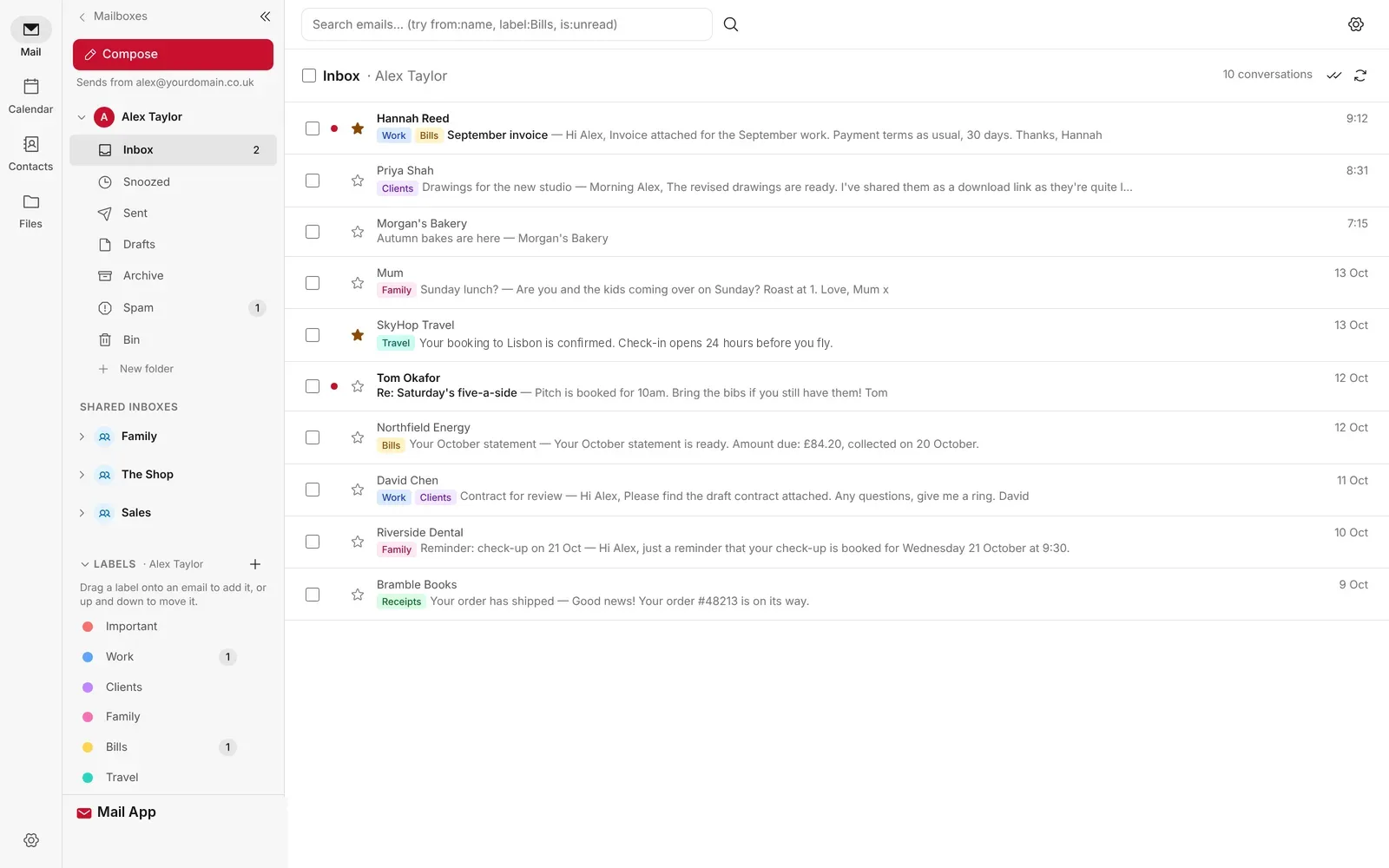
Mailflare was the one I liked most, and it was also the one that taught me what I wanted to do differently. Getting it running took me several attempts: forking the repository, getting the API token permissions exactly right and keeping the Worker name exactly as the README says. Once it worked, it was quick and polished. I wanted the same idea with a set-up that does those fiddly steps for you, and with every feature in the free app, including the team ones.
What the Two Have in Common
Underneath, they’re built on the same idea, so a lot of what I said about Mailflare applies to Mail App too.
| Question | Mailflare and Mail App |
|---|---|
| Where it runs | In your own Cloudflare account, as a Worker. Nobody else hosts your mail |
| Receiving mail | Cloudflare Email Routing, which is free |
| What you need | A Cloudflare account and a domain whose DNS is on Cloudflare |
| Mail server to patch | None. No port 25, IP warm-up or reverse DNS to sort out |
| Who looks after it | You: backups, updates, your Cloudflare account and whether your mail gets delivered |
| Encryption | Neither is end-to-end or zero-access encrypted |
Mailflare vs Mail App: Side by Side
Mailflare details are from its GitHub README on 14 November 2026 and from its website when I last checked it, on 9 November 2026. Mail App details are from its page on paulobrien.dev.
| Feature | Mailflare | Mail App |
|---|---|---|
| Who makes it | An independent developer, with community contributors | Me |
| Installing | Fork the repository, deploy, then a set-up wizard with a scoped API token | One command installer that sets up the domain, email records and sign-in for you, a Deploy to Cloudflare button or from the code |
| Licence | Open source, GNU AGPL 3.0 | Source available, Business Source License 1.1. Free on up to 10 of your own domains, with any number of mailboxes. Clients, hosting for others or more domains need a commercial licence. Each version becomes Apache 2.0 after four years |
| Runs on | Cloudflare, or Docker on your own server | Cloudflare only |
| Where mail is stored | D1 by default, or PostgreSQL, MySQL, Turso or SQLite. Files in R2, Backblaze B2 or AWS S3 | A Durable Object for each mailbox, with attachments, files and backups in R2 |
| Sending | Cloudflare Email Sending, Resend or Amazon SES | Cloudflare Email Sending |
| Signing in | Password with two-factor codes | Passkey or a one-time code by email, through Cloudflare Access. No password |
| Desktop and phone mail apps | JMAP, plus Mailflare’s own macOS app | In the browser, or installed as an app on your phone or computer. No IMAP or JMAP |
| Spam filter | Local filter you can train for each mailbox | Built-in filter that says why each email was caught and learns from what you mark, plus an optional AI check |
| Calendar | Yes, with invitations and a public booking link | Yes, with invitations, sharing to Apple, Google or Outlook calendars and video call links. No booking link |
| Files | Drive, for storing and sharing files | Files, plus large attachments (up to 95 MB) sent as encrypted download links |
| Privacy extras | Not a focus | Masked email addresses and tracking pixel blocking |
| Teams and shared inboxes | Team licence | Free, for up to 50 people |
| Your own branding | Professional licence | Free |
| Moving your old mail in | IMAP, Gmail Takeout, .eml and .mbox | Gmail, Apple Mail and Thunderbird exports |
| AI | Assistant and an MCP server | Optional reply drafts on Workers AI in your own account, off until you switch them on |
| Full write-up | My Mailflare review | Mail App on paulobrien.dev |
Where Mail App Is Different
The installer does the Cloudflare set-up
This is the part I cared about most. You make a Cloudflare API token, run one command and pick your domain. The installer switches on Email Routing, adds the email records, switches on sending and sets up sign-in. Adding another domain later is one more command. You can still deploy from the code if you’d rather see every step.
Every feature is in the free app
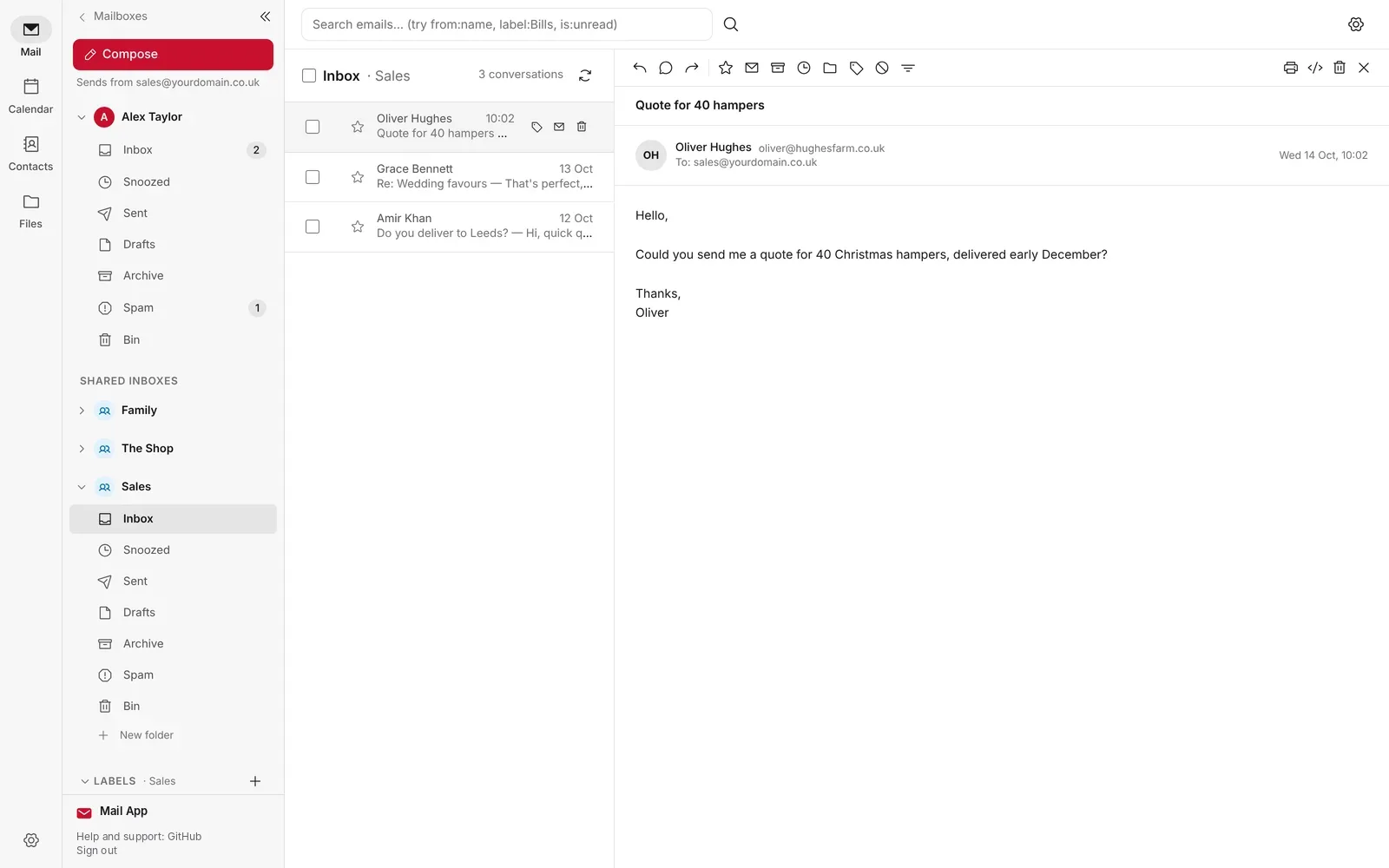
With Mailflare, the free Community Edition covers one person well, but your own branding and shared team mailboxes are paid licences. In Mail App there’s nothing to unlock: shared inboxes, team access for up to 50 people and your own logo, name and colour are all in the free app, for your own domains. You still pay Cloudflare for what you use, the same as with Mailflare.
No password to steal
Mail App sits behind Cloudflare Access, so you sign in with a passkey (Face ID, Touch ID, Windows Hello or a security key) or a one-time code sent to your own email address. Only addresses on your People list get past the sign-in page, and each person only sees the mailboxes you give them.
A spam filter that explains itself
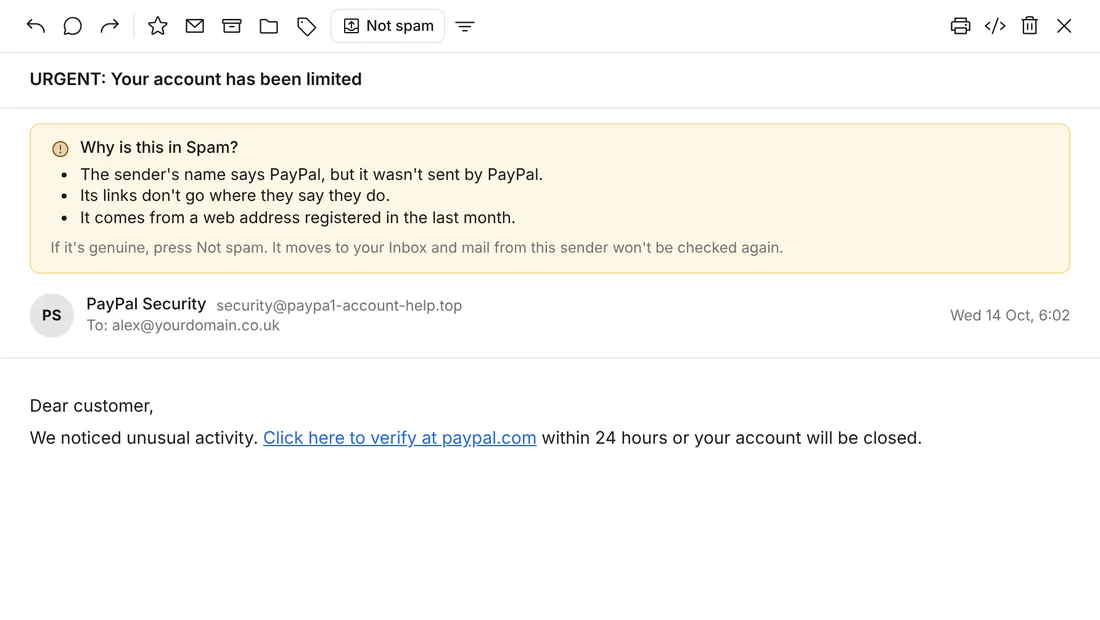
Cloudflare turns away mail that fails sender checks before it arrives. After that, Mail App checks mail from people you don’t know for fake brand names, links that don’t go where they say and brand new domains, and tells you in plain English why each email went to Spam.
Where Mailflare Is the Better Pick
I’d rather you picked the right one than picked mine, so here’s where Mailflare does better today.
- Free sending. Mailflare can send through Resend’s free tier. Mail App sends through Cloudflare, which needs Cloudflare’s Workers Paid plan at $5 a month to send to other people’s addresses.
- Not tied to Cloudflare. Mailflare also runs as a Docker container on your own server, and can use PostgreSQL, MySQL or Turso for its database. Mail App only runs on Cloudflare.
- Desktop mail apps. Mailflare offers JMAP and has its own macOS app. Mail App works in the browser and as an installed app, but you can’t add it to Apple Mail, Outlook or Thunderbird.
- Booking and Drive. If you want a public booking page for meetings, Mailflare has one and Mail App doesn’t.
- More people using it. Mailflare has around 6,200 stars and 1,000 forks on GitHub. Mail App is much newer and has far fewer users.
Know the limits: neither app encrypts your stored mail so that only you can read it. Your messages sit in your own Cloudflare account and pass through Cloudflare’s routing and sending on the way. If you want a provider that can’t read your mail, read my guide to zero-access encryption first.
What Each One Costs
Both apps are free. What you pay is Cloudflare, and for Mailflare’s team features, a one-off licence. Cloudflare prices are from its own pricing pages and Mailflare’s from its website on 9 November 2026. Both can change.
| What you want | Mailflare | Mail App |
|---|---|---|
| Receive only, to try it | $0 | $0 |
| Send to anyone, light personal use | $0 through Resend’s free tier, or $5 a month for Cloudflare Workers Paid | $5 a month for Cloudflare Workers Paid, which includes 3,000 sent emails a month |
| Your own logo and name | $29 one-off Professional licence | Included |
| Shared inboxes and a team | $249 one-off Team licence | Included, up to 50 people |
| A busy team sending more | Your sending provider’s prices | About $3.50 per 10,000 extra emails, plus storage as your mail grows |
Cloudflare bills in US dollars. Mail App’s costs page has worked examples for 1 to 50 people.
Which Should You Choose?
| Who you are | Better fit | Why |
|---|---|---|
| Developer who enjoys setting things up and wants choice | Mailflare | Docker, several databases and three sending providers |
| One person who wants to send for nothing | Mailflare | Resend’s free tier covers light sending |
| Someone who lives in Apple Mail or Thunderbird | Mailflare | JMAP and a macOS app. Mail App has neither |
| Small business or family sharing mailboxes | Mail App | Shared inboxes and team access are free, for up to 50 people |
| Anyone who found Mailflare’s set-up fiddly | Mail App | The installer does the Cloudflare steps for you |
| Someone worried about phishing | Mail App | Passkey sign-in and a spam filter that explains what it caught |
| Someone who just wants email to work | Neither | A managed provider looks after delivery, backups and support for you |
Frequently Asked Questions
Is Mail App really free?
Yes, for personal and small business use on up to 10 of your own domains, with any number of mailboxes. There’s no licence key or trial. Running it for clients or hosting it for others needs a commercial licence. You pay Cloudflare directly for what you use: receiving is free, and sending to other people needs Cloudflare’s Workers Paid plan at $5 a month.
Can I move from Mailflare to Mail App?
Yes, but there’s no direct import from Mailflare. Export your mail from Mailflare as .mbox or .eml files and keep a copy. Then install Mail App, point your domain’s Email Routing at it and bring your old mail in. Try it on a spare domain first if you can.
Can I run both on the same Cloudflare account?
Yes, on different domains. Email Routing sends each domain’s mail to one Worker, so a domain can only go to one of them at a time.
Does my email come to you?
No. Mail App runs only in your own Cloudflare account. Your mail never passes through anything of mine, and I have no way into your mailbox.
What happens if you stop working on Mail App?
Your email keeps running. The code, storage and email set-up are all in your Cloudflare account, and you have the code, so nothing depends on me. The same is true of Mailflare.
Where do I get help?
Bugs go in GitHub issues and questions in GitHub Discussions, where I answer them. There’s no support contract with either app, which is one of the main reasons a managed provider suits most people better.
The Bottom Line
Mailflare is still an impressive app, and if you want free sending, Docker or a desktop mail app, it’s the one I’d point you to. If you liked the idea of Mailflare but found the set-up hard work, or you need shared inboxes for a small team without buying a licence, give Mail App a try. It’s free to try, as receiving mail on Cloudflare costs nothing. And if you’d rather not be your own email administrator at all, that’s a perfectly good answer too. My self-hosted vs managed mail guide will help you decide.
Sources: Mailflare on GitHub, Mailflare, Mail App, Cloudflare Workers pricing.
Note: I built Mail App, and it’s free for your own use. This article contains no affiliate links, and I have no commercial relationship with Mailflare or Cloudflare.

Paul O'Brien
I've spent over 25 years working hands-on with email, DNS and cloud infrastructure. I test email providers and privacy tools for real, then tell you what they're good at and where they fall short.
More about meMore like this

You're subscribed. New articles come by email, as I publish or every Thursday. Change how often
Comments