
to you · · 2 min read
What’s New on paulobrien.com: Provider Search, Free Tools, and a Wider Site
The site has just had its biggest update since moving off Ghost. You can now search over 200 email providers, use free browser-based tools, see hands-on testing data, and check live pricing across every deal.
Since I started writing here, the questions in my inbox have mostly been simple: How much does it cost? Is there a free tier? Where is it based? Have you actually tested it?
Until now, finding those answers meant digging through long-form reviews—and for plenty of niche providers, I hadn’t written a full review yet.
To fix that, I’ve spent the past few weeks making the site far more practical between long reads. Here is what’s new.
Search Over 200 Email Providers
There is now a dedicated search bar at the top of the homepage and in the navigation bar across the site (just press / on your keyboard to jump straight to it).
Start typing any provider’s name to pull up a summary card detailing:
Pricing and free plan availability
Jurisdiction and company base
Security and encryption standards
Supported client apps and protocols
If I’ve reviewed the service, the card links directly to my verdict. If not, it clearly shows Not reviewed yet. The search also indexes all my articles, so you can see every mention of a provider in one place.
Prefer to browse? The full directory is available on a single page, with filters for personal, business, privacy-focused, self-hosted, free tiers, and end-to-end encryption. Tapping Reviewed by me instantly filters down to the services I’ve personally put through their paces.
Free email tools
I’ve launched a dedicated Tools section, starting with an Email Header Reader.
Paste in raw email headers to trace an email’s journey: verify whether it’s genuine, see every server hop, and pinpoint delivery delays. Authentication results for SPF, DKIM, and DMARC are broken down into plain English.
Crucially, the analysis runs entirely client-side in your browser—your headers and private email data never touch my server.
More tools are already in development, including an email tracking pixel checker and an interactive guide to migrating away from Gmail.
"Tested by Paul" Fact Sheets
For hands-on reviews, articles now lead with a Tested by Paul summary:
The exact test date
Key performance metrics
What passed, what failed, and genuine screenshots from my setup
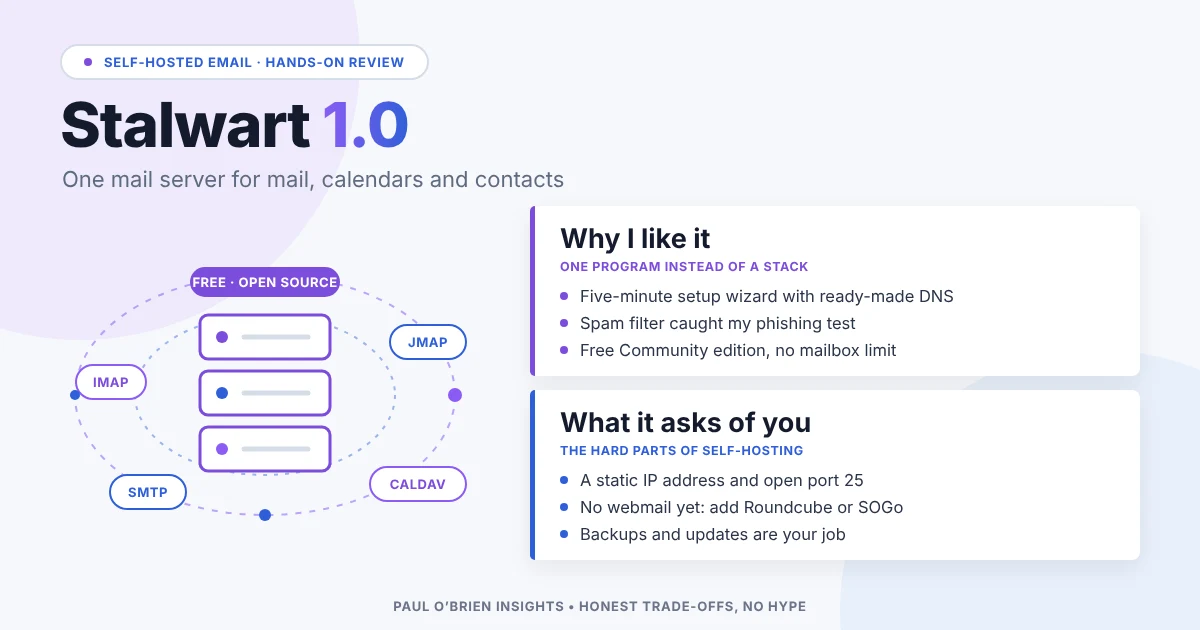
(You can see an example live on my Stalwart review.)
Below the testing panel, reviews feature live data cards tracking current pricing, free allowances, headquarters jurisdiction, and encryption methods, alongside a timestamp of when they were last verified. Prices shift faster than software does, and this keeps the figures accurate without needing a total review rewrite.
Deals with Up-to-Date Pricing
The Email Deals page has had an overhaul. Reader offers now display standard retail pricing side-by-side, verification dates, and confirmed free tiers from reviewed services—giving you proper context before you sign up.
A Wider, Modernised Layout
The site layout has been expanded for desktop and wider monitors, giving comparison tables and data cards room to breathe without horizontal scrolling. Navigation has also been streamlined, with dedicated slots for Providers and Tools. Naturally, everything remains fully responsive on mobile.
What’s Next
Expect more utility tools, deeper technical tests, and a weekly dispatch covering the email and privacy news worth knowing. You can track everything currently in development over on the Projects page.
Take a look around, try the search, and if you spot a bug or want to request a specific provider review,
3 attachments · more like this
Comments