
Gmail History: How It Became the Default Inbox
Gmail launched in 2004 as an invitation-only beta with 1 GB of storage and became the default inbox through reliability, search and integration, not privacy. Here is how it happened and what it costs.

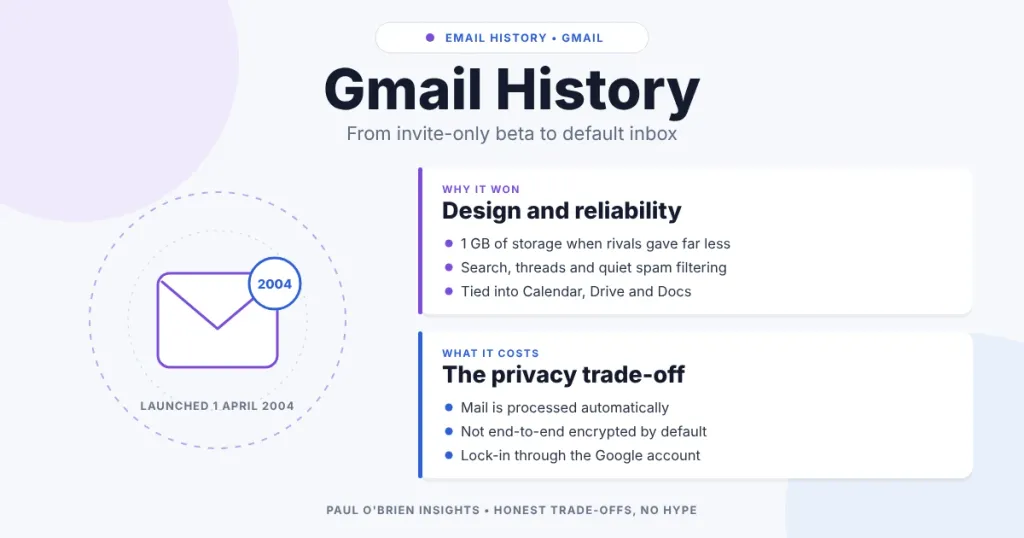
Gmail launched on 1 April 2004 as an invitation-only beta with 1 GB of free storage, at a time when the big free webmail services offered a small fraction of that. It became the default inbox for a large part of the internet through a run of deliberate design choices, steady reliability and tight integration with the rest of Google’s products. Privacy was never the reason people chose it, and that matters when you decide whether to stay.
This is the story of how Gmail went from an internal experiment to the address most people give out by default, what made it stick and what it costs in privacy terms. Dates and figures were checked against published histories on 8 October 2026, and I have noted where a detail came from my earlier version of this article rather than a source I could re-check.
Short answer: Gmail won because it made storage and search feel unlimited, kept spam out reliably and then became part of everything else Google offers. Switching away is hard because of that integration, not because the product is poor.
At a Glance: Gmail’s Rise in Six Moves
| Design choice | What it changed | Why it stuck |
|---|---|---|
| 1 GB of storage at launch | Users no longer needed to delete mail to stay under a quota. | Rivals offered far less. Storage kept growing, then became shared across Google services. |
| Search instead of folders | Keeping everything and finding it later became the norm. | Google’s strength was search. |
| Conversation view | Replies grouped into threads rather than a flat list. | Mandatory at launch. An option to turn it off came later. |
| Spam filtering at scale | Spam became largely invisible. | Reliability built loyalty. |
| Business and ecosystem integration | Gmail on your own domain, plus Calendar, Docs and Drive. | Moving away means moving a whole working environment. |
| Network effects | Many services assumed a Gmail address. | Not having one became the awkward choice. |
From Side Project to Public Beta
Gmail grew out of Google’s “20% time” culture. It was developed by Paul Buchheit under the internal codename “Caribou”, and most Google staff were using it internally by early 2004. It was announced on 1 April 2004 as a limited beta. The date made many people assume it was an April Fool’s joke, because the 1 GB on offer was far beyond what Hotmail or Yahoo Mail gave away.
Access was by invitation only, which turned each invite into a status symbol and helped build demand. Google later dropped the invitation requirement, and Gmail left beta on 7 July 2009.
The core question behind it was whether email could treat storage and search as abundant. For years, inbox management had meant constant deletion. Gmail’s answer was to archive instead and search when you needed something, which changed what people expected an inbox to be.
Storage That Kept Growing
| Date | Free storage |
|---|---|
| April 2004 | 1 GB |
| April 2005 | 2 GB |
| October 2007 | 4 GB (IMAP support added the same month) |
| April 2012 | 10 GB, alongside the launch of Google Drive |
| May 2013 | 15 GB, shared across Gmail, Drive and Google Photos |
The shared pool is the detail that matters today. Gmail is no longer a mailbox with a fixed quota. It sits inside a Google account whose storage is shared with Drive and Photos, and paid plans extend it. That is part of the lock-in.
Design Choices That Built Loyalty
Archiving over deleting
Gmail encouraged users to keep mail and search for it. That sounds obvious now, but it reversed the habit of clearing the inbox, and it made Gmail’s search the main way of navigating.
Conversation view
Threaded conversations were mandatory at launch, and Google only later added a way to turn them off. Grouping messages between the same people into a single page is now standard across email clients.
Invisible spam filtering
Google’s scale gave it the data to filter spam well, and its purchase of the security company Postini added to that. Users noticed the absence of junk more than any feature, and reliability is what keeps people.
From Inbox to Work Infrastructure
Gmail’s position became much harder to challenge once it stopped being only an inbox. Google added Calendar, Docs, Sheets and Chat, and Google Apps for Your Domain, launched in 2006, put Gmail in front of businesses on their own domains. Each added product made leaving more expensive. If you are weighing that kind of setup today, the Google Workspace Gmail deep dive looks at what it offers and what you give up.
Network effects did the rest. Many services assumed a Gmail address, from sign-up forms to calendar invitations, which reinforced the default. Gmail passed one billion users in February 2016, according to published user counts.
The Privacy Trade-Offs
Gmail’s convenience comes from Google being able to process your mail. The position has changed over time, but not completely:
| Question | The position |
|---|---|
| Ads based on email content | Google announced on 23 June 2017 that it would phase out scanning email content for ad personalisation. |
| Automated processing | Content is still processed automatically, for spam filtering and features such as smart replies and search. |
| End-to-end encryption | Not on by default for ordinary Gmail. Messages are readable by Google’s systems. See what zero-access encryption really means. |
| Metadata | Gmail does not minimise the information it collects about how you use the service. |
None of this makes Gmail unsafe in the sense of being easy to hack. It is one of the best-protected consumer services. The question is what you want it to optimise for. For the difference between security and privacy, see what does secure email actually mean, and for how tracking pixels work in your inbox, see email tracking beacons and the privacy risk.
Staying, Switching or Splitting the Difference
| If you… | Best Fit? | Consider |
|---|---|---|
| Depend on Calendar, Drive and Docs | Stay | The integration is the point. Add strong security settings. |
| Want to keep Gmail but reduce lock-in | Strong fit | Use a custom domain so the address is yours, not Google’s. |
| Care most about privacy | Switch | Compare providers in Gmail vs Proton Mail. |
| Want to understand how we got here | Read on | The history of email covers the wider story. |
I used Gmail for years and still respect it as a product. I no longer use it, because my priorities have moved towards privacy. That is a personal weighting rather than a verdict: for many people, reliability and integration are what matter most.
Frequently Asked Questions
When did Gmail launch?
1 April 2004, as a limited, invitation-only beta with 1 GB of storage.
Who created Gmail?
Paul Buchheit, who developed it at Google under the codename “Caribou”.
Why did people think Gmail was a joke?
It was announced on 1 April and offered far more storage than Hotmail or Yahoo Mail did at the time.
When did Gmail stop being a beta?
7 July 2009.
Does Google read my Gmail?
Google’s systems process the content of your messages automatically. Google said in 2017 that it would stop using email content to personalise ads, but processing for other purposes continues and messages are not end-to-end encrypted by default.
Is Gmail free storage still 15 GB?
15 GB is the free allowance, shared across Gmail, Drive and Photos, with paid plans available for more.
Is it hard to leave Gmail?
The email itself can be exported and moved. The hard part is everything attached to the address, the logins, subscriptions and connected Google services, which is why a custom domain is worth considering first.
The Bottom Line
Gmail became the default inbox through reliability, abundant storage and ecosystem gravity, not through privacy. If those are your priorities, it remains hard to beat. If privacy is the priority, the useful question is what you want your email provider to optimise for: integration, scale or minimisation. Once you know that, the choice makes itself.
Sources: Wikipedia: Gmail (launch, storage milestones, beta exit, 2017 ad change); TechSpot: Gmail’s 2004 debut. No affiliate links in this article.

