Email
iCloud Mail Needs a Redesign: A Webmail Concept
Apple’s hardware is world-class, but iCloud Mail on the web feels abandoned. Here is what iCloud Mail offers today, why it needs a rebuild, and a concept UI I mocked up.
Privacy rarely fails through dramatic hacks. It erodes quietly as the same email address is reused across accounts, services and years of digital life, turning a simple inbox into an identity anchor. Here is why, and how separation fixes it.
 Paul O'Brien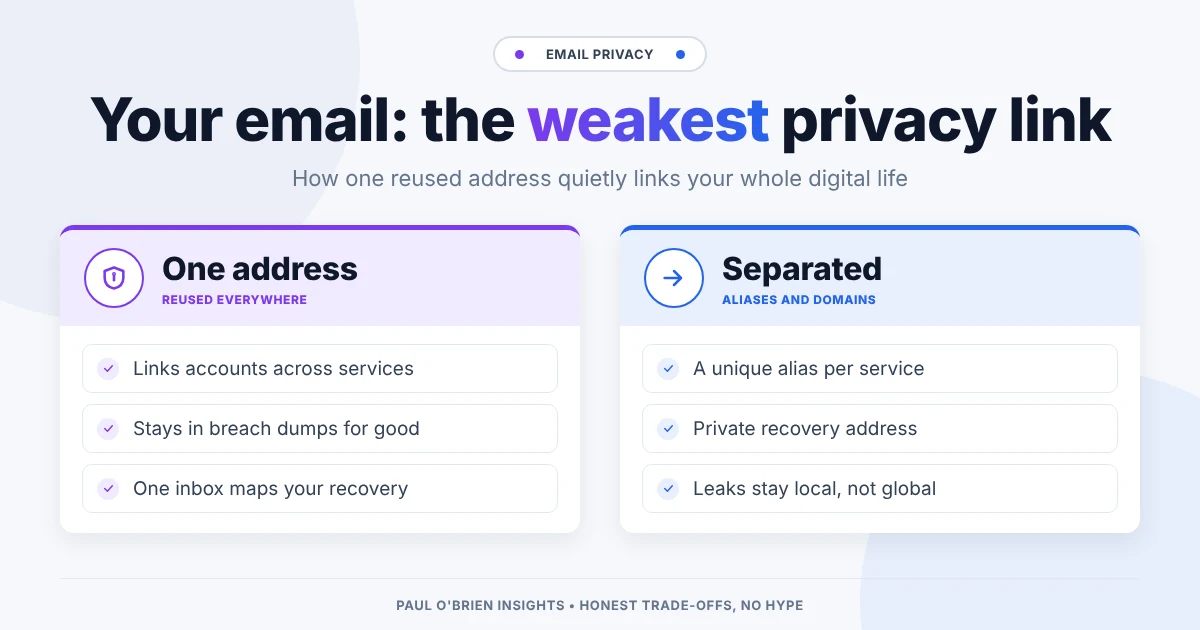
Most people think privacy failures start with hacks: a breached database, a compromised provider, or a headline about leaked passwords. Those events feel dramatic, visible and external, something that happens to you.
The more common privacy failure is far subtler. It happens long before any breach, every time the same email address is reused, trusted and quietly stitched across accounts, services and years of digital life. No attacker needs to break in when your identity is already neatly linked together.
Your email address has become a login, a recovery mechanism, a record of transactions and often the single thread tying your online activity together. Email is the weakest link in otherwise careful privacy setups, not because email itself is insecure, but because we’ve let one address carry too much weight across too many systems for too long.
Short answer: encryption, passkeys and spam filters protect what is in your inbox and who can get into it. None of them stop one reused address from linking your accounts together. The fix is separation: different addresses for different parts of your life, so a leak or a takeover stays local instead of exposing everything.
| Privacy layer | What current tools protect | What a reused address still exposes |
|---|---|---|
| Transport and storage | Encryption of message content and attachments | Cross-service account correlation and tracking |
| Authentication | Passwords, passkeys and two-factor codes | Centralised, predictable account recovery paths |
| Inbox protection | Spam filters and tracking-pixel blocking | A single, permanent key for mapping your identity |
| Breach response | Password changes after a leak | An address that stays in breach dumps for good |
Modern privacy tools have improved dramatically: encrypted email, better spam filtering, stronger authentication and more awareness of tracking all help reduce risk.
But most of these protections work around the inbox, not at the identity layer beneath it. When one address is reused everywhere, even strong tools can’t prevent correlation. Activity stays linkable, recovery flows stay predictable, and trust concentrates around a single point of failure. Privacy doesn’t usually collapse through a dramatic breach. It erodes through convenience.
Your address is also useful to the advertising industry for the same reason it’s useful to you: it’s stable. Ad-tech identity schemes such as Unified ID 2.0 are built from a hashed email address or phone number, precisely because an email address follows you across sites and devices in a way cookies don’t.
Neither scenario relies on advanced attacks. They work because email addresses have quietly become identity anchors, reused by default and trusted everywhere. Breach research backs up how often that trust is the way in. Verizon’s Data Breach Investigations Report has consistently ranked stolen credentials and phishing among the leading ways attackers first get into systems, and both usually begin with an email address.
Email was never designed to carry this much weight. It started as a simple messaging system, but over time it turned into a universal identifier. In practice, an address now works as:
That makes it far more than a mailbox. New services ask for it by default, recovery flows depend on it and notifications route through it. Over time, the inbox becomes an index of your entire digital life.
This didn’t happen because email is uniquely insecure. It happened because email is convenient, universal and assumed to be stable. But stability cuts both ways. The permanence that makes email useful also makes it hard to contain when things go wrong: you can change a leaked password in a minute, but you can’t un-leak an address. It’s the same reason I treat my inbox as a single point of failure worth planning around.
Encryption protects message content, not account linkage. Passkeys protect access, not correlation. Even privacy-focused providers still rely on your address as the main way services recognise and recover your account.
As long as the same address is reused across contexts, activity stays linkable, even if every message is encrypted. And the content isn’t the only leak: marketing mail routinely carries tracking pixels that report when and where you opened it, tied back to that same address.
Privacy failures often feel disproportionate not because a tool failed, but because too much depended on one identifier.
Most privacy failures don’t feel like failures at all. They look like convenience:
Exposure grows gradually rather than suddenly. By the time it becomes visible, it is already structural.
Privacy is often framed as a pursuit of flawlessness: perfect tools, perfect habits, perfect awareness. That doesn’t scale. What does scale is separation:
The goal isn’t to eliminate mistakes, but to limit how much damage any one mistake can cause. When one address is a master key, failure cascades. When addresses are segmented, exposure becomes local instead of global.
| Approach | How it works | Best for |
|---|---|---|
| Masked or alias addresses | A unique forwarding address per service, which you can switch off | Shopping, newsletters, one-off sign-ups |
| Your own domain | Addresses on a domain you control, portable between providers | Long-term identity and important accounts |
| A separate recovery address | A private address used only for account recovery, never given out | Banking, email and password manager recovery |
| Disposable addresses | Short-lived inboxes you abandon | Sign-ups you never want to hear from again |
Masked email, custom domains and aliases are covered in more depth in masked email vs disposable email, why using your own email domain makes sense and what password managers do and why aliases matter.
One caveat: aliases forward to a real inbox, so they hide your address from the service, not from your provider. And if you lose access to the alias service, you lose the addresses too. Pick one you expect to be around, ideally tied to a domain you own.
Meaningful improvements tend to be quiet and unglamorous. They don’t rely on constant vigilance; they rely on trusting any one element less by default:
Start small. Check your main address on Have I Been Pwned to see how widely it has already travelled. Then give your bank, email and password manager a recovery address you never hand out, and use aliases for every new sign-up from today. You don’t need to migrate years of accounts in a weekend; the old address will matter less as you stop feeding it.
As long as one address works as login, recovery mechanism, audit trail and long-term identifier all at once, privacy will stay fragile, however good the surrounding tools become. Treating your address with the same care you give passwords or your phone isn’t paranoia. It’s proportionate.
Yes, though a quiet one. It lets breach data, data brokers and advertisers link accounts that were never meant to be connected, and it gives anyone who gets into your inbox a list of where else to go.
No. Encryption protects what’s inside your messages. The address itself is still the identifier services use, so reusing it still links your accounts.
An alias is a long-lived forwarding address you can reply from and switch off when it starts getting spam. A disposable address is meant to be used briefly and then abandoned, so it’s a poor choice for any account you might need to recover.
Not necessarily. It’s usually more practical to stop giving it out, move important accounts to a private recovery address, and use aliases for everything new.
Note: checked and updated 17 October 2026. Sources: Verizon Data Breach Investigations Report, Have I Been Pwned.
Get the next post by email. Free, no ads, and you can leave any time.
Apple’s hardware is world-class, but iCloud Mail on the web feels abandoned. Here is what iCloud Mail offers today, why it needs a rebuild, and a concept UI I mocked up.
A technical look at paid Outlook and Exchange Online: which security features need which plan, how it compares to Google Workspace and Fastmail, and who should pick each.
AI is creeping into every email client. Here is how to switch off Gemini, Copilot and Apple Intelligence in Gmail, Outlook and Apple Mail, what you lose, and why I think email works fine without it.
Comments