Email
iCloud Mail Needs a Redesign: A Webmail Concept
Apple’s hardware is world-class, but iCloud Mail on the web feels abandoned. Here is what iCloud Mail offers today, why it needs a rebuild, and a concept UI I mocked up.
Email breaches are inevitable. What matters isn’t whether your provider or account is ever compromised, but how much damage is done when it happens and how quickly you can recover.
 Paul O'Brien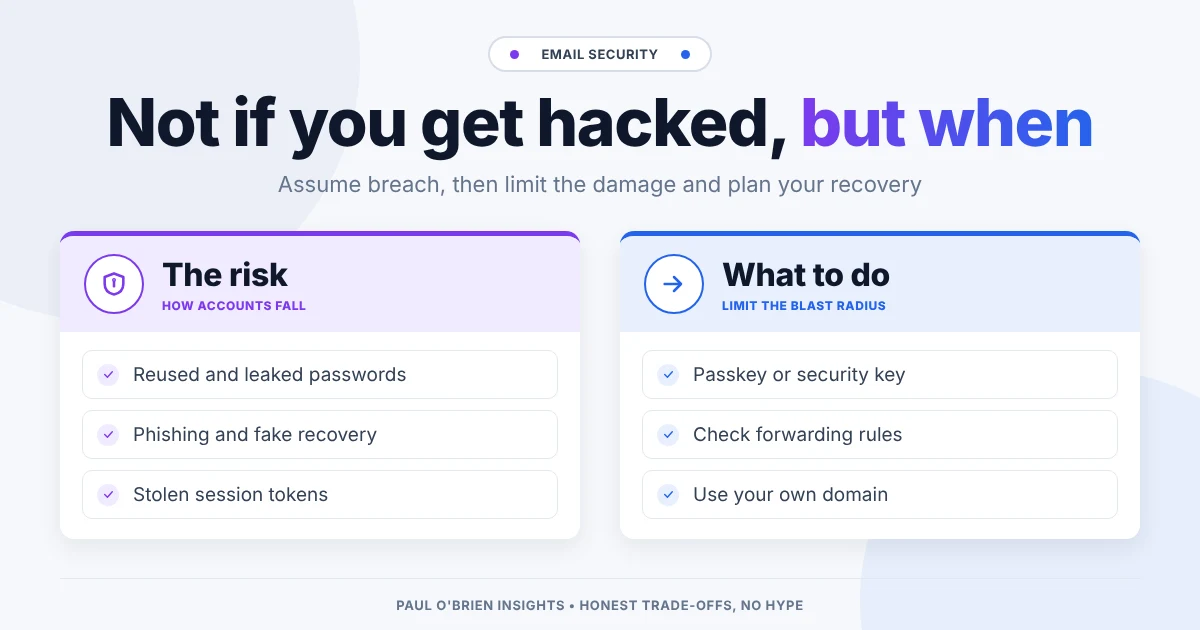
Email breaches are inevitable. What matters isn’t whether a provider, or your own account, ever has a security incident. It’s how much damage is done when it happens.
Email is one of the oldest and most trusted tools on the internet. It connects family and friends, handles password resets, receives legal notices, manages finances and acts as digital proof of identity. Because it underpins almost everything online, it is also one of the most targeted systems there is. Reports from the UK’s National Cyber Security Centre and Verizon keep finding the same thing: stolen credentials and phishing are among the most common ways attackers get in, and email is where both of those land.
Accepting that an email breach is a matter of when, not if, isn’t alarmist. It’s realistic.
Short answer: assume that at some point your provider, your password or one of your sessions will be compromised. Plan for that by using strong multi-factor authentication, checking for silent forwarding rules and connected apps, keeping recovery details current and, ideally, using your own domain so you can move provider without losing your identity.
| How accounts get taken over | What limits the damage |
|---|---|
| Reused or leaked passwords tried automatically (credential stuffing) | A unique password for email, kept in a password manager |
| No second factor | Multi-factor authentication, ideally a passkey or security key |
| Phishing and fake support or recovery requests | Phishing-resistant sign-in and a healthy suspicion of urgency |
| Stolen or forged session tokens | Signing out of old sessions and reviewing devices and connected apps |
| Hidden forwarding rules after a compromise | Checking forwarding and filter settings regularly |
| Provider-wide breach or account lockout | Your own domain, backups of important mail and a tested recovery route |
In cybersecurity, the guiding principle is assume breach. Systems are designed on the expectation that something will eventually fail, and the aim is to limit, contain and recover from the damage rather than to count on perfection.
We wear seatbelts without expecting a crash, lock doors without expecting a burglary, and back up data before a drive fails. Email security needs the same practical approach.
An inbox is valuable for two reasons:
For an attacker, getting into an inbox often means getting the keys to someone’s entire digital life.
Large email services host billions of accounts, which makes them permanent, high-value targets. A few incidents show how this plays out at scale, and none of them needed the user to do anything wrong:
| When | What happened |
|---|---|
| 2013 (Yahoo) | One of the largest breaches on record. Yahoo first put it at 1 billion accounts, then confirmed in October 2017 that all of its roughly 3 billion accounts were affected. Names, email addresses, dates of birth, hashed passwords and security questions were exposed. A separate 2014 breach hit at least 500 million accounts. |
| 2015 to 2016 (Yahoo Mail) | Attackers used forged cookies to get into about 32 million accounts without needing passwords. Yahoo disclosed it in early 2017. |
| 2021 (Microsoft Exchange) | The ProxyLogon flaws in on-premises Exchange servers were exploited worldwide. Estimates ranged from tens of thousands to hundreds of thousands of organisations, and email access was used as a springboard for ransomware and espionage. |
| 2023 (Microsoft, Storm-0558) | Attackers used a stolen Microsoft signing key to forge authentication tokens and read Outlook mail at around 25 organisations, including government agencies. |
| 2024 (Microsoft, Midnight Blizzard) | A password-spraying attack on a legacy test account led to emails being taken from a small percentage of Microsoft’s own corporate mailboxes, including senior leadership. |
| Ongoing | The headline “mega-breach” has given way to continuous, low-noise attacks: credential stuffing, OAuth abuse, malicious forwarding rules and silent data theft. |
If you want to know whether your own address has already turned up in a breach, see my guide to Have I Been Pwned and breach risks for email.
Breaches rarely need nation-state zero-day exploits. Verizon’s 2025 Data Breach Investigations Report found that credential abuse was the most common way in (22% of breaches), followed by exploited vulnerabilities (20%) and phishing (16%). Most account takeovers come down to a few structural weaknesses:
For freelancers, sole traders and businesses, an email breach isn’t just a privacy headache. It’s an operational crisis.
When your email goes down or gets locked, the business grinds to a halt:
Building resilience into your email setup means that even during an incident, your business can keep operating, talking to clients and getting paid. I cover the bigger picture in email as a single point of failure.
No provider can guarantee absolute protection. The real difference between email services is their blast radius: how much data is exposed, whether message contents can be read, and how easily you can get your account back.
One of the most effective ways to limit the damage and keep going is to separate your email address from the provider that hosts it. When you use your own domain, a breach or lockout doesn’t destroy your digital identity or stop your business, because you can point the domain at a new provider. I explain how in why using your own domain for email makes sense.
Aliases help too. If every shop and service gets its own address, a leak from one of them can’t be used to find your main login, and you can switch that alias off. See what password managers do and why aliases matter.
Privacy is not about hiding wrongdoing; it is about setting boundaries. Closing your curtains at night is a normal boundary, not an admission of guilt. Email deserves the same protection. When security fails, the real cost is rarely just money. It is lost time, real stress, compromised linked accounts and the slow, painful job of rebuilding trust.
Treating email as disposable ignores how much depends on it. Judge an email service on how it limits damage, protects your identity, keeps you running and handles recovery. Then do your part:
Common signs are sent messages you didn’t write, password reset emails you didn’t request, unfamiliar devices or sign-in locations in your security settings, and new forwarding rules or filters. Check those settings directly, not via a link in an email.
Change the password from a device you trust, sign out of all other sessions, turn on or reset multi-factor authentication, then remove any forwarding rules, filters and connected apps you didn’t set up. After that, change passwords on the accounts that use that address for recovery.
No. It stops most password-based attacks, but stolen session tokens and real-time phishing can get around SMS codes and app prompts. Passkeys and security keys are much harder to phish.
No, but it limits the fallout. If you are locked out or your provider fails you, you can move your domain to another provider and keep your address.
Note: checked and updated 17 October 2026. Sources: NCSC reports and advisories, Verizon Data Breach Investigations Report, CBS News: 3 billion Yahoo accounts breached, Fortune: Yahoo forged cookies, BleepingComputer: Exchange attacks, The Record: Storm-0558, TechTarget: Midnight Blizzard, Infosecurity Magazine: 2025 DBIR.
Get the next post by email. Free, no ads, and you can leave any time.
Apple’s hardware is world-class, but iCloud Mail on the web feels abandoned. Here is what iCloud Mail offers today, why it needs a rebuild, and a concept UI I mocked up.
A technical look at paid Outlook and Exchange Online: which security features need which plan, how it compares to Google Workspace and Fastmail, and who should pick each.
AI is creeping into every email client. Here is how to switch off Gemini, Copilot and Apple Intelligence in Gmail, Outlook and Apple Mail, what you lose, and why I think email works fine without it.
Comments