
StartMail Review 2026: Features, Trade-offs, and Enterprise Security
StartMail puts unlimited aliases, open IMAP/SMTP and IP header stripping at the heart of a paid-only, Dutch-based inbox. We look at pricing, PGP, the Business plan and where it falls short of Proton Mail and Tuta in 2026.

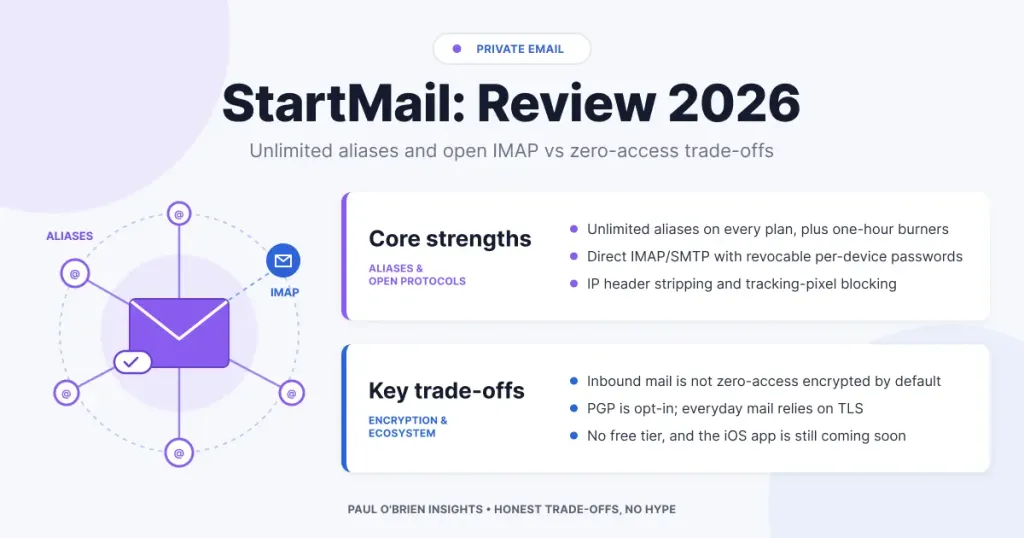
Email eventually forces a fundamental choice: carry on using “free” consumer inboxes funded by advertising, behavioural profiling and ecosystem lock-in, or pay for an independent service where you are the customer rather than the product.
StartMail sits firmly in the second camp. It does not try to compete with the sprawling cloud productivity suites; its aim is to make your inbox feel owned rather than rented. When an email provider does not rely on your attention or your data to make money, it can design for stability rather than engagement. The result is quieter, simpler and less dependent on behavioural nudges, and it gives security-conscious professionals and small organisations an identity layer they control.
We have spent time with both the Personal and Business plans to see where StartMail earns its subscription and where it asks you to compromise. If you are still weighing up the wider market, our guide to what secure email actually means is a good place to start.
Exclusive reader offer: 50% off StartMail. Use our link to get half price on your StartMail subscription, with the 7-day free trial still included.
At a Glance: Who StartMail Is (and Isn’t) For
| User Profile | Best Fit? | Core Value Drivers / Key Trade-offs |
|---|---|---|
| Security-conscious professionals | Ideal | Unlimited aliases, tracking-pixel blocking, IP header stripping and EU data protection. |
| Power users and desktop-client fans | Ideal | Direct IMAP/SMTP with per-device passwords; works with Thunderbird, Apple Mail and Outlook with no bridge software. |
| Freelancers and small teams | Strong fit | Business plan adds unlimited custom domains, shared aliases and discounted group seats. |
| Large enterprises | Partial fit | No admin console or directory integration on the scale of Google Workspace or Microsoft 365; better suited to small organisations. |
| Zero-access purists | Alternative needed | Ordinary inbound mail is not zero-access encrypted by default. Look at Proton Mail or Tuta. |
| iPhone-first users wanting a native app | Workable | Android app available; iOS app listed as “coming soon”. Apple Mail over IMAP works well in the meantime. |
| Budget-only consumers | Alternative needed | No permanent free tier; a recurring subscription is required after the trial. |
StartMail Plans and Pricing in 2026
StartMail keeps its line-up short: two plans, both with unlimited aliases, IMAP/SMTP access and a 7-day free trial. Prices below are as listed on StartMail’s pricing page in October 2026.
| Plan | Price | Storage | Domains | Aliases | Extras |
|---|---|---|---|---|---|
| Personal | $4.99/month ($59.88 billed annually) | 20 GB | One custom domain or a StartMail address | Unlimited | PGP, password-protected email, 2FA, Android app |
| Business | $6.99/month ($83.88 billed annually) | 30 GB | Unlimited custom domains | Unlimited, plus shared aliases | Group subscriptions at a 25% discount per extra seat |
Annual plans can also be paid in Bitcoin on request, which is useful if you want to keep payment details separate from your mailbox. If you plan to bring your own domain, our case for using your own email domain explains why it is worth doing.
The Threat Model: Advertising Incentives vs. Paid Architecture
Free consumer inboxes normalised a risky assumption: that professional-grade communication tools should cost nothing. In practice, free email is paid for with behavioural tracking, targeted advertising and platform dependence. Every newsletter, invoice and password reset that lands in the inbox becomes another data point in a wider digital profile. We cover this in more depth in free vs paid email: what you really pay with.
StartMail turns that arrangement around. It runs on paid subscriptions only, with no permanent free tier, so the business only survives if users trust it:
- No ad-driven scanning. Revenue comes from subscriptions, so there is no commercial reason to build ad-network integrations or mine inbox contents.
- No engagement hooks. The interface has no algorithmic sorting, attention-grabbing notifications or design patterns meant to keep you in the app.
- Predictable incentives. Uptime, encryption and new features are prioritised for subscribers rather than advertisers.
The trade-off is simple. You accept fewer automated “smart” features, no bundled cloud drive or VPN, and a smaller ecosystem, in return for a service that is transparent, predictable and easier to reason about over time.
Core Technical Deep-Dive: Identity Control via Unlimited Aliases
Many providers treat aliases as an afterthought or reserve them for expensive tiers. StartMail puts unlimited aliases at the centre of the product, on both plans. When your email address is the anchor for your entire online identity, using one address everywhere creates a single point of failure. Aliases break that link. For the wider picture, see our guide to masked email vs disposable email.
StartMail offers several alias types, each suited to a different level of trust:
| Alias Type | How It’s Created | Lifespan | Best Used For |
|---|---|---|---|
| Custom aliases | You choose the name | Permanent by default, or set to expire after anywhere from one hour to one week | Recognisable addresses for suppliers, clients or public projects |
| Generated aliases | Randomly generated by StartMail | Permanent by default, or set to expire after one hour to one week | Sign-ups, shopping accounts and newsletters |
| Burner aliases | Generated in one click | Expire automatically after one hour | Download gates, one-off verifications and low-trust forms |
| Custom-domain aliases | Created on your own domain | Until you disable or delete them | Business units, roles (billing@, support@) and shared team inboxes |
Disable vs. Delete
Aliases can be disabled or deleted. A disabled alias stops receiving mail but can be switched back on later. A deleted alias is gone for good: StartMail says it can never be reactivated or reissued to another user, so nobody can pick up mail meant for an address you abandoned.
Strategic Identity Governance
- Exposure reduction. Give every service its own address. If one of them suffers a breach (and breaches are routine), your main address stays off the credential-stuffing and phishing lists. Pair this with a password manager and leaked credentials become far less useful to attackers.
- Source-specific tracking. If an alias used for a single vendor starts attracting spam, you know exactly whose database leaked or was sold.
- Instant containment. A compromised alias can be disabled in a click. You cut off the attack route without changing your main address or updating logins elsewhere.
How StartMail compares with dedicated alias services: forwarding services such as DuckDuckGo Email Protection and Forward Email pass aliases on to any inbox. StartMail builds the same idea into the mailbox itself, so replies go out from the alias without extra setup.
Protocol Interoperability: Native IMAP/SMTP Support
A common pain point with zero-access encrypted providers is their reliance on their own apps or local bridge software. Proton Mail requires its Bridge app (on paid plans) for desktop clients, and Tuta does not support IMAP at all. That design protects encryption keys, but it limits your choice of client and complicates established workflows.
StartMail takes a more open approach, offering standard IMAP and SMTP alongside per-device passwords:
- Broad client compatibility. Connect directly from Apple Mail, Microsoft Outlook, Mozilla Thunderbird, FairEmail or the Gmail app on Android, with no background bridge to keep running.
- Per-device passwords. Each client gets its own password. If a laptop or phone goes missing, you revoke that device alone from the web dashboard while everything else keeps working, and your main account password stays untouched.
- Portable workflows. Your local archives, filters and client settings stay yours, which keeps vendor lock-in to a minimum. If you are leaving Gmail, read why I made the switch from Gmail.
Mobile Apps
StartMail now offers an Android app, and its pricing page lists an iOS app as “coming soon”. Until that arrives, iPhone and iPad users can add the account to Apple Mail over IMAP, or use the mobile-friendly webmail. It works, but anyone who wants a polished native experience on iOS today should factor this in.
Flexible Encryption: Optional PGP Implementation
End-to-end encryption is often sold as all-or-nothing, yet forcing PGP on non-technical contacts usually ends in failed messages and frustrated recipients. StartMail treats PGP as something you switch on when it makes sense. For the bigger picture, see what secure email actually means.
- Key management in the browser. Generate a new PGP key pair in the web interface or import an existing one.
- Per-recipient encryption. Everyday mail travels with standard TLS transport encryption, while PGP is applied to contacts who have published a public key.
- Password-protected messages. For recipients without PGP, you can send an encrypted message protected by a passphrase you share separately. They open a secure link, enter the passphrase and read the message in the browser.
Know the limits: StartMail encrypts stored mail on its servers, but ordinary inbound email is not zero-access encrypted in the way Proton Mail and Tuta handle it. If your threat model requires that the provider can never read stored mail, choose one of those services, or make sure your sensitive correspondence uses PGP end to end. Our explainer on what zero-access encryption really means unpacks the difference.
Regulatory Compliance and EU Jurisdiction
Jurisdiction decides how data can be requested, intercepted or audited. StartMail is based in the Netherlands, which places it under Dutch law and the EU’s General Data Protection Regulation. Dutch authorities can still issue lawful requests, so jurisdiction reduces risk rather than removing it. Our Swiss vs German email privacy comparison shows how much jurisdiction matters.
Regulatory Protections (GDPR)
- Lawful basis and consent. GDPR restricts how personal data can be processed, shared or combined, and the subscription model removes the commercial motive to monetise it.
- Erasure and portability. You can export your mailbox over IMAP at any time and delete your account. According to StartMail’s published policies, limited operational metadata is kept for up to seven days and deleted mail can remain in encrypted backups for a few days before it is purged.
Technical Privacy Controls
- Header stripping. StartMail removes your IP address, internal server routing details, email-client information and PGP plugin details from outgoing mail, whether you send from webmail or through IMAP/SMTP. Recipients and network observers cannot use the headers to place you geographically.
- Tracking-pixel blocking. Remote tracking pixels are blocked by default, so senders cannot quietly confirm that you opened a message, or learn your location and device type.
- Two-factor authentication. TOTP-based 2FA protects the web login on both plans.
StartMail for Business: Domains, Shared Aliases and Team Seats
The Business plan is aimed at freelancers, agencies and small organisations rather than enterprises with thousands of seats. It adds unlimited custom domains, 30 GB of storage and shared aliases, so a role address such as support@ or accounts@ can be handled by more than one person. Extra team or family members can be added through group subscriptions at a 25% discount per seat.
What it does not offer is the heavy administration layer of Google Workspace or Microsoft 365: there is no directory sync, no built-in office suite and no enterprise policy engine. For a small team that mainly needs private, branded email with clean alias management, that simplicity is a feature. Larger organisations should read our Google Workspace deep dive and Microsoft Outlook and Exchange review.
Comparative Matrix: StartMail vs. Privacy Competitors
| Feature | StartMail | Proton Mail | Tuta (formerly Tutanota) | Fastmail |
|---|---|---|---|---|
| Jurisdiction | Netherlands (EU) | Switzerland | Germany (EU) | Australia |
| Native IMAP/SMTP | Yes (direct) | Via Bridge app (paid plans) | No | Yes (direct) |
| Unlimited Aliases | Yes, on every plan | Plan dependent | Plan dependent | Yes (Masked Email) |
| PGP Support | Optional, built into webmail | Built in | No (own encryption protocol) | No native PGP |
| Zero-Access Storage by Default | No | Yes | Yes | No |
| IP Stripping | Yes | Yes | Yes | Partial |
| Tracking-Pixel Blocking | Yes | Yes | Yes | Yes |
| Native Mobile Apps | Android (iOS coming soon) | iOS and Android | iOS and Android | iOS and Android |
| Business Model | Paid only | Freemium | Freemium | Paid only |
| Full Review | You are here | Proton Mail review | Tuta review | Fastmail review |
Want a closer head-to-head? See Proton Mail vs Fastmail, or who zero-access email is actually for.
Pros and Cons
| Strengths | Weaknesses |
|---|---|
| Unlimited aliases on both plans, including one-hour burners | No zero-access encryption for ordinary inbound mail |
| Direct IMAP/SMTP with individually revocable device passwords | No native iOS app yet |
| IP and client header stripping on all outgoing mail | No free tier beyond the 7-day trial |
| Optional PGP and password-protected messages in the browser | No bundled calendar-and-drive suite or VPN |
| Dutch jurisdiction and GDPR protections | Business features suit small teams, not large enterprises |
Frequently Asked Questions
Is StartMail end-to-end encrypted?
Only when you choose PGP or a password-protected message. Everyday mail to ordinary recipients travels over TLS and is encrypted on StartMail’s servers, but it is not zero-access encrypted by default.
How long is the StartMail free trial?
Both the Personal and Business plans come with a 7-day free trial.
How long do StartMail burner aliases last?
Burner aliases expire automatically after one hour. Custom and generated aliases are permanent unless you set them to expire, with options from one hour to one week.
Can I use StartMail with Outlook or Apple Mail?
Yes. StartMail supports standard IMAP and SMTP, so it works directly with Outlook, Apple Mail, Thunderbird and most Android mail apps, with a separate password for each device.
Does StartMail have a free plan?
No. After the 7-day trial you need a paid subscription. If cost is the deciding factor, our free vs paid email piece explains what free really costs.
Final Verdict
StartMail stands out by avoiding feature bloat and sticking to the essentials of email privacy: clear financial incentives, identity separation through aliases, and open protocol support. Treating aliases as a first-class security control and offering IMAP/SMTP without a bridge make it a practical, sustainable choice for people who want privacy without being locked into one vendor’s apps.
It is not the right pick if you need zero-access encryption for every message or a full productivity suite. For professionals, freelancers and small teams who live in a desktop mail client and want tight control over where their address appears, it is one of the most coherent options available in 2026.
To set up a separate email identity with custom domain support and unlimited aliases, claim our 50% StartMail discount and start with the 7-day free trial.
Exclusive reader offer: 50% off StartMail. Use our link to get half price on your StartMail subscription, with the 7-day free trial still included.
Disclosure: This article contains affiliate links. If you choose to sign up for StartMail through these links, this publication may earn an affiliate commission at no extra cost to you. We only recommend tools that meet strict security and data privacy standards.

