
Serverless Self-Hosted Email: A Deep Dive into Mailflare
A hands-on review of Mailflare—the serverless, self-hosted custom domain email platform built on Cloudflare Workers, D1, and R2. Here is how it performs, deployment permission pitfalls, and setup costs.

For sysadmins, developers, and privacy enthusiasts, hosting custom domain email is notoriously complex. Running a traditional mail server—whether Docker-Mailserver, Mailcow, or Postfix—requires managing Port 25 firewall blocks, warming up static VPS IP addresses, maintaining DKIM/SPF alignment, and defending against continuous brute-force authentication attacks.
Mailflare introduces an alternative model: serverless self-hosted email.
Instead of provisioning a persistent virtual server, Mailflare runs entirely inside your own Cloudflare account. It leverages Cloudflare Email Routing for inbound delivery, Cloudflare's email sending service for outbound mail, Cloudflare D1 (serverless SQLite) for metadata storage, and Cloudflare R2 for object storage.
Here is an updated analysis of Mailflare’s architecture, deployment requirements, cost structure, AI-native protocol integration, and hands-on deployment observations.
Architecture Breakdown: How Serverless Mail Works
Conventional self-hosted email stacks combine a Mail Transfer Agent (MTA like Postfix), an IMAP server (like Dovecot), and a webmail interface (like Roundcube). Mailflare consolidates this pipeline into edge-native serverless primitives:
Plaintext
                                INBOUND MAIL
                                     │
                                     ▼
                       ┌───────────────────────────┐
                       │ Cloudflare Email Routing  │
                       └─────────────┬─────────────┘
                                     │
                                     ▼
                       ┌───────────────────────────┐
                       │   Mailflare Worker App    │
                       └──────┬─────────────┬──────┘
                              │             │
                    ┌─────────┴──┐       ┌──┴─────────┐
                    │  D1 (DB)   │       │   R2 Bucket│
                    │ (Metadata) │       │(Attachments)│
                    └────────────┘       └────────────┘
- Inbound Path: Incoming MX traffic hits Cloudflare’s global edge. Cloudflare Email Routing executes a rule that forwards raw RFC 822 payloads directly into the
mailflareWorker script. - Data Isolation: The Worker processes message headers, updates thread indexes, and commits metadata into your private Cloudflare D1 database. File attachments and full raw message bodies are written directly to your personal Cloudflare R2 storage bucket.
- Outbound Delivery: Outbound mail composed in the webmail dashboard is dispatched using Cloudflare's internal Email Sending API service.
- Real-time Notifications: Real-time inbox updates and WebSocket pushes are handled via a Cloudflare Durable Object hub, notifying connected client sessions without requiring persistent server polling.
Key Capabilities & AI Protocol Integration
Beyond standard webmail features (search, custom folders, snoozing, signatures, and auto-replies), Mailflare includes features tailored for modern developer workflows:
- Native JMAP Protocol Support: Mailflare supports JMAP (JSON Meta Application Protocol — RFC 8620 core & RFC 8621 mail), the modern HTTPS/JSON-based successor to IMAP. External mail clients can authenticate over JMAP at
/.well-known/jmapusing app passwords generated from the dashboard, enabling state synchronisation without legacy TCP connections. - Built-in MCP (Model Context Protocol) Server: Mailflare natively exposes an MCP interface. This allows external AI assistants (such as Claude Desktop) to connect securely with granular API keys. You can grant an AI client read-only or read/write access to specific mailboxes to draft replies, summarise threads, or search historical archives programmatically.
- Single-Container Docker AlternativeFor users who prefer to avoid vendor lock-in to Cloudflare’s serverless ecosystem, Mailflare includes a standalone Docker deployment path using embedded SQLite and local file storage.
Deployment Experience & Lessons Learned
Deploying Mailflare to Cloudflare Workers requires navigating a few strict configuration constraints. While the platform offers a streamlined "Deploy to Cloudflare" button in the Mailflare GitHub README, getting it fully operational required several attempts and careful troubleshooting.
Why GitHub Integration is Essential
GitHub is a core component of Mailflare's architecture, deployment pipeline, and ongoing operations:
- Repository Forking Requirement: Before deploying to Cloudflare Workers, you must fork the official upstream repository github.com/hieunc229/mailflare to your personal GitHub account. Importing your own fork into Cloudflare Workers allows Workers Builds to automatically manage builds, environment variables, and D1 database migrations.
- AGPL-3.0 Open-Source Transparency: Because Mailflare is hosted publicly on GitHub under the AGPL-3.0 license, you retain full ownership and complete source code visibility. You can audit how incoming RFC 822 email payloads are handled before granting the Worker access to your Cloudflare account.
- Continuous Updates & Backups: Updating your deployment to future upstream releases is as simple as syncing your GitHub fork with the parent repository.
1. Mandatory Repository Forking
Because Mailflare relies on Cloudflare Workers Git Integration and automated GitHub Actions workflows for continuous deployment, database migrations, and web dashboard updates, you must fork the upstream repository to your own GitHub account first. Deploying directly from the parent repository will fail when Cloudflare tries to hook into repository secrets and deployment hooks.
2. API Key & Token Permission Hurdles
Configuring authentication during the /setup wizard was the most critical stumbling block. Mailflare requires a scoped Cloudflare API Token (CF_TOKEN) with precise permissions to configure DNS and Email Routing automatically:
- Account Permissions:
Email Sending: Edit,DNS Settings: Edit,Email Routing Addresses: Edit - Zone Permissions:
DNS Settings: Edit,Email Routing Rules: Edit,Zone Settings: Edit,DNS: Edit
Gotchas Encountered:
- Token Secret vs. ID: Entering a Token ID (
cfut_...) or standard API Key intoCF_TOKENtriggers authentication failures. Only the full secret token value generated upon creation works. - Outbound Scope Lock (401 Unauthorszed Code 2036): Cloudflare's Email Sending API (
/email/sending/subdomains) requires account-level provisioning and an active Workers Paid plan ($5/mo). Attempting to validate a token withAccount.Email Sendingpermissions on a free tier results in HTTP 401 errors. Removing theEmail Sendingpermission scope allows the setup wizard to proceed on the free tier for inbound routing. - Destination Address Verification: On Cloudflare's free Email Routing tier, attempting to send or forward to external addresses outside of your verified Cloudflare account emails will fail with
"destination address is not a verified address"until added under Email > Email Routing > Destination addresses.
3. Critical Naming Constraint
When deploying the Worker, the app must be named exactly mailflare. Cloudflare Email Routing rules explicitly bind destination handlers to this handle; altering the Worker name breaks inbound routing.
Real-World Performance & UI Hands-On
Once deployed and configured, Mailflare proves to be a remarkably polished self-hosted solution.
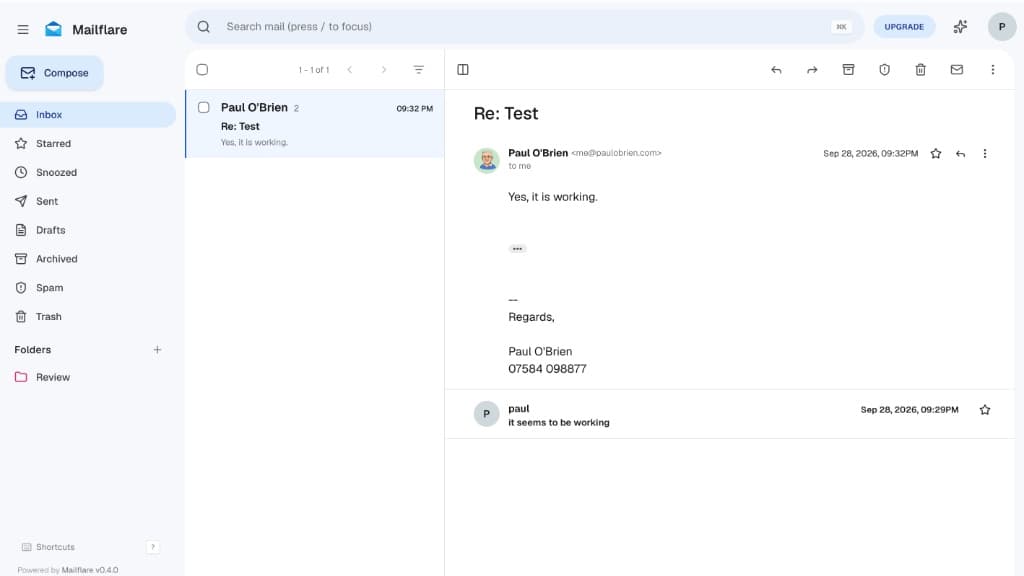
Interface & UX: The UI is exceptional. It provides a clean, modern, single-page application experience reminiscent of modern business email suites. Keyboard shortcuts (/ to search, c to compose), rich-text editing, clean thread grouping, an easy-to-navigate admin panel, and an integrated calendar module give it a high-end, professional-grade finish.
Performance Observations: In practice, edge-based SQLite (D1) and Durable Objects can feel slightly delayed compared to local IMAP servers. The client interface occasionally requires a manual page refresh or a couple of seconds of waiting for new incoming messages to sync into the active view. However, for a zero-maintenance serverless setup, the performance tradeoff is minimal. I plan to run a follow-up review focusing strictly on long-term UI usability, calendar integration, and day-to-day performance once I’ve tested it in production for a few weeks.
Cost & Pricing Model: Cloudflare Infrastructure & Mailflare Licensing
Because Mailflare is a serverless application that runs natively inside your Cloudflare account, the total cost of ownership depends on two separate factors:
Cloudflare Infrastructure Requirements
Mailflare relies entirely on Cloudflare's serverless edge ecosystem. Receiving mail is completely free, while outbound delivery requires Cloudflare's paid tier:
- Cloudflare Free Tier ($0/month):
- Inbound Delivery: Free unlimited inbound email processing via Cloudflare Email Routing.
- Workers Compute: 100,000 free Worker requests per day.
- D1 Database (Metadata): 5 Million free row reads and 100,000 row writes per day.
- R2 Storage (Raw Email & Attachments): 10 GB of free storage with zero egress fees.
- Outbound Restriction: Outbound email sending on the Free tier is strictly restricted by Cloudflare to pre-verified destination addresses in your Cloudflare account.
- Cloudflare Workers Paid Plan ($5/month):
- Outbound Sending API: Required to unlock unrestricted email dispatch to any external recipient address on the internet via Cloudflare Email Sending.
- Expanded Quotas: Includes 10 Million Worker requests per month, 25 Million D1 reads per month, and higher script execution limits.
Mailflare Pricing & License Tiers
Mailflare is offered as open-source software with lifetime commercial licenses available for white-labeling and multi-user team management.
Deployment & Testing Note: I deployed and tested Mailflare exclusively using the Free Community Edition. While incoming email routing, thread management, D1 database indexing, and R2 attachment storage worked seamlessly out of the box at zero cost, outbound email sending remains bound by Cloudflare's account recipient rules unless configured with a paid Cloudflare Workers plan. Custom branding or multi-user team capabilities require the Professional or Team license.
Verdict
While setup requires working through Cloudflare's API permissions and making sure you fork the source repository, Mailflare is a impressive feat of serverless engineering. It eliminates the hassle of managing Linux mail daemons, IP warmups, and PTR records, delivering a visually stunning, low-cost email client hosted entirely on your own edge infrastructure.

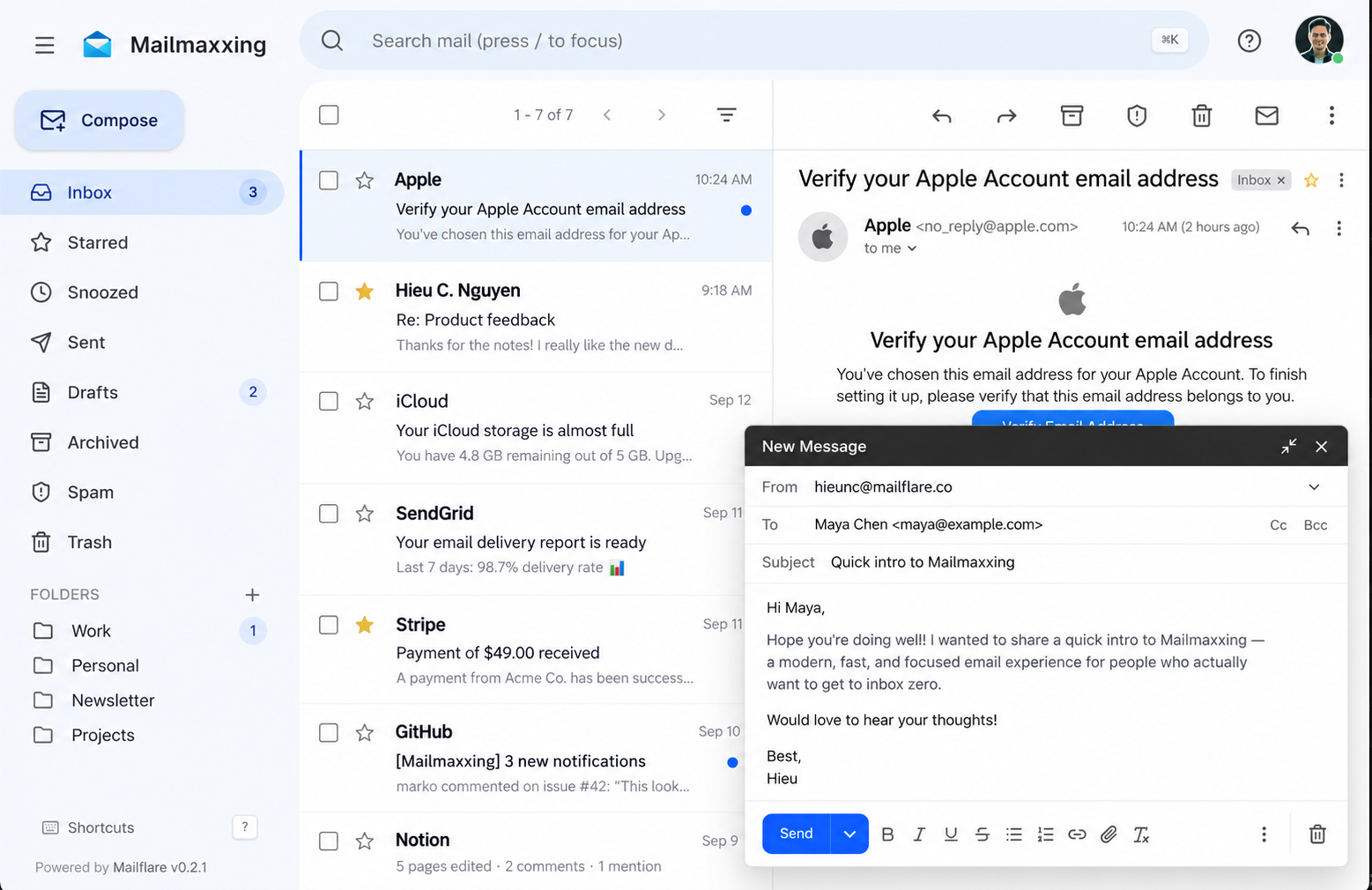
Get a full-featured custom-domain inbox, with powerful benefits mailboxes for your team—all running securely on infrastructure you control. Fully open-sourced