What Does “Secure Email” Actually Mean?
Secure email is used everywhere, but it rarely means the same thing twice. From basic TLS protection to systems where even the provider can’t read your messages, this guide explains what real email security actually involves — and where marketing often blurs the line.

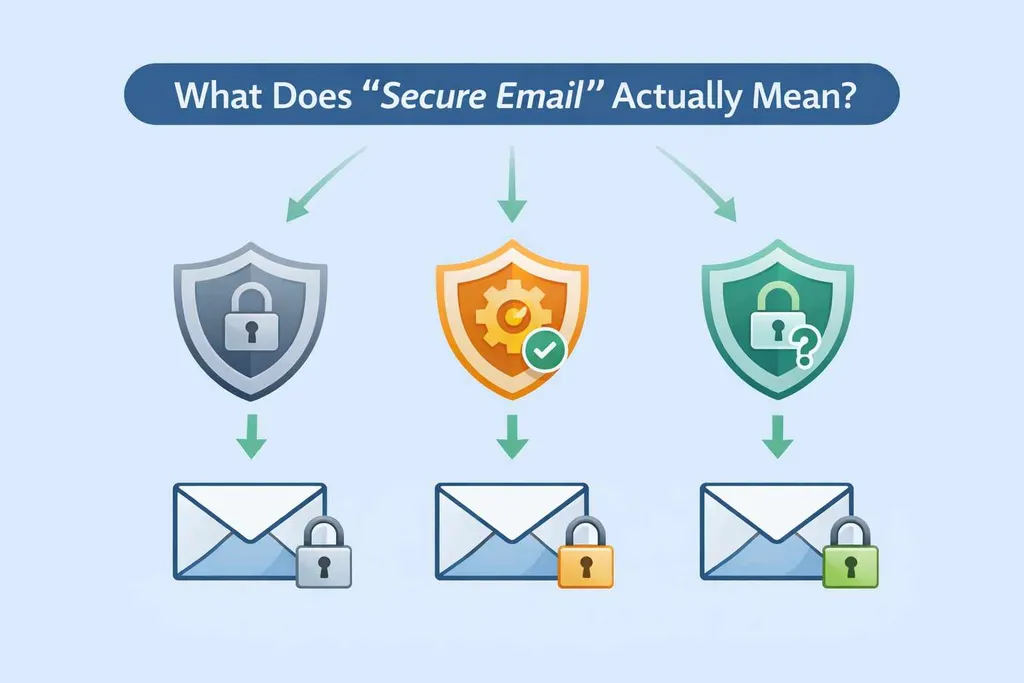
“Secure email” is one of the most widely used and least clearly defined phrases in technology.
Governments use it in policy documents. Corporations use it in compliance statements. Startups use it in marketing. Security teams use it in internal guidance. Yet in many cases they are referring to entirely different technical realities.
Sometimes “secure email” describes a tightly managed internal system supported by governance controls, device policies, and monitoring. In other cases it refers simply to encryption while messages travel between servers. Those two interpretations are not equivalent, even though they are described with the same word.
The confusion matters because the term secure creates an assumption of protection that may not exist in the way users imagine.
Encryption in transit: protecting the connection
In its most common usage, secure email refers to encryption during transmission. Email servers communicate using Transport Layer Security (TLS), which prevents messages from being read while they move across networks. This reduces the risk of interception on public Wi-Fi or between data centres and has become standard practice among major providers.
However, TLS is best understood as a baseline expectation rather than a distinctive security feature. In many configurations, if a receiving server does not support encryption, the message may still be delivered without it. Mechanisms such as MTA-STS were introduced to allow domains to insist that mail be delivered securely or not at all, but enforcement depends on configuration and policy.
Encryption in transit protects the channel. It does not prevent the provider from reading stored content, nor does it determine how messages are handled once they arrive.
Encryption at rest: protecting stored data
Some providers extend the concept of secure email to include encryption of stored messages. This reduces risk in the event of physical theft or hardware compromise. Yet in many mainstream systems the provider retains control of the encryption keys. That means the service can technically access stored content for spam filtering, malware scanning, search indexing, compliance requests, or internal moderation.
Encryption at rest therefore mitigates a specific class of risk while leaving the provider inside the trust boundary. Organisations such as the Electronic Frontier Foundation have long emphasised the distinction between encryption a provider can reverse and encryption it cannot.
From a user’s perspective, the difference between these models often remains invisible. The interface looks the same, even though the trust assumptions are fundamentally different.
Architectural limits: zero-access and end-to-end models
A more restrictive interpretation of secure email appears in systems designed so the provider cannot decrypt stored content. These are often described as zero-access or end-to-end encrypted architectures.
In these designs, encryption keys are controlled by the user rather than the service. The provider may host encrypted data but lacks the ability to read it directly. This shifts the trust model substantially. It affects how search functions behave, how account recovery works, and what information can be produced under legal compulsion. The difference is architectural rather than cosmetic, a point explored in more depth in What “Zero-Access” Really Means.
The term secure email therefore spans a spectrum. At one end it describes encrypted transport. At the other it describes systems intentionally designed to limit provider visibility. Without clarity about which model is in use, the label conveys little technical meaning.
Message-level encryption: protection independent of provider
A separate approach secures individual messages rather than entire mailboxes. Technologies such as PGP and S/MIME encrypt content before it leaves the sender. The encrypted message can then travel across different providers while remaining unreadable to intermediaries. In this model, protection attaches to the message itself rather than to the storage architecture of a particular platform.
Message-level encryption offers portability and independence but introduces practical complexity. Key management, recovery, and usability barriers have limited mainstream adoption. As a result, many users never encounter this model even though it can provide strong privacy guarantees.
Understanding secure email therefore requires attention not only to encryption but also to who controls the keys and where trust resides.
Why the terminology becomes blurred
The ambiguity surrounding secure email partly reflects differing priorities.
In enterprise environments, security often refers to layered governance. Internal email systems may include network segmentation, device management, monitoring, auditing, identity controls, and data loss prevention. Encryption forms only one element within a broader operational framework. In that context, security is as much about policy and enforcement as it is about cryptography.
This distinction between platform security and user-controlled security is central to how email functions as infrastructure rather than simply a messaging tool, a theme developed further in Is Email Here to Stay?.
Commercial providers, by contrast, frequently highlight encryption in transit, account protection features such as two-factor authentication, and anti-phishing systems. These are meaningful protections, but they address specific threat categories rather than redefining the trust boundary.
When marketing collapses these different meanings into a single phrase, users may infer stronger guarantees than the architecture supports.
Secure against what?
A more useful question than “Is this email secure?” is to ask what specific risks are being addressed.
Encryption in transit protects against network interception. Storage encryption mitigates certain physical risks. Zero-access designs limit provider visibility. Strong authentication reduces the likelihood of account takeover. Filtering systems attempt to reduce phishing exposure.
No single measure addresses all of these simultaneously.
Jurisdiction further complicates the picture. Providers operate within legal systems that determine what authorities can request and what must be disclosed. However, legal environment does not override technical design. If a provider retains the ability to decrypt stored messages, legal pressure can compel disclosure of readable content. If the provider lacks decryption capability, only encrypted data and metadata may be available.
Geography influences legal exposure; architecture determines technical limits.
Where misunderstanding persists
Many users interpret “secure email” as meaning the provider cannot read their content. In practice, that assumption often does not hold. Mainstream platforms frequently rely on server-side processing to enable search, categorisation, and anti-abuse mechanisms. That model is discussed in the broader evolution of large providers in How Gmail Became the Default Inbox. Such systems can deliver convenience and reliability at scale, but they also position the provider within the trust boundary.
Business models reinforce these architectural choices, a trade-off examined in Free vs Paid Email: What You’re Really Paying With.
The word secure therefore obscures more than it clarifies when detached from context.
Security as a layered practice
Encryption alone does not eliminate risk. Phishing attacks, compromised devices, weak passwords, and social engineering remain significant vectors. Even the most privacy-focused mailbox cannot protect a user who willingly provides credentials to a malicious actor.
Practical measures such as strong authentication, password managers, and email aliasing frequently reduce everyday exposure more effectively than architectural encryption alone. These controls rarely carry the marketing weight of “secure email,” yet they materially affect outcomes.
Security in email is not a single feature but a layered system of design choices, operational policies, and user behaviour.
Toward clearer language
Rather than relying on the phrase secure email, clearer questions provide better guidance. Who can read stored messages? Who controls encryption keys? What metadata remains visible? How does recovery function if credentials are lost? What happens under legal demand?
Understanding how authentication and routing work also clarifies where trust is enforced, which is why mechanisms such as SPF, DKIM, and DMARC matter in assessing integrity.
Secure email is not a single technology or guarantee. It represents a set of trade-offs between usability, privacy, recoverability, and governance. When those trade-offs are made explicit, the phrase becomes less reassuring and more instructive.
The term is not meaningless, but it is incomplete without architectural clarity. Understanding that distinction is the first step toward evaluating email systems realistically rather than rhetorically.
Get the weekly email
A short weekly roundup on email, privacy, and digital trust. No promos. Unsubscribe anytime.

