
What’s New in KT8 Mail: Masked Email, Smarter Spam Checks and More
A personal catch-up on what’s changed in KT8 Mail since launch, and a couple of side projects I’ve been building alongside it.

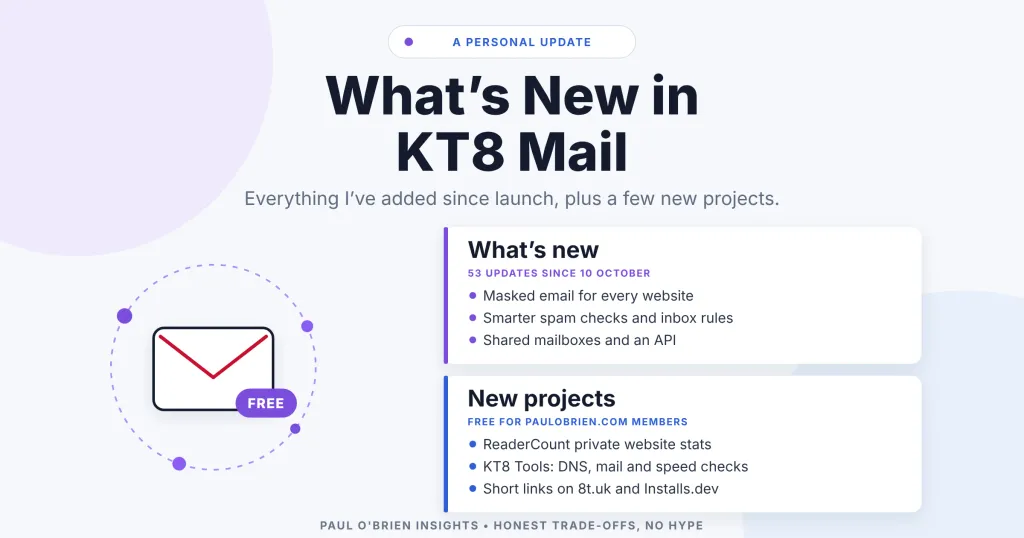
It’s been a busy few days since launching KT8 Mail on 10 October. In total, I’ve pushed 53 updates (taking the project from v1.0 to v1.56). I wanted to write a quick personal catch-up on what’s changed in the app, how the new feature additions work, and a couple of side projects I’ve been building alongside it.
Everything listed here is included natively in your self-hosted Cloudflare setup, with no additional platform fees from me.
What I’ve Added to KT8 Mail
1. Masked Email (v1.55)
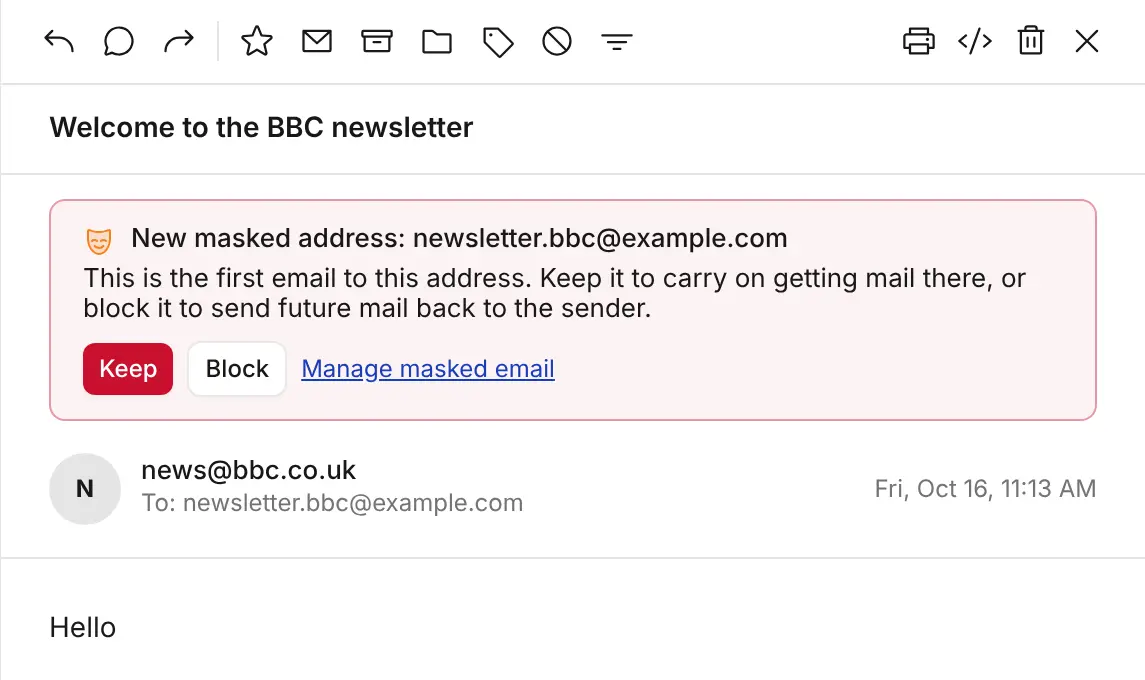
You can now generate unique, disposable email addresses on your custom domain whenever you sign up for a website or service. Incoming mail routes to your primary inbox as normal.
- On-the-fly provisioning: Type a new address pattern (like
shop.anything@yourdomain) into any web form. When the first email arrives, KT8 Mail asks whether to keep or block the alias. - Auto-expiration: Set aliases to deactivate automatically on a specific date, after a set number of days, or immediately after receiving their first email.
- Leak tracking & replies: If a sender contacts a masked address assigned to another company, KT8 Mail displays a “Possible leak” warning. Replying to a message sent to an alias sends from that alias automatically, hiding your main address and omitting your signature.
There’s a fuller walkthrough in this masked email post.
2. Smarter Spam Checks (v1.38)
I’ve updated the spam filter to inspect incoming mail from unrecognised senders for common scam patterns. It flags suspicious links, brand impersonation (e.g., PayPal or Royal Mail), homograph web addresses, and newly registered domains. Every message moved to Spam includes a clear explanation of why it was flagged.
3. Inbox Rules & Retroactive Sorting (v1.36)
You can create automated sorting rules based on senders, recipients, or keywords in the subject or body. In addition to sorting incoming mail, you can run rules retroactively to tidy up mail already sitting in your inbox, or create a rule directly from any email in one click.
4. Shared Mailboxes & Team Access (v1.24–v1.31)
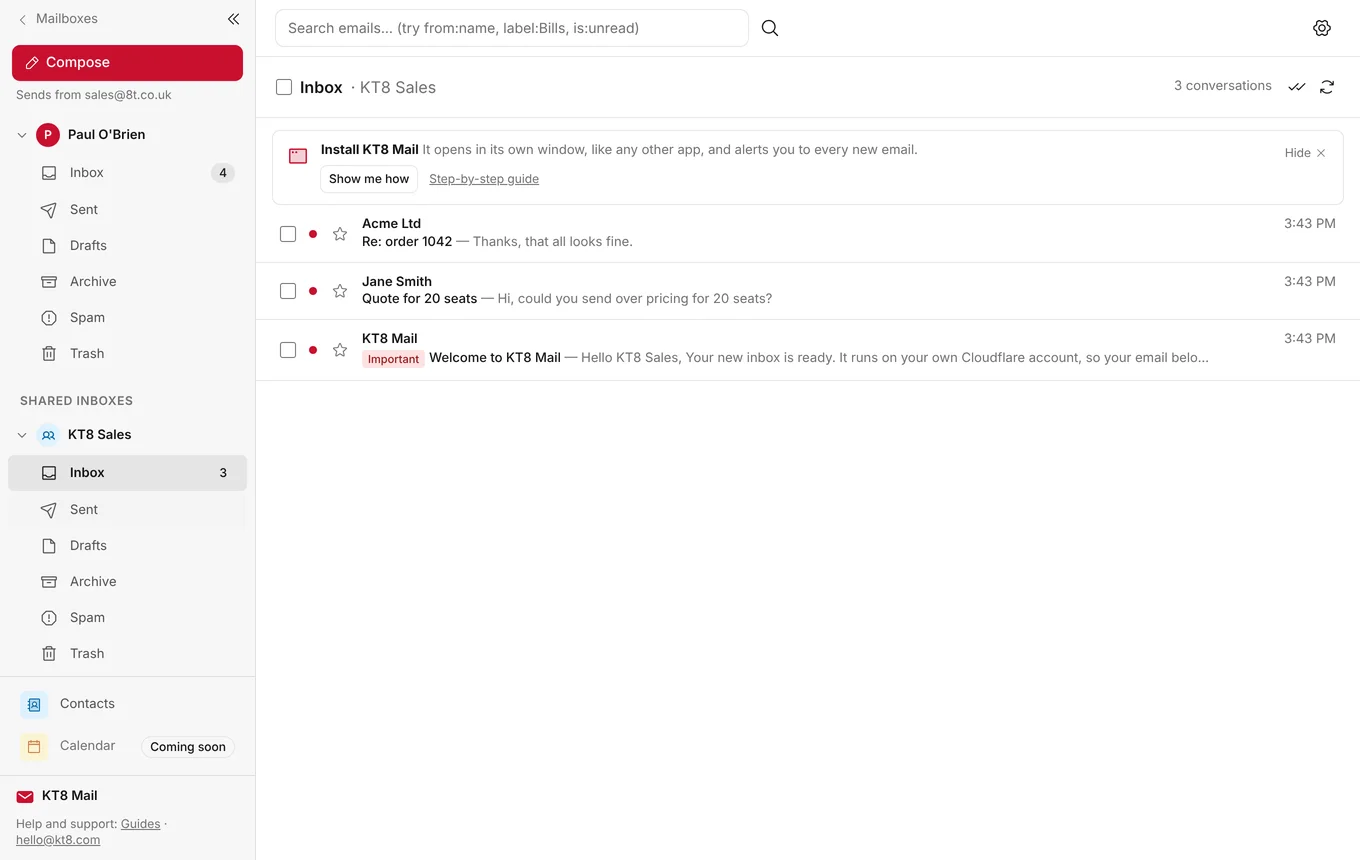
You can invite team members or family to sign in with their own email addresses and grant them access to specific mailboxes. Shared inboxes (such as sales@ or support@) sit directly in everyone’s sidebar, and individual replies indicate which user sent them. It’s all managed from one admin menu.
5. Native JSON API & Webhooks (v1.45)
I’ve added an API and webhook engine running directly on your Cloudflare Workers setup. You can generate API keys scoped to specific mailboxes with granular Read, Send, or Organise permissions, and configure signed webhooks to trigger external workflows the moment new mail arrives. The developer guide has the details.
6. Calendar Invitations & Video Calls (v1.42 / v1.47)
The built-in calendar now supports standard email invitations (compatible with Outlook, Gmail, and Apple Mail). You can see who’s accepted, respond to invites straight from your inbox, set recurring events, and add one-click join buttons for Teams, Zoom, or Google Meet links.
7. Private File Storage (v1.52)
You can now store documents, photos, and media directly in private storage on your Cloudflare account. Files up to 5 GB can be uploaded via drag-and-drop, previewed in-app (PDFs, images, audio, video), attached directly to outgoing emails, or shared via encrypted download links.
8. Passkey Sign-in (v1.54)
In addition to one-time login codes sent via email, you can now enrol passkeys under Settings › Account. This lets you sign in using Face ID, Touch ID, Windows Hello, or your mobile phone.
Everything else is on the what’s new page, and the full feature list is on kt8.com.
“My main goal with KT8 Mail is to keep expanding what a self-hosted email suite can do on Cloudflare without adding technical complexity or monthly software subscriptions.”
New Side Projects & Tools
While working on KT8 Mail, I ran into a few distinct problems around analytics, deployment, and domain checks. Rather than adopting heavy third-party services, I built a few lightweight alternatives:
- ReaderCount (readercount.com): A lightweight (~1 KB), cookie-less web analytics tool for blogs and small sites. It doesn’t track visitors across the web (no cookie banner needed) and integrates directly with Google Search Console data.
- Installs.dev (installs.dev): A service that helps developers create one-click web installers for their own Cloudflare apps, similar to the installer I built for KT8 Mail.
- KT8 Tools: A collection of free web diagnostics, including a DNS checker for SPF/DKIM/DMARC records, a mail deliverability tester, and a global speed test tool. (Free for all members).
If you’re already running KT8 Mail, you can pull the latest release (v1.56) directly through your installer to get all these updates.
Disclosure: KT8 Mail, ReaderCount, Installs.dev and KT8 Tools are my own projects, and there are no affiliate links in this post. KT8 Mail is an independent project based on Cloudflare’s open-source Agentic Inbox (Apache 2.0). It isn’t made, endorsed or supported by Cloudflare.