What a Password Manager actually does
Most people reuse passwords without realising the risk. One breach can unlock dozens of accounts. Here’s how password managers, email aliases, and backup codes close that gap.

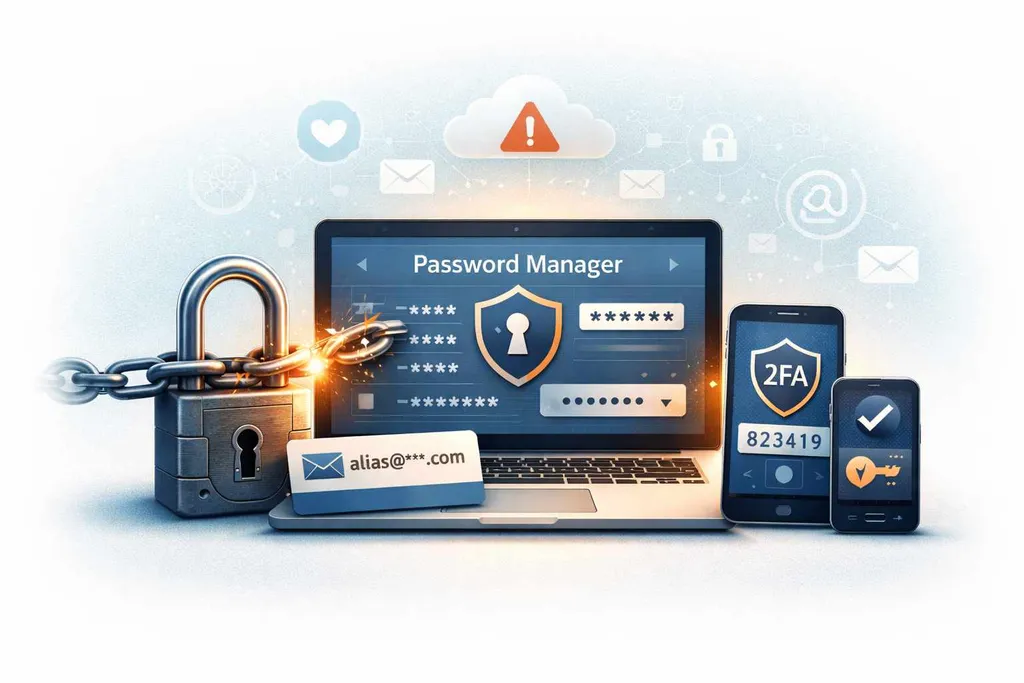
Every time a company announces a data breach, the same advice appears:
“Change your password.”
Most people do — for that one site.
Then they carry on using the same password everywhere else.
That’s the real problem.
The biggest risk after a breach isn’t just that one account is exposed. It’s that the same password might unlock dozens of other accounts too. That’s how small leaks turn into full digital identity takeovers.
A password manager is the tool that stops that chain reaction.
This isn’t about convenience or tech enthusiasm. It’s about limiting the damage when breaches happen — because they will.
What a Password Manager actually does
A password manager has one simple job:
Make sure you never have to reuse a password again.
It does that by creating long, random passwords for each site, storing them securely, and filling them in for you when you log in — leaving you with just one strong master password to remember.
You don’t need to memorise dozens of logins. The manager handles that. Your job becomes protecting the one key that unlocks the vault.
It’s not just a storage tool. It’s a system that quietly removes one of the most common causes of account takeovers.
Why password reuse is so dangerous
When a website is breached, attackers often get a list of email addresses and passwords. Sometimes those passwords are hashed (hashed passwords are scrambled using one-way cryptographic functions), and sometimes they’re exposed in plain text. Either way, attackers don’t stop at that one site.
They take those email and password combinations and try them everywhere else — email providers, shopping accounts, social media, cloud storage, and financial services.
If you reuse passwords, one breach can unlock many doors.
Most account takeovers don’t happen because someone “hacks” you directly. They happen because a password leaked somewhere else still works.
A password manager breaks that pattern. Every site gets its own unique password, so a breach in one place doesn’t spill into the rest of your life.
Why your email account depends on this
Your email account is the reset button for your entire digital life.
If someone gets into your email, they can reset passwords on other services, take over social media, access cloud files, intercept security alerts, and lock you out of your own accounts.
Protecting your email properly starts long before anyone tries to log into it. It starts with not reusing passwords anywhere else.
If the password for a random old forum is the same as your email password, that old forum is now the weak link protecting everything.
A password manager removes that hidden connection.
Are password managers safe?
This is the part people worry about:
“What if the password manager gets hacked?”
It’s a fair question. But compare the risks.
Without a password manager, you reuse passwords, you choose shorter memorable ones, and your security depends on dozens of different companies never being breached.
With a password manager, your passwords are long and random, each account stands alone, and your security depends mainly on protecting one master password.
Modern password managers use strong encryption designed so that even the company running the service can’t see your stored passwords. Your vault is locked with your master password before it ever leaves your device.
This “provider can’t read your data” model is often called zero-access encryption, which I explain in more detail here.
No system is perfect. But a well-protected vault is far safer than hundreds of weak, reused passwords scattered across the internet.
What to look for in a password manager
You don’t need to obsess over technical details. Focus on the basics: strong encryption by default, works on all your devices (phone, laptop, browser), can generate passwords for you, autofills logins safely, and supports two-factor authentication (2FA) for your account.
Well-known options range from privacy-focused tools like Proton Pass to long-established mainstream managers such as 1Password, LastPass, and others.
Some of these services have faced security incidents in the past, which has led many people to look more closely at how password managers store and protect data. The key thing to understand is that modern managers are designed so your vault is encrypted before it leaves your device — meaning your master password remains the most important line of defence.
No matter which provider you choose, the real security gains come from using a password manager consistently, turning on two-factor authentication, and avoiding password reuse entirely.
Password managers + email aliases: the real power combo
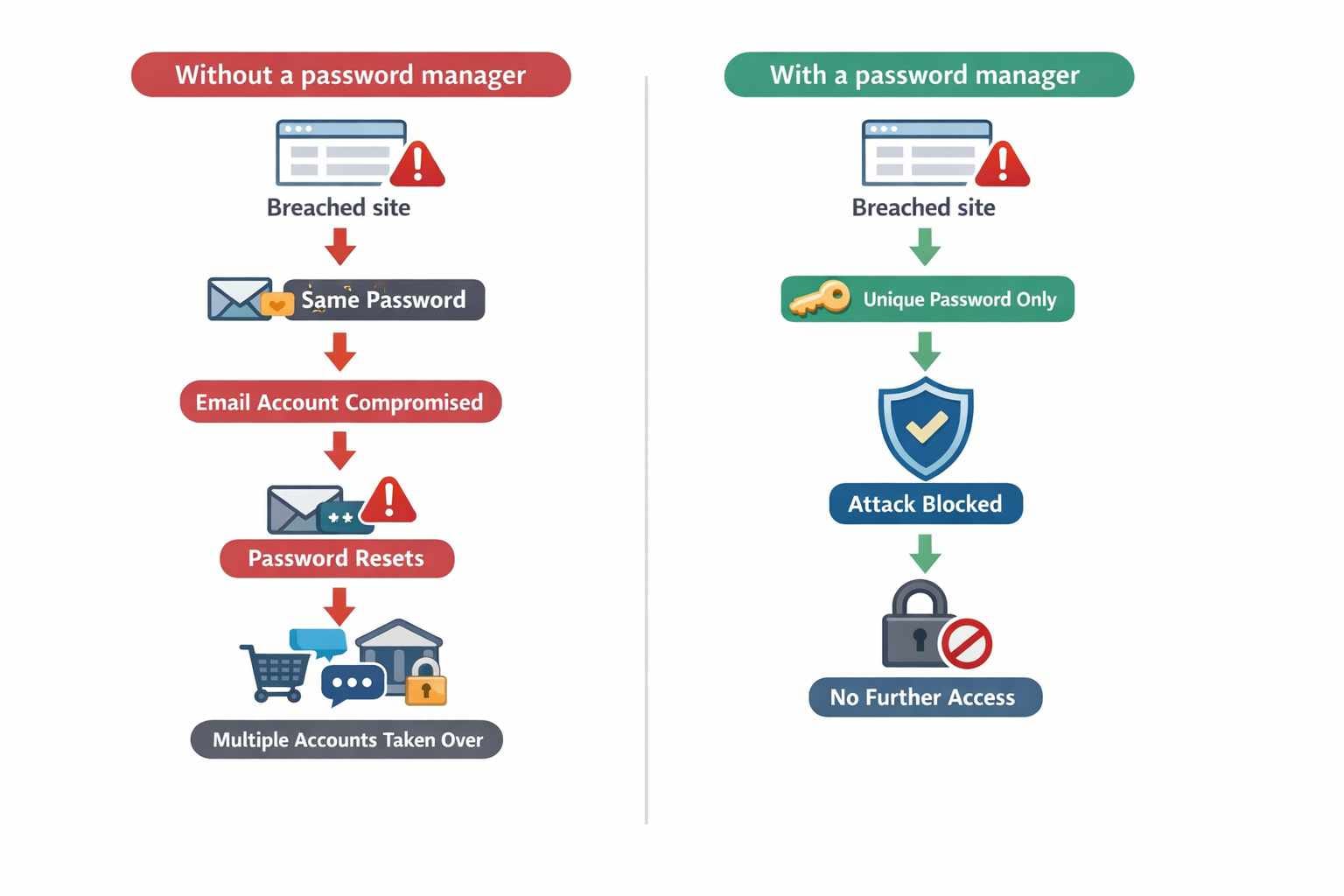
Using unique passwords and unique email aliases for every account stops breaches from spreading across your digital life.
A password manager stops password reuse.
Email aliases stop identity reuse.
Used together, they change how signups work entirely.
Instead of using the same email address everywhere, you can create a unique email alias for each service. Tools like Proton Mail, StartMail, and similar privacy-focused providers let you generate multiple email addresses that all deliver to your main inbox.
Here’s why that matters:
- If one site is breached, attackers only see the alias — not your primary address
- If spam starts, you know exactly which company leaked or sold your details
- If a service is compromised repeatedly, you can disable just that alias
- Your real, long-term email address stays out of most databases
Pair that with a password manager generating a unique password for every site, and you’ve done two powerful things:
- Every account has a different password
- Every account has a different email address
Now a breach doesn’t just fail to unlock your other accounts — it also fails to point attackers at your main identity.
Signups stop being permanent identity commitments. They become connections you control.
Don’t forget the keys to your own vault
Password managers and secure email providers are designed so that only you can unlock your data.
That’s the point.
But it comes with responsibility.
Many services use encryption where even the company cannot access your vault or mailbox without your master password and recovery information. If you lose those, support can’t simply “reset” your account and give you everything back.
Imagine losing access to years of stored passwords, recovery codes for other accounts, notes and secure documents, and the list of email aliases tied to different services.
That’s not just inconvenient. It can lock you out of your digital life.
Backup codes are not optional
I’ve seen how losing account recovery access can spiral, especially when email is involved.
When you enable two-factor authentication on a password manager or email account, you’re usually given backup recovery codes.
Those codes are often the only way back in if you lose your phone, your authenticator app, your security key, or access to your main device.
Store backup codes somewhere safe and offline — printed and kept with important documents. Not in your inbox. Not in a notes app you can’t reach without logging in.
You’re not just protecting against hackers. You’re protecting against accidents.
Think about provider lock-in
Email aliases and password managers give you control — but only if you can leave when you want to.
Most reputable password managers allow you to export your vault and import it into another provider. That portability matters. It means your security isn’t trapped inside one company’s system.
Alias systems can be trickier. This is one reason I recommend thinking of email as long-term infrastructure, not just a messaging tool. Some are portable if you use your own domain. Others are provider-controlled, which means leaving can be more complicated.
That doesn’t make them bad. It just means you should understand the trade-off before building your entire login identity on them.
The next level: email aliases you actually own
Most people stop at two steps.
They use a password manager.
They start using email aliases.
That already puts them far ahead of the average internet user.
But there’s a deeper level of control that very few people think about: owning the identity layer itself.
The problem with provider-based aliases
Services like Proton Mail and StartMail let you create extra addresses under their own domains, which is a big step up from using the same email address everywhere. It reduces how widely your “real” address is shared, and it makes it easier to isolate spam or track where leaks came from.
But the trade-off is ownership. Those aliases still exist inside the provider’s system, under the provider’s domain, and on the provider’s rules. If you move away, you will usually lose those addresses, which means you may also have to change the login email on every account that used them. And if the provider changes pricing, limits, or features, your setup changes with it — even if nothing about your needs has changed.
So you’ve improved privacy and containment, but you haven’t fully removed dependency. Your identity layer is still rented, not owned.
What changes when you use your own domain
Instead of relying on provider-owned aliases, using your own domain for email means you control the addresses themselves. The key difference is portability: you can move email providers without changing the login address on every service you use.
It also changes how you think about addresses. Your logins stop looking like something you were assigned:
…and start looking like something you deliberately designed:
[email protected]
[email protected]
[email protected]
You still get the day-to-day benefits of aliases, but the identity layer is yours. You control the domain, you control where mail is delivered, and you can swap providers later without breaking your sign-ins. That’s not just aliasing — it’s portable digital identity.
Some services make this easier by letting you generate and manage aliases on a domain you own, then forward or host that mail wherever you choose. Tools like CatchMailNot are built around that approach: you bring the domain, and they help you manage the alias layer.
The practical outcomes are simple, and they compound over time:
- Every service gets a unique address, so leaks are easier to trace and contain
- If a single address starts attracting spam or gets abused, you can disable just that alias
- Your identity structure isn’t locked to one email provider, because the domain stays yours
Why this matters more over time
Email addresses are becoming long-term identity anchors.
They’re used for account recovery, financial services, government logins, health portals, and two-factor authentication.
If all of that is tied to an address you don’t truly control, you’re renting a key to your own digital life.
When the address is on your own domain, you’re not just organising email better. You’re building an identity system you can carry for decades, independent of any one company.
This isn’t for everyone — yet
Using a custom domain for aliases is one step more advanced. There’s a bit of setup. You have to manage renewals. You have to think a little longer-term.
But if you already use a password manager, care about privacy, and want fewer single points of failure, owning your alias layer is the logical next move.
It turns email from just a communication tool into something much more important: a piece of digital infrastructure that belongs to you.
The bigger picture: damage control, not perfection
You can’t stop every breach. You can’t force every company to protect your data properly. And you can’t avoid creating accounts online.
What you can do is make sure a mistake in one place doesn’t spread everywhere else. That’s the mindset shift: you’re not chasing perfect security, you’re reducing blast radius.
A password manager helps because each account gets its own strong password. Email aliases help because each account can have its own identity. Together, that moves you away from one address-and-password combo powering your whole online life, and toward compartmentalised identities — which is what modern email privacy actually looks like in practice.
Then you add the safety rails that stop small problems turning into disasters. Two-factor authentication adds another lock. Backup codes make sure you don’t lock yourself out. Portability keeps you in control long term, so your setup doesn’t become another dependency you can’t escape.
None of this makes you invisible. None of it guarantees nothing will ever go wrong. The point is simpler than that:
When something leaks somewhere, it doesn’t take your entire digital life with it.
That’s not advanced security.
That’s basic digital resilience.
Get the weekly email
A short weekly roundup on email, privacy, and digital trust. No promos. Unsubscribe anytime.

