Proton Pass File Attachments: Secure Encrypted Storage
Proton Pass adds secure file attachments, letting you save documents and files with your stored passwords and sensitive items securely.

Proton Pass has added secure file attachments.
On the surface, that sounds like a small feature update. In practice, it changes what the product can be used for.
Proton Pass began as an encrypted password manager — logins, aliases, secure notes. With file attachments, it starts to look more like a complete encrypted vault for the documents and recovery material that usually end up scattered across different services.
The important detail is not that you can upload files.
It’s that those files sit inside the same end-to-end encrypted environment as the rest of your vault.
What the Feature Actually Does
You can now attach files directly to individual items inside Proton Pass.
That means the login, the secure note, and the related documents can live together in one encrypted container. A passport scan alongside a government login. Insurance paperwork next to the account credentials. Recovery codes stored with the service they belong to.
Each attachment is protected by Proton’s end-to-end encryption model. The files are encrypted in the same way your passwords are. Proton cannot read them. Third parties cannot access them. They are locked to your account.
Supported file types are broad, and storage allowances depend on your plan.
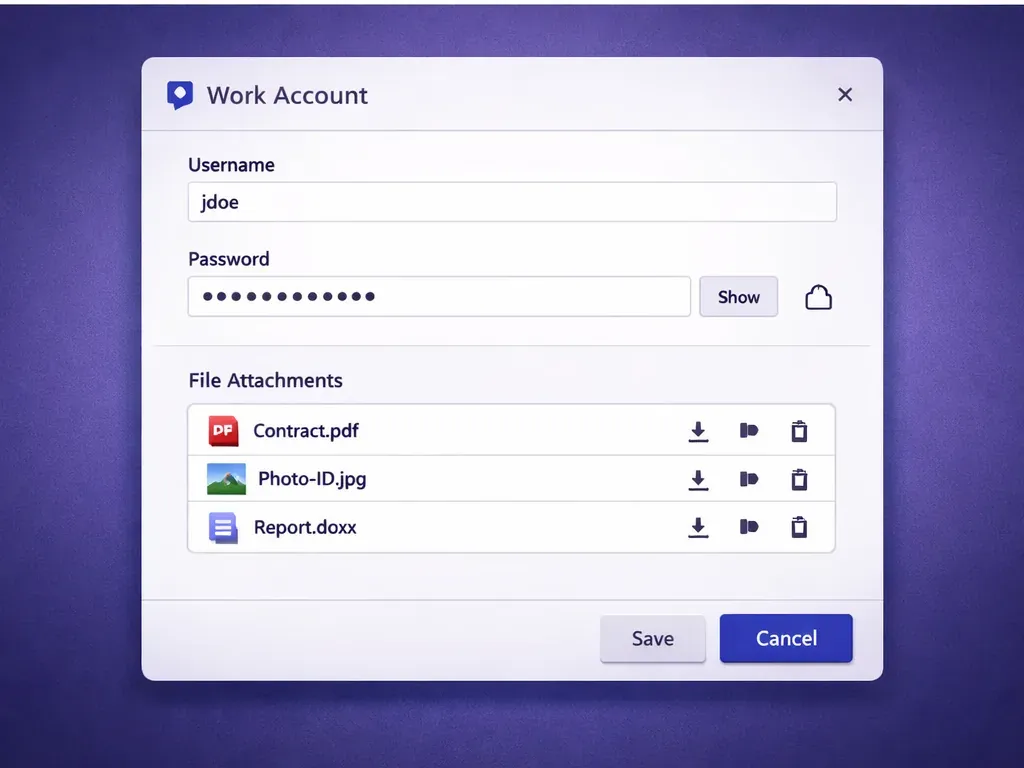
Proton Pass encrypts file attachments end-to-end, keeping documents and credentials inside the same secure vault.
Why This Is More Useful Than It Sounds
Most people already store sensitive documents somewhere.
The problem is fragmentation.
A login might live in a password manager. The associated PDF lives in a cloud drive. Recovery codes might be saved in a notes app. Identity scans might be buried in a folder on your laptop.
Each tool may have a different security model. Each location increases the surface area of risk.
Secure attachments reduce that sprawl.
Instead of juggling three services, everything connected to an account can sit together — protected by the same encryption layer. That doesn’t eliminate risk entirely, but it does simplify your security model.
And simplicity is underrated in digital security.
The fewer moving parts, the fewer chances you have to misplace something critical.
Who Gets Secure File Attachments?
File attachments are available on paid Proton Pass plans, including:
- Pass Plus
- Pass Family
- Proton Pass Professional
- Proton Unlimited
- Other higher-tier bundled plans
Free plans may not include file attachment support, and storage limits vary depending on your subscription tier.
You can review current Proton Pass plans directly on Proton’s site:
As always, it’s worth checking the fine print around storage caps and file size limits before you rely on it for large document archives.
Practical Use Cases
This feature becomes genuinely useful in situations where credentials and documentation are tightly linked.
For example:
A telecom account login with SIM documentation and identity verification attached.
A financial account entry with backup codes and account reference paperwork stored alongside it.
An online service where the recovery PDF or encrypted backup file needs to stay tied to the login credentials.
It also simplifies secure sharing in family or professional vault environments, where you want both access credentials and the supporting files available in one place.
The alternative is usually switching between apps and hoping everything stays organised.
How It Compares to Traditional Password Managers
Many established password managers already support attachments. In that sense, Proton Pass is catching up rather than inventing something new.
The difference is Proton’s broader ecosystem approach.
Proton positions Pass as part of a larger privacy-first stack that includes Mail, Drive, Calendar, and more. File attachments inside Proton Pass mean fewer reasons to step outside that encrypted environment for small but sensitive documents.
If you already use Proton Drive for larger storage, Proton Pass attachments are not a replacement for full cloud storage. They are better thought of as context storage — files that belong to a specific login or vault entry.
That distinction matters.
Final Thoughts
Secure file attachments don’t transform Proton Pass overnight, but they do make it more complete.
Password managers are slowly evolving into personal security hubs rather than just credential lockers. Being able to keep passwords, recovery codes, and supporting documents together — under one encryption model — makes organisational sense.
If you already use Proton Pass, this update reduces fragmentation and makes the vault more practical.
If you’re comparing password managers more broadly, you can read my wider guide to choosing a password manager.
🔐 Secure file attachments keep documents with your passwords.
Try Proton Pass →
Disclosure: This page contains affiliate links. If you choose to sign up using them, I may earn a commission at no extra cost to you.
