HEY Email Forwarding: Limits, Lessons, and What to Expect
Email forwarding in HEY works differently than many expect. Here’s why issues happen, what authentication has to do with it, and what users should know.

Updated February 2026
Email forwarding is one of those features most people assume will work the same everywhere.
You set a destination address, switch it on, and expect copies of your emails to arrive reliably.
In practice, forwarding is one of the most technically fragile parts of email — especially in a world of SPF, DKIM, and DMARC enforcement.
When I was a HEY customer, I ran into forwarding behaviour that didn’t align properly with modern authentication standards. That experience led to useful conversations with their engineering team — and changes on their side — but it also highlighted something broader:
Forwarding is not a simple feature.
Forwarding is harder than it looks
In a basic setup:
Sender → Provider A → Provider B
But modern email isn’t that simple.
Authentication checks happen at multiple stages. SPF can break because the sending IP changes. DKIM can fail if content is altered. DMARC depends on alignment rules that forwarding can disrupt.
If a provider doesn’t implement things like SRS (Sender Rewriting Scheme) correctly, SPF will fail. If DKIM isn’t preserved, DMARC may fail. If ARC isn’t used, trust signals can be lost further down the chain.
From the user’s perspective, this just looks like:
- Messages not arriving
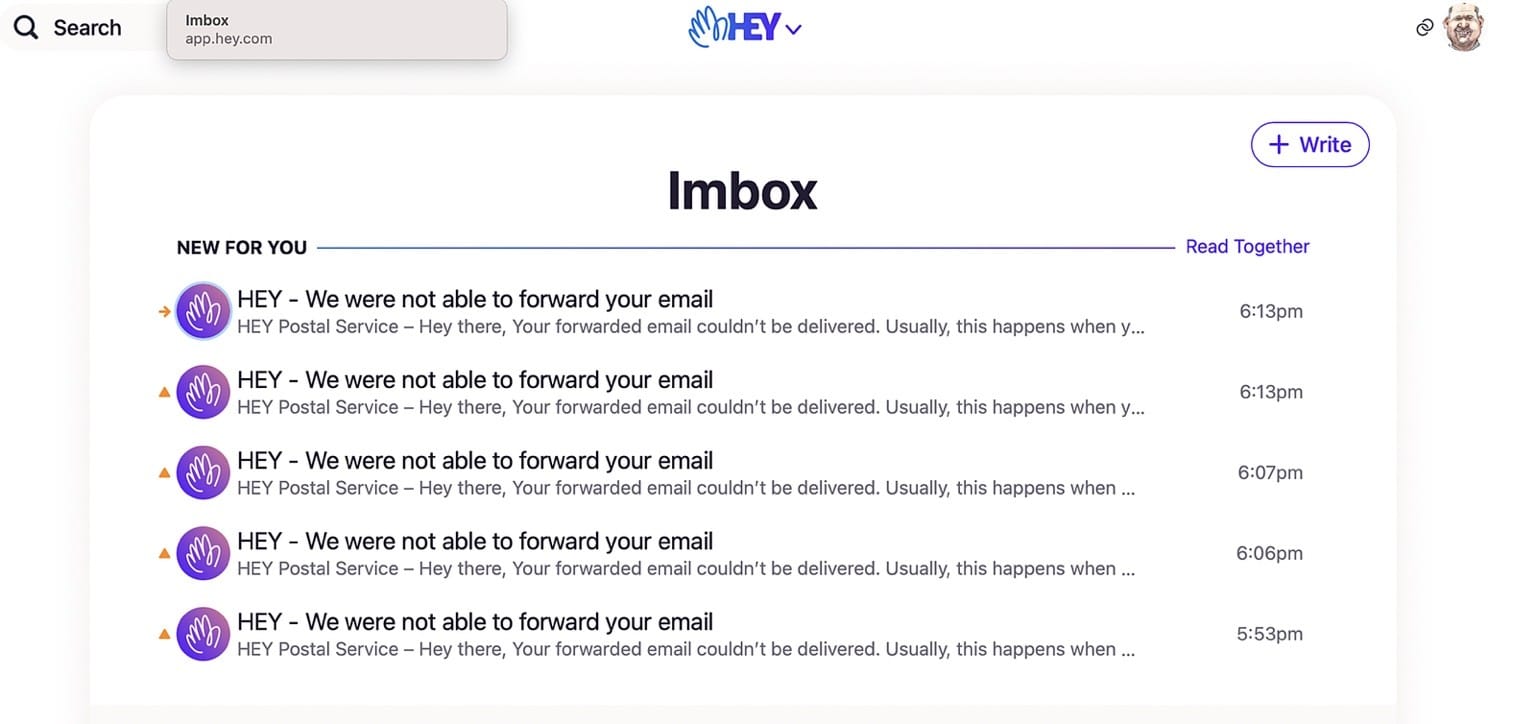
- Delivery failure notifications
- Inconsistent behaviour
Under the hood, it’s about authentication and policy enforcement.
HEY’s forwarding model is intentionally narrow
HEY does support forwarding — but it’s not designed as a programmable automation engine.
It is primarily intended for:
- Forwarding all incoming mail elsewhere
- Transitioning away from HEY
- Basic, whole-account forwarding
It does not support conditional forwarding such as:
- Forward only certain senders
- Forward only emails with attachments
- Forward based on subject or rules
If you’re coming from Gmail or Fastmail, that can feel restrictive.
That difference in intent is often mistaken for a technical failure when it’s really a design choice.
Where issues did occur
When I encountered forwarding problems, the issue wasn’t about design intent — it was technical.
Authentication alignment needed tightening. Some forwarded messages were not behaving correctly under stricter DMARC enforcement.
That’s not unusual for providers that are still maturing their mail transfer infrastructure. Forwarding is one of the more complex parts of running a mail system properly.
What mattered was how it was handled.
The human response mattered more than the flaw
When I raised the issue, I didn’t receive a generic reply or scripted deflection.
I spoke directly with an engineer. The discussion was open and technical. They acknowledged the behaviour, worked through the authentication implications, and corrected the implementation.
Not every user wants or needs that kind of interaction. Most shouldn’t have to think about SPF alignment at all.
But the experience demonstrated something important:
They were willing to fix what wasn’t robust enough.
Forwarding wasn’t dismissed as “working as designed.” It was reviewed and improved.
That distinction matters.
Why forwarding still feels inconsistent for some users
Even with improvements, forwarding can still appear unreliable in certain scenarios because:
- HEY does not forward messages classified as spam
- Conditional rule-based forwarding isn’t supported
- Forwarding is not designed as a parallel long-term archive system
If HEY filters a message out before forwarding, it will not reach the destination inbox. That can create the impression that forwarding is broken, when in reality filtering is taking precedence.
Understanding that behaviour helps set expectations.
What HEY forwarding supports today
Within its intended scope, forwarding does work.
You can:
- Forward all incoming mail to another address
- Forward mail out if you are leaving HEY
- Forward mail into HEY from another verified provider
What you cannot do is treat forwarding as a rule-based workflow engine.
Setting realistic expectations
Forwarding in modern email environments is not as simple as it once was. Strict DMARC policies, spam filtering, and authentication enforcement have made naive forwarding setups fragile.
HEY’s model prioritises inbox control and filtering over advanced automation. That trade-off works for some users and frustrates others.
The key is understanding what the feature is designed to do — and what it isn’t.
Final thoughts
If HEY forwarding feels unreliable, it’s usually not random. It’s either:
- A filtering decision
- A design limitation
- Or an authentication edge case
In my own case, a technical shortcoming was addressed quickly once surfaced. That doesn’t mean every interaction will look the same — but it does show that problems can be resolved when acknowledged directly.
Forwarding is one of the most misunderstood features in email.
Get the weekly email
A short weekly roundup on email, privacy, and digital trust. No promos. Unsubscribe anytime.

