DuckDuckGo Email Protection: Spam and Tracker Blocking
DuckDuckGo Email Protection adds a privacy layer to your inbox by forwarding email while blocking trackers and reducing spam — without replacing your existing email provider.

Spam email is annoying, but modern email tracking is arguably the bigger problem. Many emails now include invisible tracking pixels, tagged links, and analytics that tell senders when you opened a message, where you were, and sometimes what device you were using — all without asking.
DuckDuckGo Email Protection aims to solve part of that problem with a simple idea: keep your real email address private, and remove trackers before messages ever reach your inbox.
Rather than replacing your email provider, DuckDuckGo Email Protection works quietly in the background using email forwarding.
What is DuckDuckGo Email Protection?
DuckDuckGo Email Protection is a free email forwarding service that lets you create a private @duck.com email address.
When someone emails that address:
- You read and reply as normal using your existing email provider
- Known tracking elements are removed
- The message is forwarded to your real inbox
There’s no new inbox to manage, no app to learn, and no requirement to switch away from Gmail, Proton Mail, Outlook, or anything else you already use. This makes it very different from traditional email providers — and that’s intentional.
DuckDuckGo also provides a Private Duck Address Generator, built into its browser and extensions, which creates unique @duck.com addresses for individual sign-ups. These addresses can be disabled if they begin receiving unwanted mail, offering a simple way to limit spam without managing a full alias dashboard.
You can also change the destination address that emails are forwarded to, making it possible to switch inboxes later without updating every individual sign-up.
How email forwarding helps reduce spam
Email forwarding reduces spam by breaking the link between your real email address and the services you sign up for.
Instead of giving every website the same personal address, you use a DuckDuckGo alias. Over time, this provides several clear benefits:
- Your real email address stays private
- Spam is contained to disposable or secondary addresses
- Data breaches are less likely to expose your primary inbox
This approach works particularly well for:
- One-off forms and free trials
- Account registrations
- Online shopping and receipts
- Newsletter subscriptions
It’s a simple layer of separation, but over time it makes a noticeable difference to inbox hygiene and privacy.
Blocking email trackers (the biggest benefit)
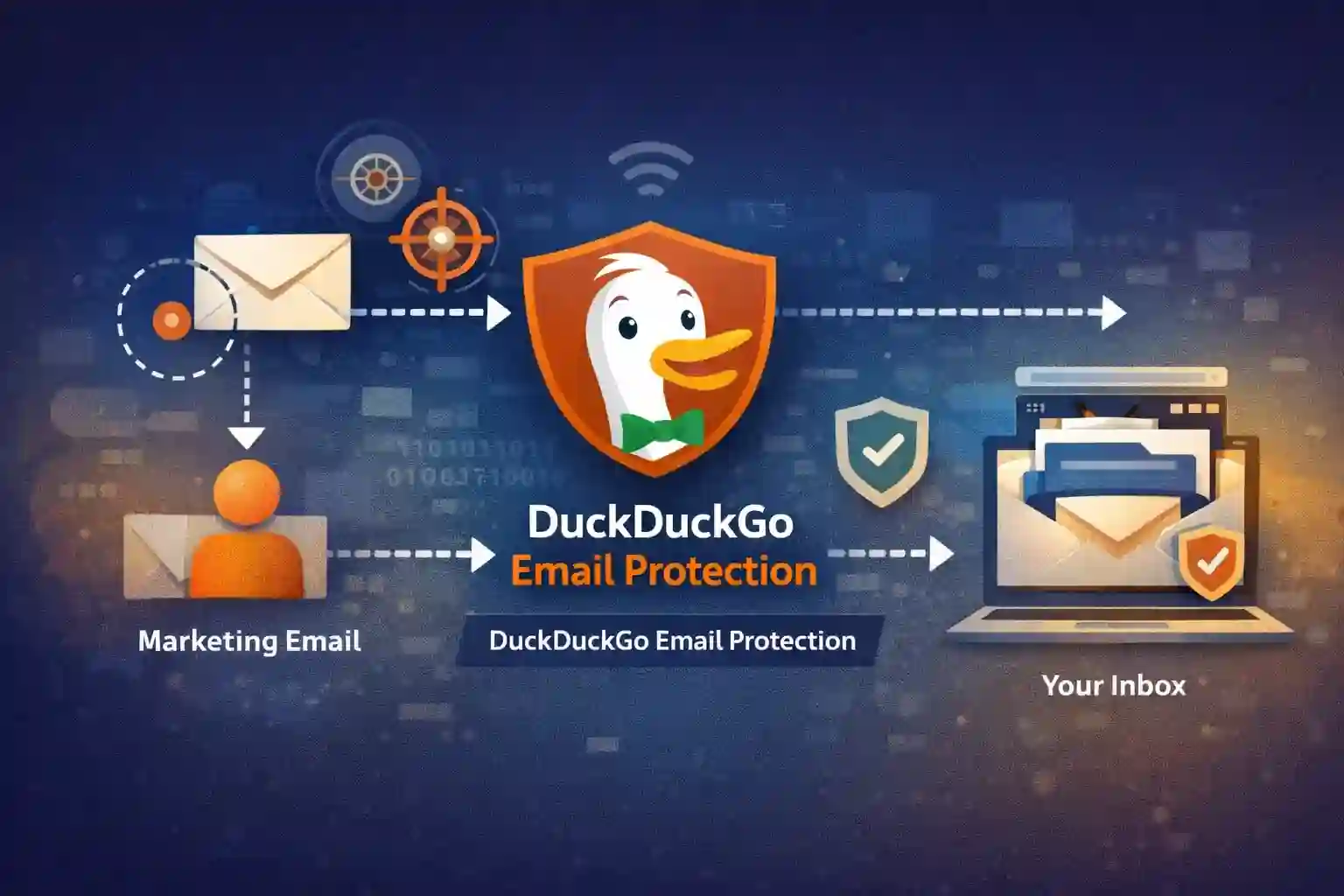
Spam is visible. Tracking usually isn’t.
Many marketing emails include invisible tracking pixels that notify senders when a message is opened — a practice documented by organisations such as the Electronic Frontier Foundation.
These signals can reveal:
- Often your IP address and device type
- When you opened it
- That you opened the email
DuckDuckGo Email Protection removes many of these tracking elements automatically before the email reaches your inbox.
DuckDuckGo states that emails handled by Email Protection are encrypted during delivery and processing. Because the service removes trackers before forwarding messages, it must briefly access message contents to perform that filtering. This means messages aren’t stored long-term, but the service isn’t operating under a zero-access encryption model where the provider is technically unable to read content.
As a result:
- Your inbox becomes a more private space again
- Engagement tracking becomes less accurate
- Emails can be read without notifying the sender
All of this happens silently, without changing how you read or manage email.
How DuckDuckGo Email Protection encryption actually works
DuckDuckGo does use encryption, but it’s important to be clear about what kind of protection is being provided.
Emails handled by DuckDuckGo Email Protection are encrypted in transit using TLS, and messages are encrypted while they are processed. DuckDuckGo also states that email contents are not stored long-term. Tracker removal takes place before messages are forwarded on to your inbox.
In that sense, encryption is used throughout the delivery process.
However, this is not zero-access encryption in the way it’s implemented by services like Proton Mail. Because DuckDuckGo removes tracking elements before forwarding messages, it must technically access email contents to perform that filtering. There is no user-controlled private key model, and messages are not encrypted in a way that prevents the service from accessing content during processing.
As a result, encryption is present, but it isn’t user-managed end-to-end encryption. The distinction is subtle, but important when comparing DuckDuckGo Email Protection to full secure email providers rather than viewing it as a privacy-enhancing relay.
How this compares to Proton Mail aliases, StartMail, and SimpleLogin
DuckDuckGo Email Protection occupies a different position to services like Proton Mail, StartMail, and dedicated alias managers such as SimpleLogin.
In my StartMail piece, one of the standout strengths was unlimited aliases, combined with clear identity separation and predictable control. That model is designed for users who want to actively manage multiple email identities over the long term.
DuckDuckGo takes a lighter approach. While it can generate unique @duck.com addresses for sign-ups, it doesn’t aim to provide comprehensive alias management, custom domains, or fine-grained control. Instead, it focuses on reducing exposure by keeping your real address private and stripping trackers before messages reach your inbox.
In practical terms, this means DuckDuckGo Email Protection works best as a default sign-up address, while services like StartMail or Proton Mail are better suited to users who want structured identity control and long-term alias strategies.
They solve related problems — but at different depths.
Limitations to be aware of
While useful, DuckDuckGo Email Protection isn’t a complete solution for everyone.
Some limitations worth noting:
- No user-controlled, zero-access encryption model
- No advanced alias management dashboard
- Limited control over replying from aliases
- Not suitable for business or custom-domain use
If you want fine-grained control, encrypted inboxes, or domain-based aliases, a dedicated email provider or alias service will be a better fit.
Who DuckDuckGo Email Protection is best for
This service makes the most sense if you:
- Want fewer trackers in your inbox
- Don’t want to change email providers
- Sign up to lots of online services
- Prefer tools that work quietly in the background
It’s especially effective as a default address for sign-ups, while keeping your main email address reserved for personal or important communication.
Verdict
DuckDuckGo Email Protection delivers a simple but effective layer of inbox privacy by combining email forwarding with automatic tracker removal. It avoids complexity by design, focusing on protecting your real email address and limiting the amount of behavioural data shared with senders.
While it lacks the advanced controls of dedicated alias managers or secure email providers, it succeeds at what it sets out to do: quietly reduce tracking and inbox exposure without requiring users to change how they already use email.
Final thoughts
DuckDuckGo Email Protection won’t appeal to users who want fine-grained alias management, custom domains, or encrypted inboxes. Its scope is deliberately narrow — and that’s the point.
By stripping trackers and separating your real email address from routine sign-ups, it helps restore a sense of privacy to everyday email use. There’s no dashboard to obsess over, no inbox to migrate, and very little to configure. Once enabled, it simply runs in the background.
For people who want to make incremental improvements to their digital privacy — without committing to a full email switch — that restraint is a strength.
Next steps
DuckDuckGo Email Protection is free and easy to try. If you want to experiment with it, you can enable Email Protection and get a @duck.com address directly from DuckDuckGo, then start using it for newsletters, shopping accounts, or one-off sign-ups.
Used alongside an existing email provider, it acts as a low-effort privacy buffer — reducing tracking and inbox clutter without adding friction to your day-to-day workflow.
Get the weekly email
A short weekly roundup on email, privacy, and digital trust. No promos. Unsubscribe anytime.

